10
Chapter1Introduction
●
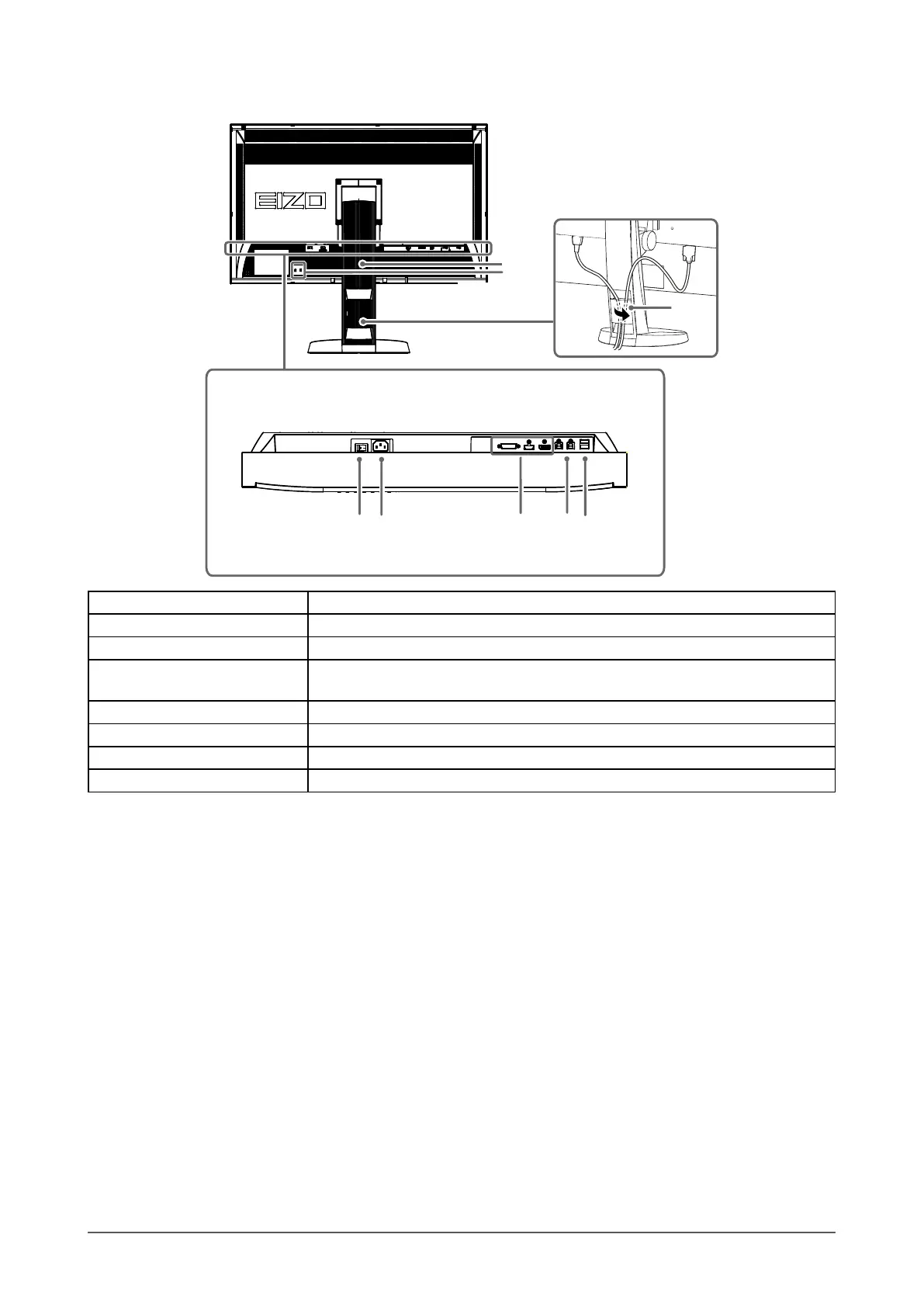
Rear
16
17
10 11 12 13
14
15
10. Main power switch Turnsthemainpoweronoroff.
11. Power connector Connectsthepowercord.
12. Input signal connectors Left:DVI-Dconnector/Center:HDMIconnector/Right:DisplayPortconnector
13. USB upstream port
ConnectstheUSBcabletousethesoftwarethatneedsUSBconnection,ortouse
USBhubfunction(page46).
14. USB downstream port ConnectsaperipheralUSBdevice.
15. Stand
*2
Usedtoadjusttheheightandangleofthemonitorscreen.
16. Security lock slot ComplieswithKensington’sMicroSaversecuritysystem.
17. Cable holder Coversthemonitorcables.
*2 An optional arm (or an optional stand) can be attached by removing the stand section (see “8-1. Attaching the Optional Arm”
(page 45)).










 To Next Page