41
Chapter7Troubleshooting
Chapter 7 Troubleshooting
If a problem still remains after applying the suggested remedies, contact your local EIZO representative.
7-1. No picture
Problem Possible cause and remedy
1. No picture
• Powerindicatordoesnotlight.
• Checkwhetherthepowercordisconnectedproperly.
• Press
.
• Turnthemainpowerswitchon.
• Turnoffthemainpower,andthenturnitonagainafew
minuteslater.
• Powerindicatorislightingblue. • Increase“Brightness”and/or“Gain”intheAdjustment
menu(see“2-3.AdjustingColor”(page20)).
• Powerindicatorislightingorange.
• Switchtheinputsignalwith
.
• Operatethemouseorkeyboard.
• CheckwhetherthePCisturnedon.
• Powerindicatorisashingorangeandblue. • ThedevicethatisconnectedusingDisplayPort/HDMI
haveaproblem.Solvetheproblem,turnoffthemonitor,
andthenturnitonagain.RefertotheUser’sManualof
theoutputdeviceforfurtherdetails.
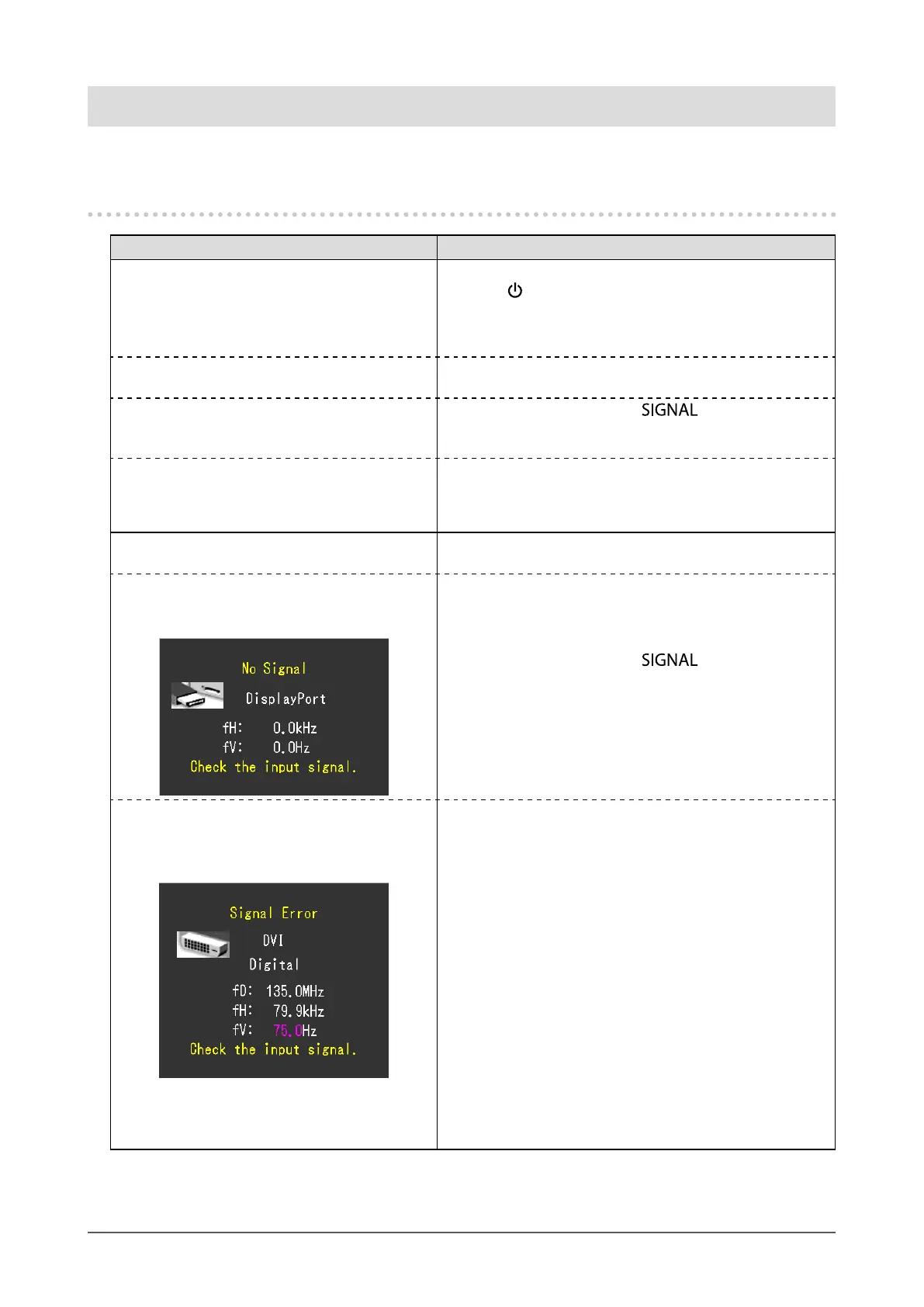
2. The message below appears. Thismessageappearswhenthesignalisnotinputcorrectly
evenwhenthemonitorfunctionsproperly.
• Thismessageappearswhennosignalis
input.
Example:
• Themessageshownleftmayappear,becausesomePCs
donotoutputthesignalsoonafterpower-on.
• CheckwhetherthePCisturnedon.
• Checkwhetherthesignalcableisconnectedproperly.
• Switchtheinputsignalwith
.
• Themessageshowsthattheinputsignalisout
ofthespeciedfrequencyrange.(Suchsignal
frequencyisdisplayedinmagenta.)
Example:
fD: DotClock
fH: HorizontalScanFrequency
fV: Verticalscanfrequency
• CheckwhetherthePCisconguredtomeettheresolution
andverticalscanfrequencyrequirementsofthemonitor
(see“2-1.SettingResolution”(page15)).
• RebootthePC.
• Selectanappropriatesettingusingthegraphicsboards
utility.RefertotheUser’sManualofthegraphicsboard
fordetails.










 To Next Page