13
Chapter1Introduction
●
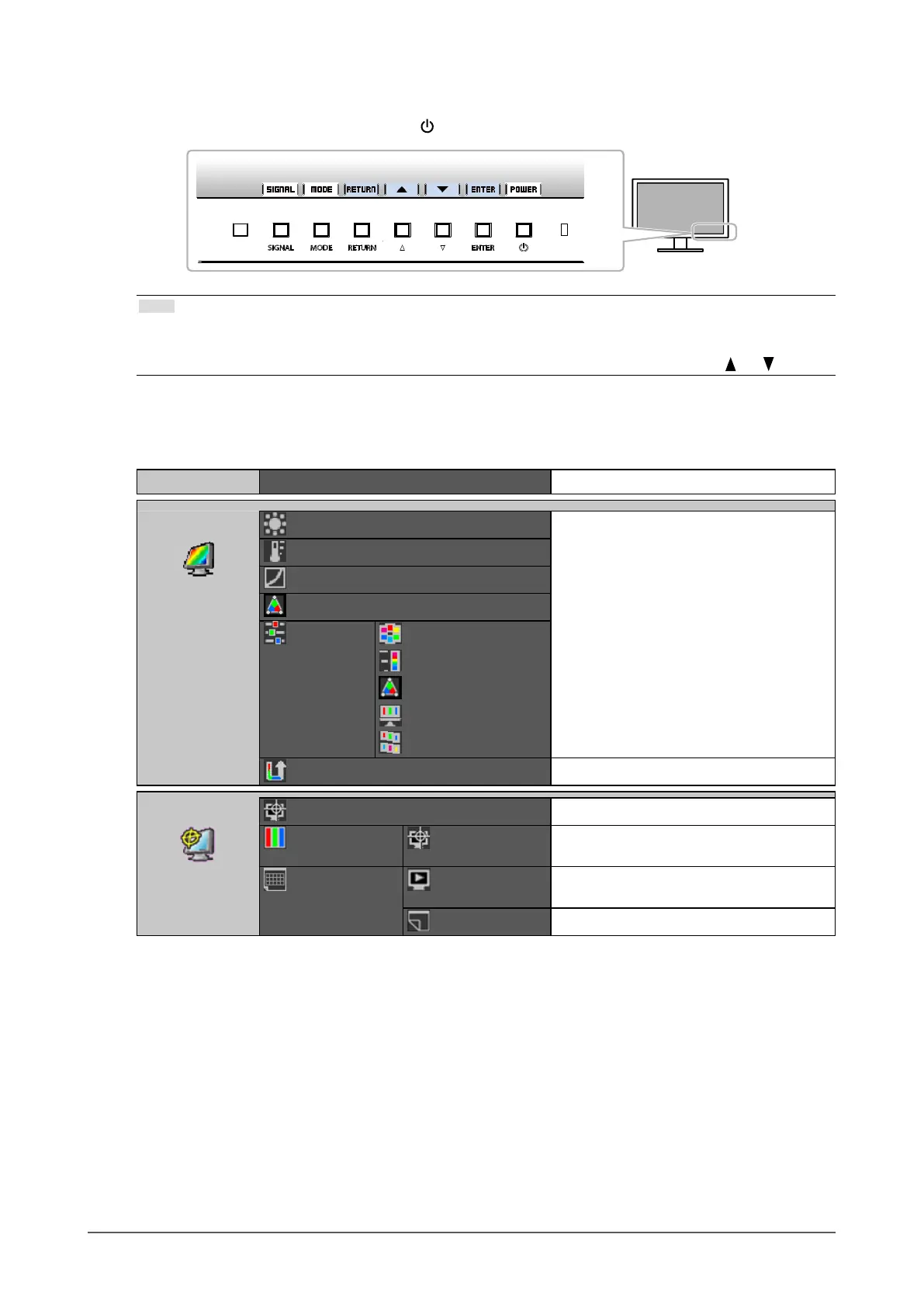
Showing Button Guide
When you press the front buttons (except the button), the button guide appears next to the button.
Note
• The button guide will continue to appear while the Adjustment menu or Mode menu is showing.
• The button guide is displayed differently depending on the selected menu or status.
• In CAL mode, the brightness cannot be adjusted even though the button guide is displayed above the
and buttons.
●
Functions
The following table shows the menus for adjustment and setting items of each menu.
Main Menu Item Reference
Color
*1
Brightness
“2-3.AdjustingColor”(page20)
Temperature
Gamma
ColorGamut
Advanced
Settings
Hue
Saturation
Clipping
Gain
6Colors
ColorReset
“3-6.Resettodefault”(page32)
SelfCorrection
Execute
“4-2.ExecutingSelfCorrection”(page34)
StandardMode SelfCorrection
“Toenable/disableSelfCorrectionfor
StandardMode”(page33)
Schedule StartingTime
“SetthetimingatwhichSelfCorrectionis
executed.”(page33)
Interval
“SettingSelfCorrectionSchedule”(page34)










 To Next Page