12
Chapter1Introduction
1-4. Basic Operations and Functions
●
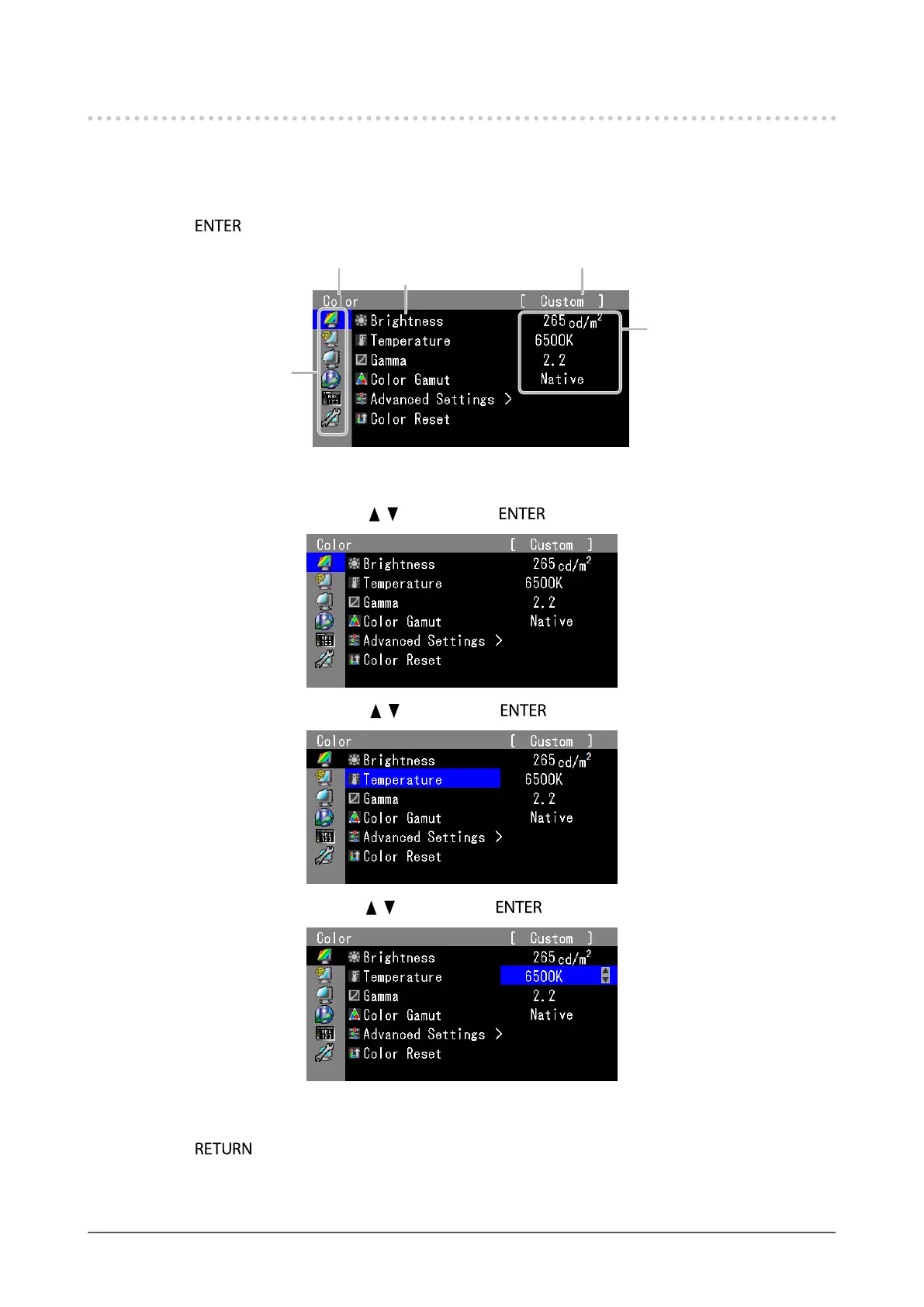
Basic Adjustment menu operations
1.
Displaying Adjustment Menu
1. Press . The Adjustment menu appears.
Currentmode
Menutitle
Setting
Menu
Item
2.
Adjusting/Setting
1. Choose a menu to adjust/set with , , and then press .
2. Choose an item to adjust/set with , , and then press .
3. Adjust/set the selected item with , , and then press .
3.
Exiting
1. Press a few times. The Adjustment menu nishes.










 To Next Page