(
(
(
Start-Up
and
Adjustments
5.2.3.2.2 Status
Page
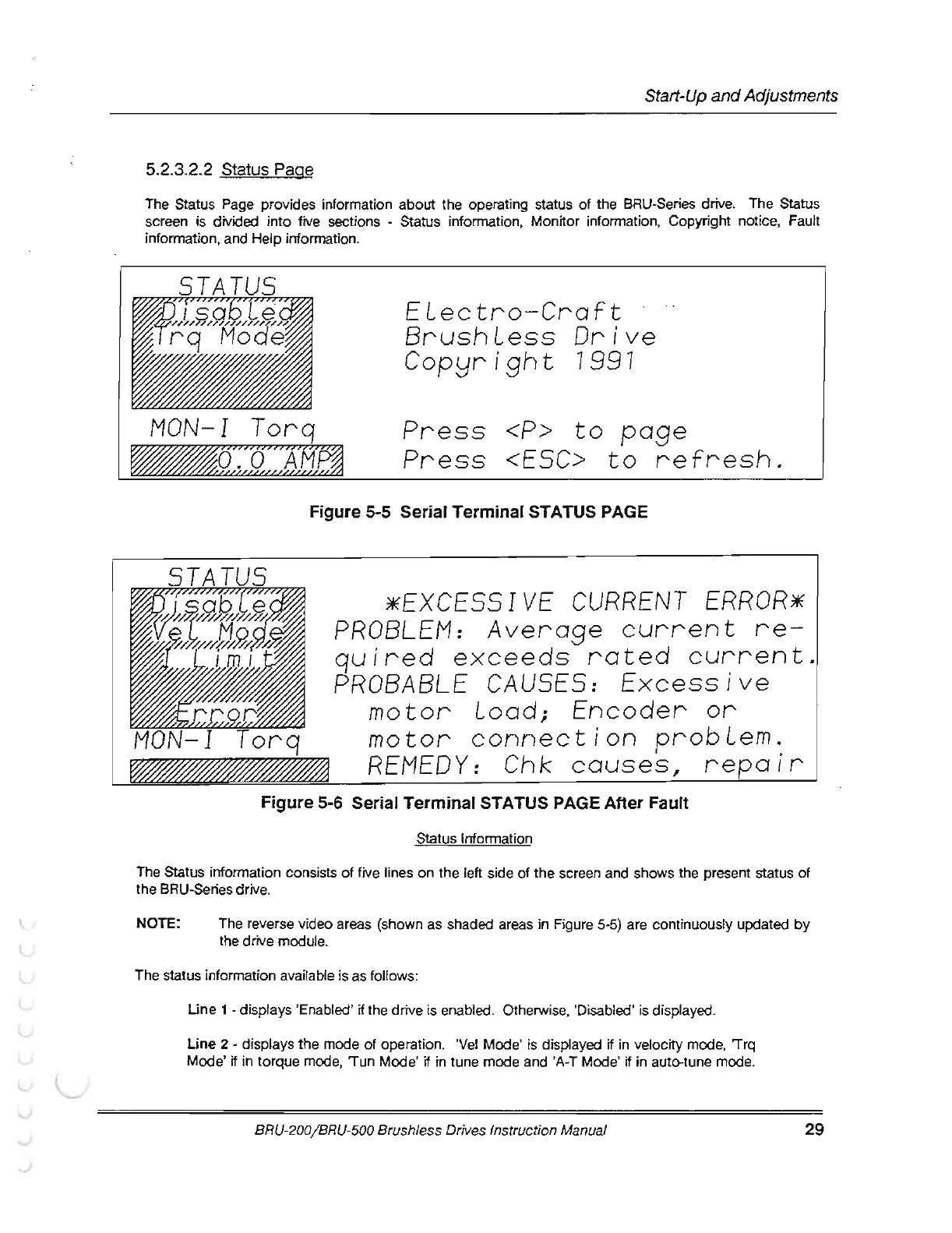
The Status Page provides information
about
the
operating status
of
the BRU-Series drive. The Status
screen is divided
into
five sections - Status information, Monitor information, Copyright notice, Fault
information, and Help information.
MON-I
Torq
ELectro-Craft
BrushLess
Drive
Cop!Jright
7997
Press
<P>
to
page
Press
<ESC>
to
refresh.
Figure 5-5 Serial Terminal STATUS PAGE
*EXCESSIVE
CURRENT
ERROR*
PROBLEM:
Average
current
quired
exceeds
rated
current.
PROBABLE
CAUSES:
Excessive
motor
Load;
Encoder
or
motor
connection
probLem.
REMEDY:
Chk
causes,
repair
Figure
5-6 Serial
Terminal
STATUS PAGE
After
Fault
Status Information
The Status information consists
of
five lines
on
the
left side
of
the
screen and shows the present status
of
the
BRU-Series drive.
NOTE:
The reverse video areas (shown
as
shaded areas in Figure 5-5) are continuously updated
by
the drive module.
The status information available is as follows:
Une
1
-displays
'Enabled '
if
the drive is enabled. Otherwise, 'Disabled' is displayed.
Une
2 - displays the mode
of
operation. 'Vel
Mode'
is displayed
if
in velocity mode, 'Trq
Mode'
if
in
torque
mode, 'Tun
Mode
'
if
in
tune
mode and 'A-T Mode'
if
in
auto-tune mode.
BRU-200/ BRU-500 Brushless Drives Instruction Manual
29



 To Next Page