12 Operating the unit Elma Schmidbauer GmbH
24 / 32 Elmasonic Select
12.8 Start ultrasonic cleaning
The display shows the current settings.
For information on changing the settings, see Set cleaning duration, ultrasound mode and target
temperature.
The described settings have been configured and should be started.
If necessary, press the Plus button to heat the cleaning fluid. The Heating symbol will be
shown on the display. The display shows the set target temperature and the current
temperature of the cleaning fluid flashing alternately. If necessary, wait until the target
temperature has been reached.
Press the Start/stop button to begin ultrasound operation in the displayed mode. The
Remaining time symbol is shown on the display. The remaining time, the current
temperature and the set ultrasound mode are continuously shown on the display.
The ultrasound mode, temperature, duration and heating On/off can be changed during
ultrasonic cleaning. IMPORTANT Changing the duration switches off ultrasonic cleaning.
Press the Start/stop button to restart ultrasonic cleaning with the altered time setting.
The end of cleaning is indicated by the End of cleaning symbol and, where applicable, an
acoustic signal (depending on the parameter settings). The remaining time display will
disappear.
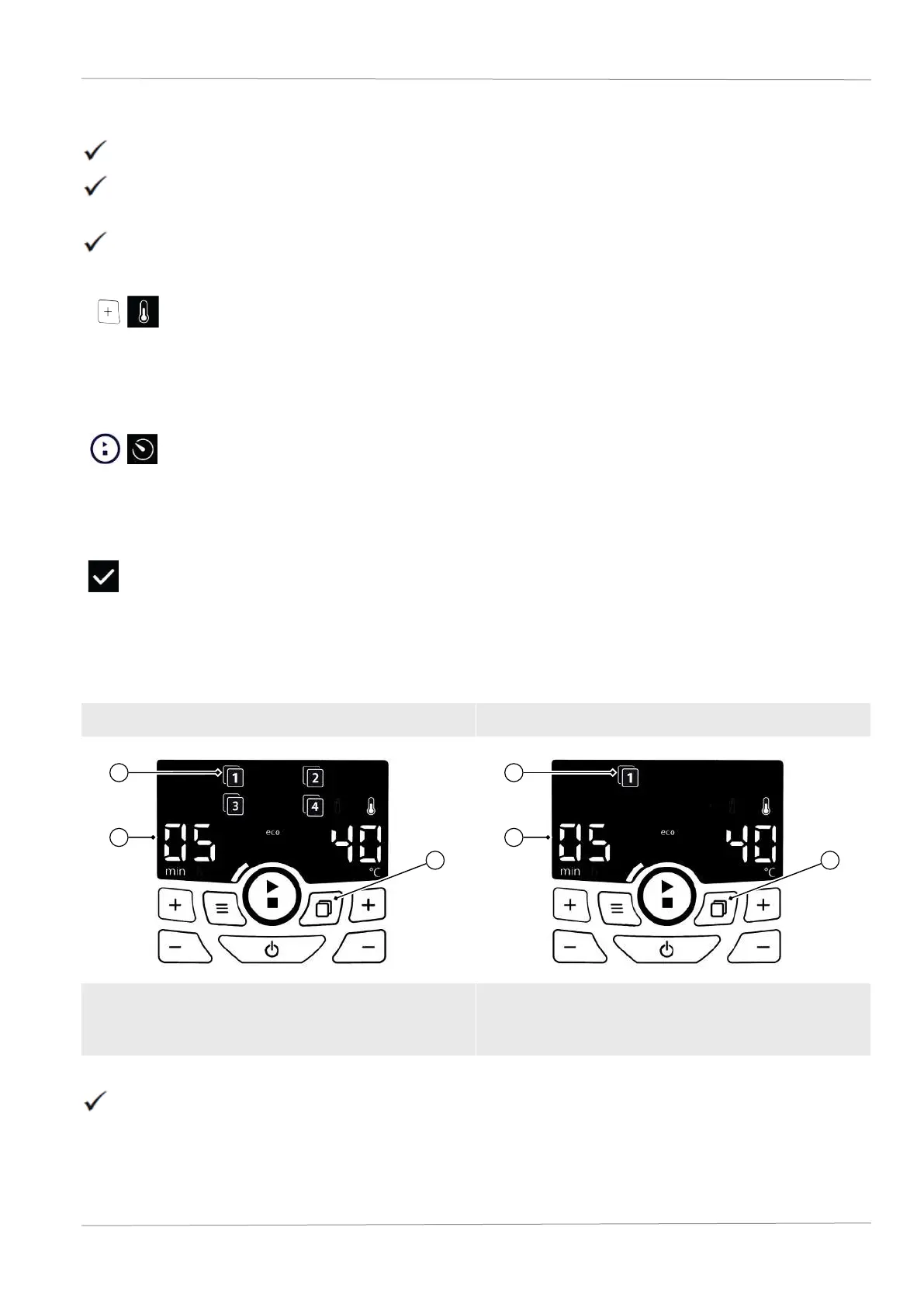
12.9 Save programmes
You can save up to fourprogrammes.
Display in Save mode Display in Programme mode
To save the currently set programme, use the
Plus/minus buttons to select a programme
number from 1 to 4.
The settings have been configured in Normal mode. These settings can be saved as a programme.
IMPORTANT The auto-degas and Temperature-controlled start modes can only be saved separately as
programmes.


 To Next Page