EasyManua.ls Logo

Elmo GS-800 - Page 34

Elmo GS-800
56 pages
Print Icon
To Next Page IconTo Next Page
To Previous Page IconTo Previous Page
Loading...
32
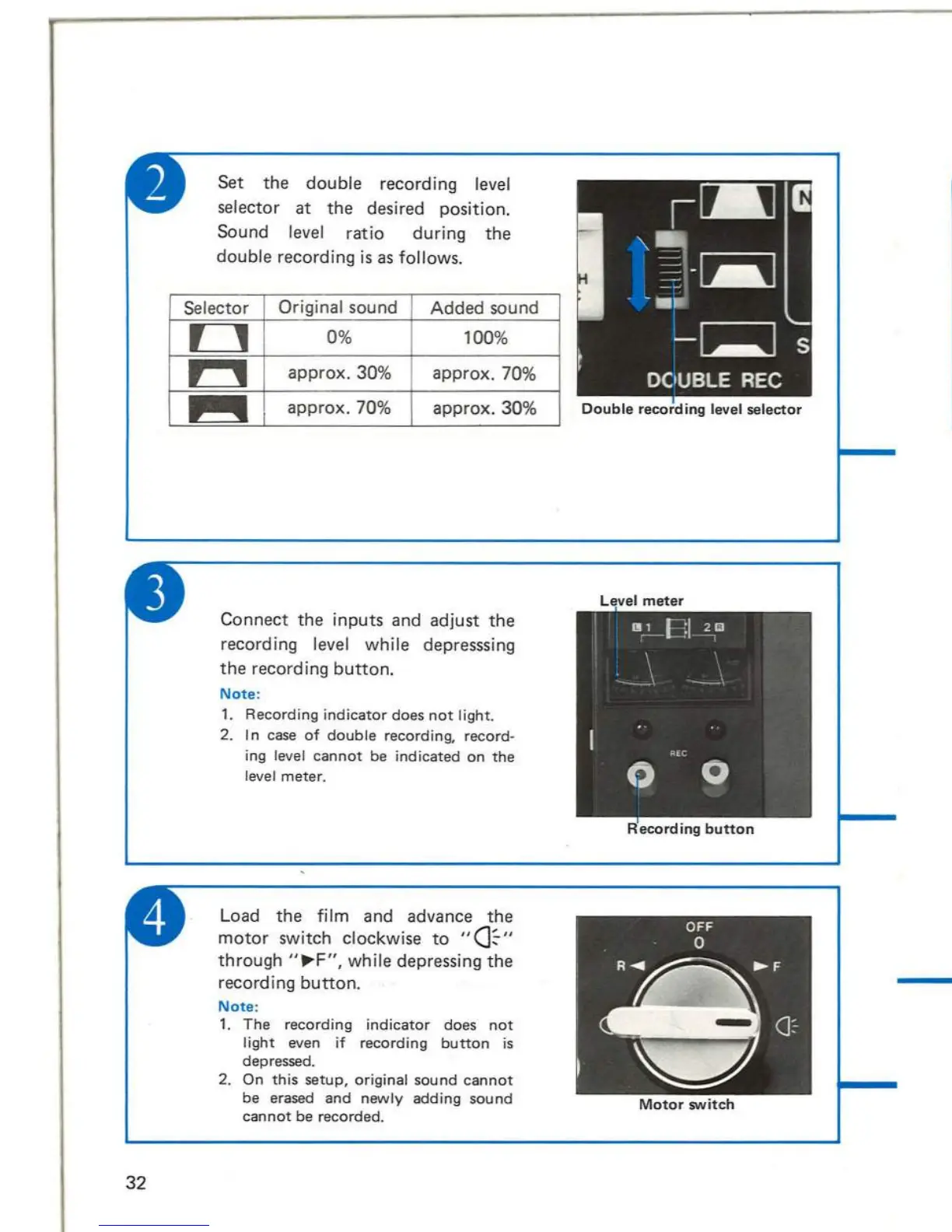
Set
the
double
recording level
selector
at
the
desired position.
Sound level ratio during
the
double recording
is
as follows.
Selector
Original
sound
Added
sound
~
0%
1
00
%
~
approx.30%
approx.70
%
~
approx
. 70%
approx.30%
Connect
the
inputs
and
adjust
the
recording level while depresssing
the
recording
button.
Note
:
1.
Recording
indicator
does
not
light
.
2. I n
case
of
double
recording,
record-
ing level
cannot
be
indicated
on
the
level
meter.
Load
the
film
and
advance
the
motor
switch clockwise
to
"(]~"
through
"~F",
while depressing
the
recording
button.
Note
:
1.
The
recording
indicator
does
not
light
even
if
recording
button
is
depressed.
2.
On
this
setup,
original
sound
cannot
be erased
and
newly
adding
sound
cannot
be
recorded
.
Double
recording
level
selector
Motor
switch
S
et
the
fade recording selec
tor
at
NORMAL REC.
Note
:
For
double
recording,
see
page
31
.
Fade
recording
selec
tor
Connect
the
input
lines.
A.
Connect
tape
record-
er
/mixer
output
to
the
AUX I N jack.
B.
Connect
the
micro-
phone
to
the
M I C
jack.
Note
:
When
output
level
of
mixer
is
low,
connect
it
with
MIC
jack.
MI
C
jack
21

Related product manuals