Software
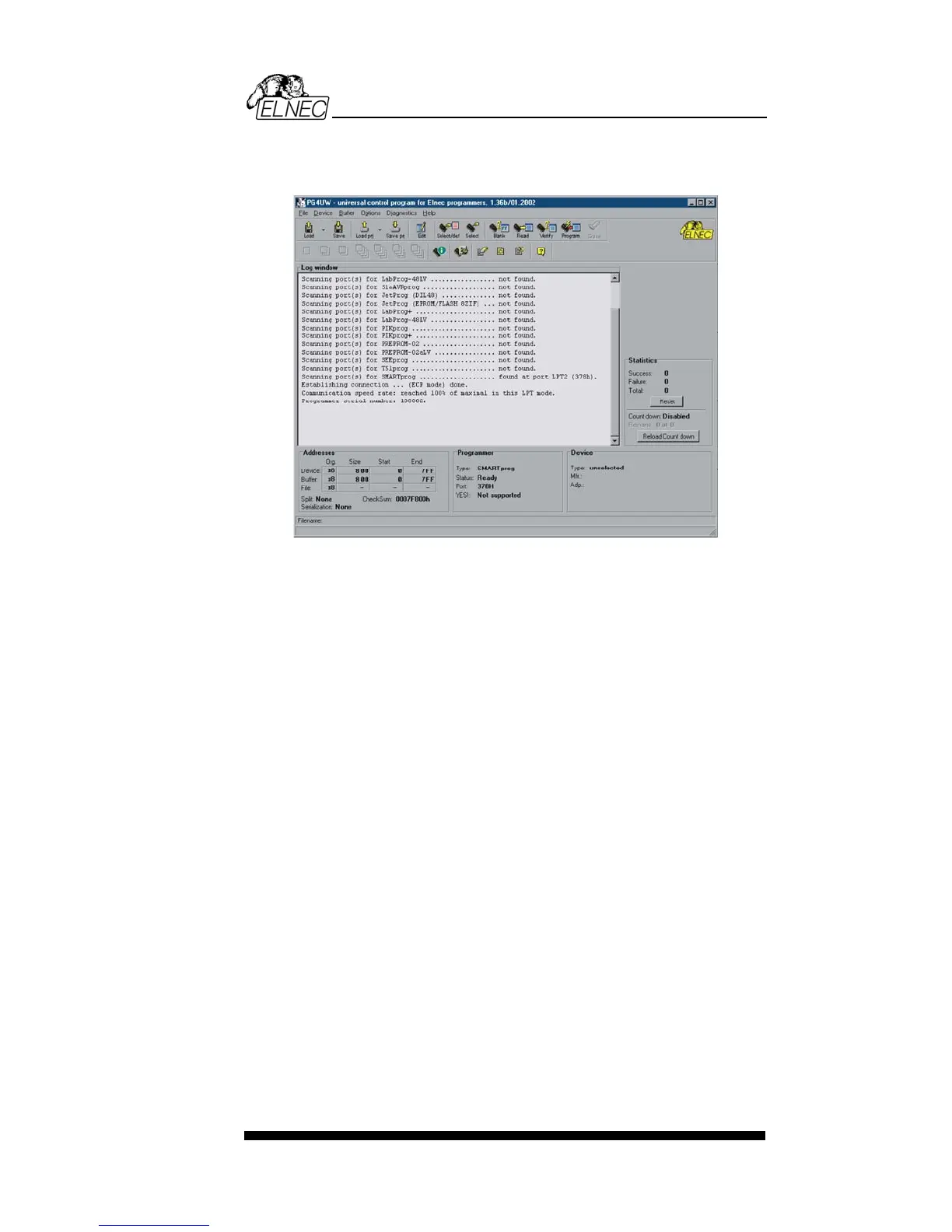
Description of the user screen
Windows program PG4UW
Header bar the name, copyright statement and
version of the PG4UW control program
Menu bar list of basic functions
Filename information on the currently loaded file
in buffer
Programmer window information about the status of the
programmer and PG4UW
Addresses window organization, size, start and end
addresses of the target device, buffer
and file
Device window all relevant information about the
current target device
Help bar a brief description of selected
command
Menu selection is carried out in the normal GUI fashion - either
by cursor moving plus pressing <Enter>, or by typing the
highlighted letter in the wanted menu or - of course - by
mouse. Hot-keys are available for even quicker selection of
intensely used commands.
Note: Data entered through keyboard is in HEX format,
excepting ASCII blocks in Buffer/View/Edit command.
113


 To Next Page