49
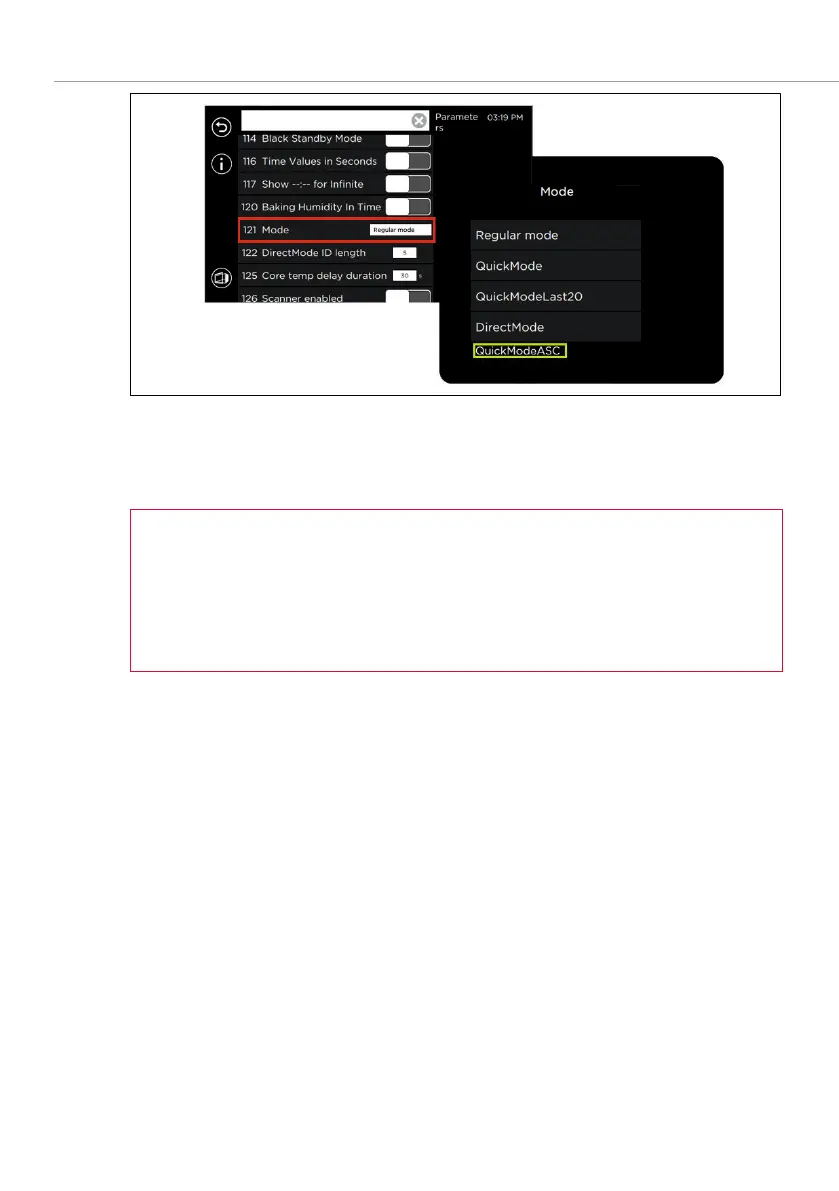
Fig. 28: Activating QuickModeASC in
Settings/Service
6. Click on mode display and select
.
7.
to the start screen.
A standby temperature for preheating and holding a constant baking –
chamber temperature can be selected in
Settings/Service
.
The device automatically switches to the preheating phase or holds the –
selected baking chamber temperature for up to 6 hours.
(CAUTION: High energy consumption!)
8. The
Program selection list display in ASC mode
screen appears (see Fig. 26).
9. Once preheating is complete, the signal sounds and the desired level of the
baking chamber can be loaded.
10. The program starts once the door has been closed, and the baking time
counts down.



 To Next Page