51
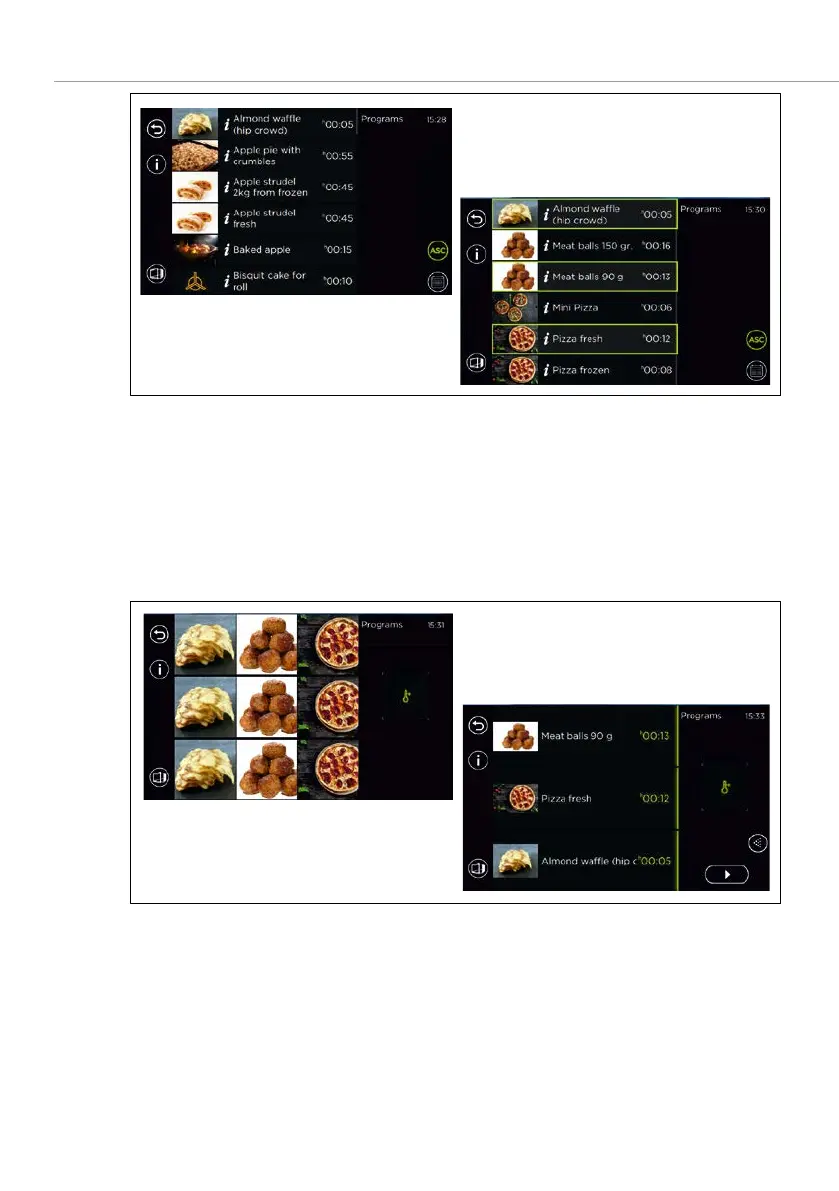
Fig. 30: Program selection list display (ASC special programs)
1. ASC mode is called up using the special program in the program list.
All programs a with a single step can be selected (see Fig. 29a). –
Once the first single-step program has been selected, all other program –
suggestions which can be baked simultaneously with almost identical
program settings, are displayed (see Fig 29b).
2. Select three baking programs for the insert levels.
Fig. 31: Start screen after selecting 3 baking programs (a. preheating for manual selection, b.
standby temperature set)
3. Select
.



 To Next Page