EM Test CWS500 D
User manual V 1.07 17 / 34
5.2. Generator Function Check
As with all testing equipment, the continuous wave simulator type CWS 500D should be checked for
performance and accuracy from time to time. The check should be completed as listed below.
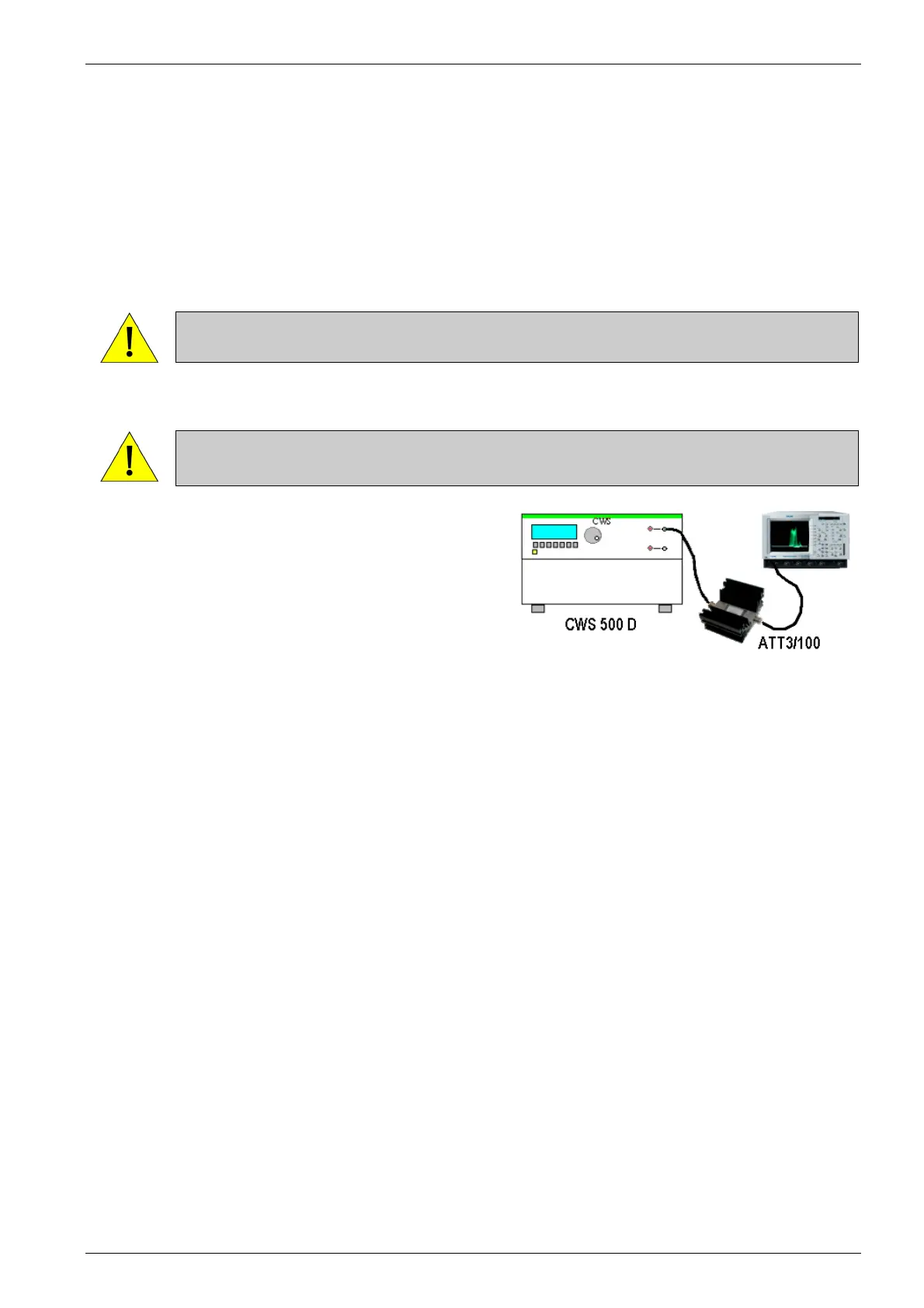
- Connect the RF-output of the CWS 500D to the 3dB-attenuator or an adequate attenuator.
- Switch on the power supply.
- Select the in Quickstart with the following parameters:
voltage : 30dB
frequency : 23MHz
modulation : OFF, 2Hz, 400Hz or 1kHz
- Connect the output of the 3dB-attenuator with the 50Ω input channel of the oscilloscope.
ATTENTION Take attention to the maximum input power capability and the bandwidth of the
test input.
- Push "TEST ON" and start the test.
ATTENTION DO NOT connect the output of the ATT3/100 nor the output of the CWS 500D
to the monitor input, otherwise the monitor input will be destroyed.
Using an oscilloscope or powermeter for checking the
operation of the generator very easy. Fig 5.1.
Take notice that this procedure is only a functional check of
the generator. Differences in the test level may be caused
by a limited bandwidth or mismatching within the testing
system.
Exact and accurate measurements can only be guaranteed
with the specified test setup according to standard.
Fig 5.1
expected values >22 dBm
-30dBµA 53dB = 23dBm ± 4dB


 To Next Page