Operation
Page 11
* These icons are only displayed for transceiver variants that include a dual mode internal GNSS receiver.
Table 1 Status Icons
3.4 Main operating screens
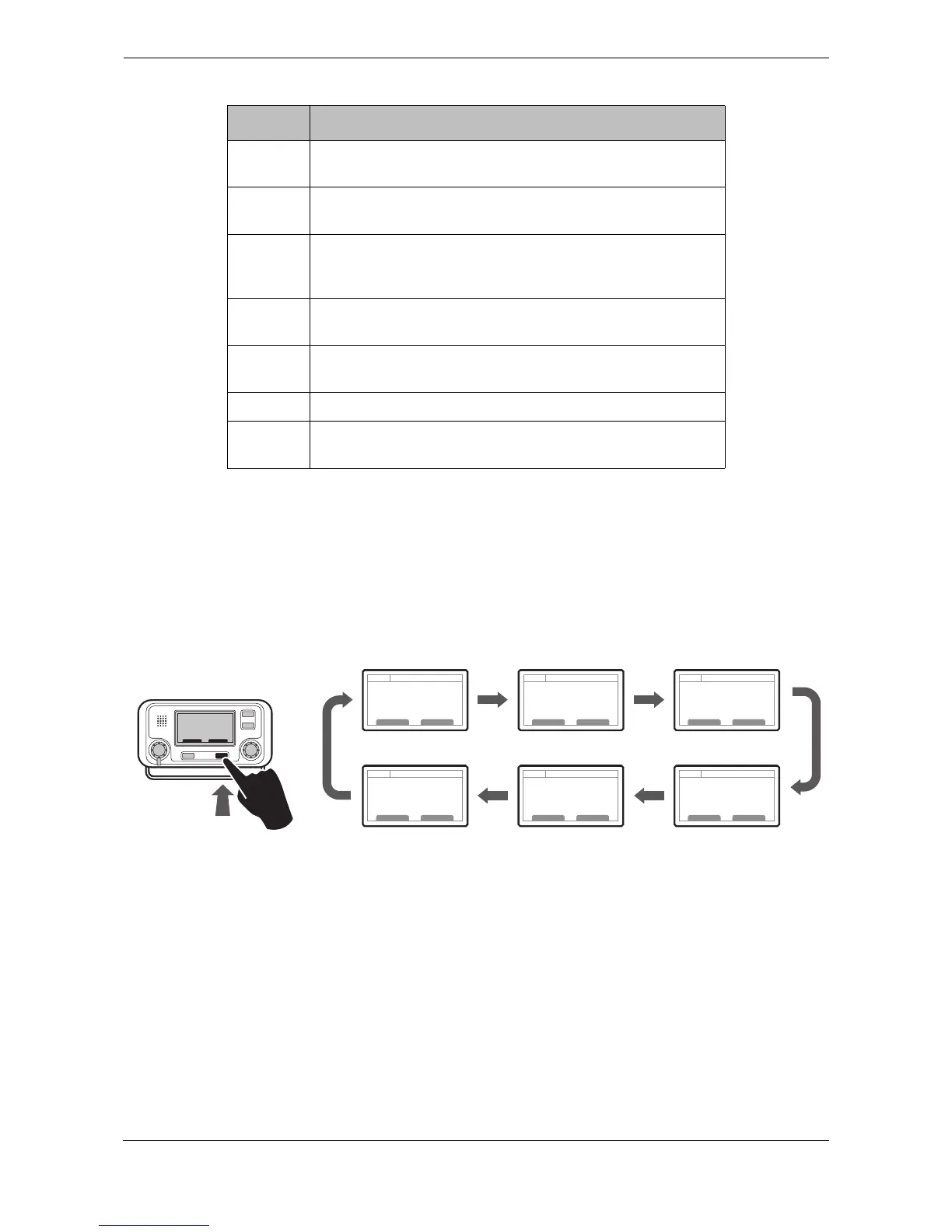
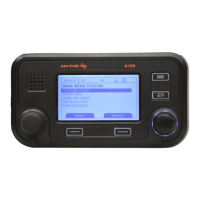
In normal operation the display shows one of six main operating screens. The next screen can be selected at
any time by pressing the ‘Screen’ function key as shown in
Figure 4. The following subsections describe each
of the operating screens in more detail.
Figure 4 Selection of main operating screen
EXT
DGNSS
Shown when a connected external GNSS receiver has a valid
differential position fix*.
NO
GPS
Shown when the internal GNSS receiver is set to GPS mode
and there is no valid internal or external GPS position fix.
NO
GNSS
Shown when the internal GNSS receiver is set to GLONASS
or GLONASS+GPS mode and there is no valid internal or
external GNSS position fix*.
Shown when unread AIS safety related text messages are
available.
Shown flashing when an alarm is active, shown constantly
when an alarm is active, but acknowledged.
1W Shown when the transmitter is set to 1W mode.
IL Shown when the AIS transceiver is operating in ‘Inland
Waterways’ mode.
Icon Description


 To Next Page