Installation
Page 46
4.4.7 PC data connection
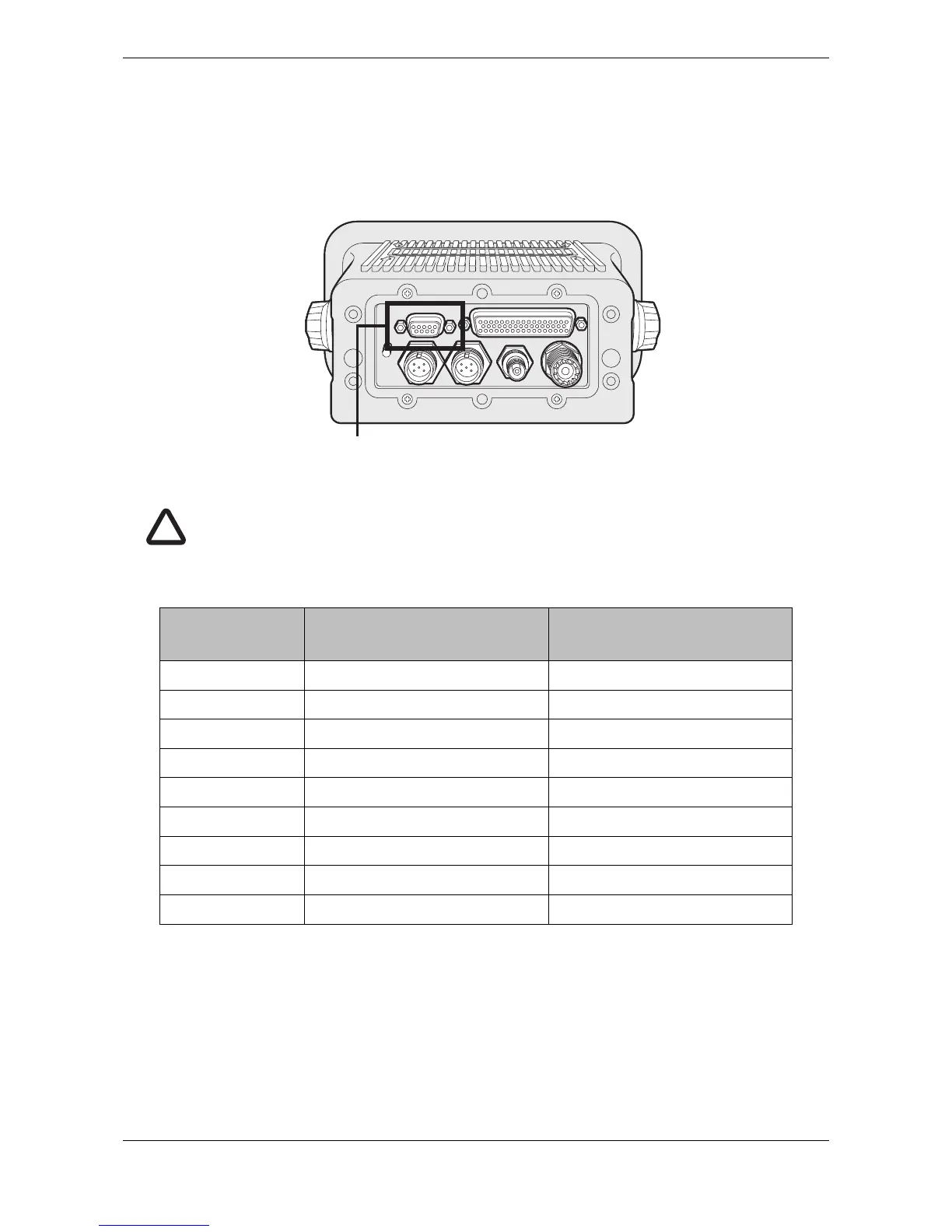
A 9 way D-type connector is provided on the rear panel of the transceiver. This interface allows direct
connection to a PC RS232 interface and can be used for installation, diagnostics or external display
connection. The default configuration for this interface allows connection of an ECDIS or charting system and
duplicates the ‘External display’ port in the junction box.
Figure 50 PC data (RS232) connection
The pin allocation for the 9 way D-type socket on the rear panel of the transceiver is shown in Table 7.
Table 7 Pin allocation for the 9 way D-type socket
Transceiver 9 Way
D-type pin
Signal Function
1 No connection
2 RS232 Transmit Connect to PC RS232 receive
3 RS232 Receive Connect to PC RS232 transmit
4 No connection
5 RS232 Ground Connect to PC RS232 ground
6 No connection
7 No connection
8 No connection
9 No connection


 To Next Page