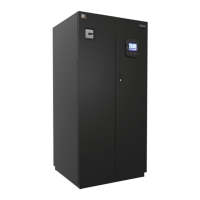
Liebert iCOM
®
Control
Liebert
®
CRV
™
90
11.2 Liebert iCOM Display Readout
The Liebert iCOM for the Liebert CRV supports multiple unit screen layouts. These screen layouts
are configured on line U408 of the user menus, Display Setup icon.
Figure 63 Display user menu - Display setup
U408 Screen selections include:
• Unit View (factory default)
• Graphical Rack View [GDR View]
•Rack View
• CRV Simple
• CRV Graphical
The screens are a graphical representation of the Liebert CRV, selectable to show unit operation with
or without rack sensors, unit operation with a rack sensor summary, historical temperature and
humidity trending. The Liebert CRV display will always revert to the Unit Screen.
The following screens selections are for user preference. The rack view should be used only when
remote rack sensors are connected.
The System screen can be accessed by pressing the Up arrow key when the Unit screen is displayed.
The System screen shows the fan speed and cooling capacity averages of all connected units. The
Supply, Return and Remote Rack sensors of all connected units are also displayed showing the
average, maximum and minimum of all connected sensors.
EVENT
LOG
°C / °F
% RH
SET
SET
12
39
6
SET
ALARMS
!
ACTIVE
ALARMS
USER MENUS
1234 h



 To Next Page
 Loading...