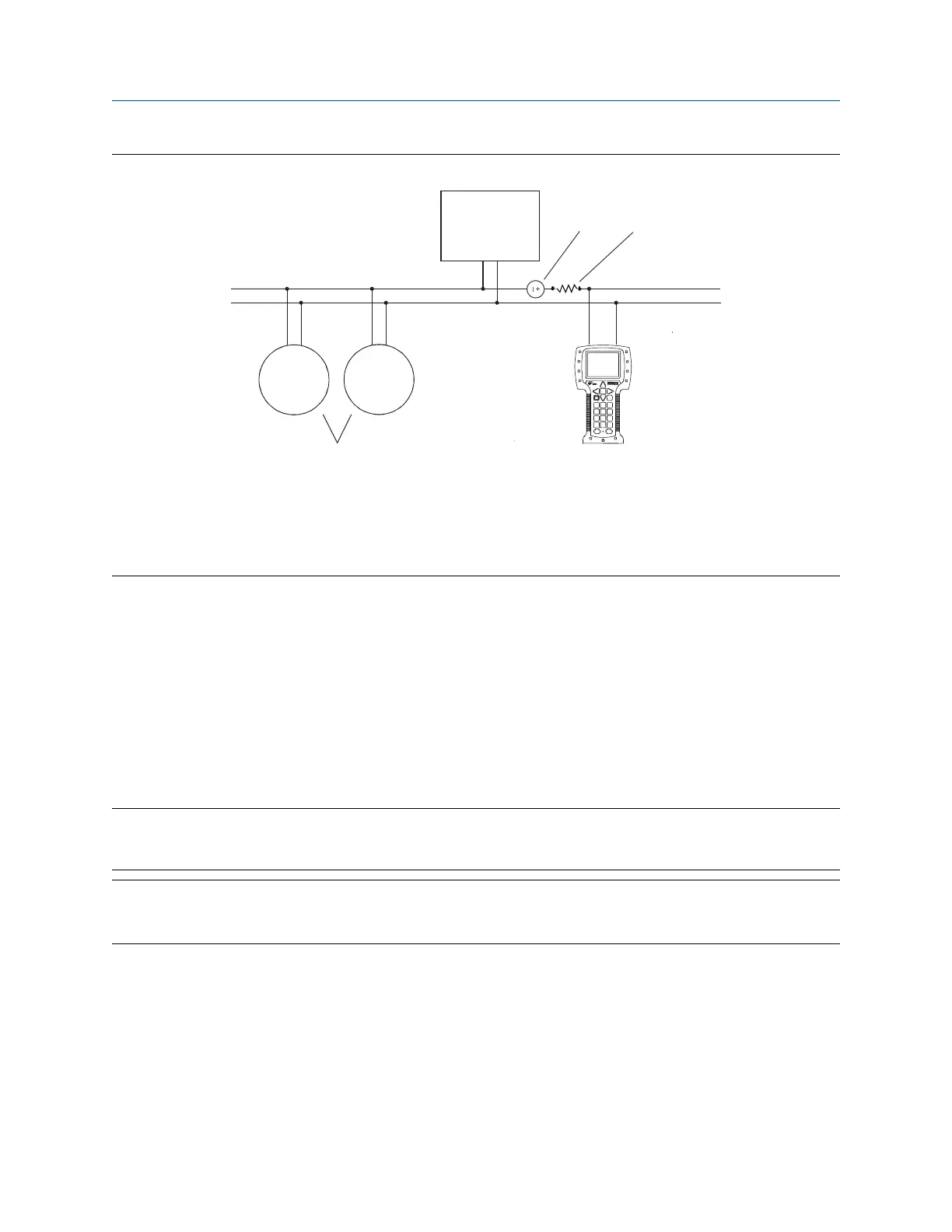
Figure D-3: Field communicator connection to multidrop network
A. Field communicator
B. Devices on the network
C. External power supply (may be provided by the PLC)
D. 250–600 Ω resistance (may be provided by the PLC)
E. Master device
4. Turn on your field communicator and wait until the main menu is displayed.
5. If you are connecting across a multidrop network:
• Set the field communicator to poll. The device returns all valid addresses.
• Enter the HART address of the transmitter. The default HART address is 0. However, in a multidrop
network, the HART address has probably been set to a different, unique value.
Postrequisites
To navigate to the Online menu, choose HART Application → Online. Most configuration, maintenance, and
troubleshooting tasks are performed from the Online menu.
Tip
You may see messages related to the DD or active alerts. Press the appropriate buttons to ignore the message
and continue.
Need help?
A field communicator requires a minimum of 1 VDC across the connection leads to communicate. If
necessary, increase the resistance at the connection point until 1 VDC is achieved.
Using the field communicator with the transmitter Configuration and Use Manual
March 2021 MMI-20020954
182 Micro Motion Gas Specific Gravity Meters (SGM)















 To Next Page