c) When Exit appears, activate Select.
11. Select the calibration to be used for measurement.
a) Activate SCROLL until CAL ACTIVE appears.
b) Activate Select, then scroll through the list of options.
c) When the desired option appears, activate Select, then store the selection.
12. Optional: To add a calibration, return to the first step and repeat this procedure.
13. The SGM is ready to be used. Shut off the calibration gas regulators and set the process/calibration
selector valve (B) to the process gas position and open the process gas inlet valve (D) to let process gas
flow through the system and be measured.
Related information
Functional view of the SGM
Verify the SGM calibration
5.4.2 Calibrate the SGM device using ProLink III
Procedure
1. Read the Prerequisites in Calibrate the SGM device if you have not already done so.
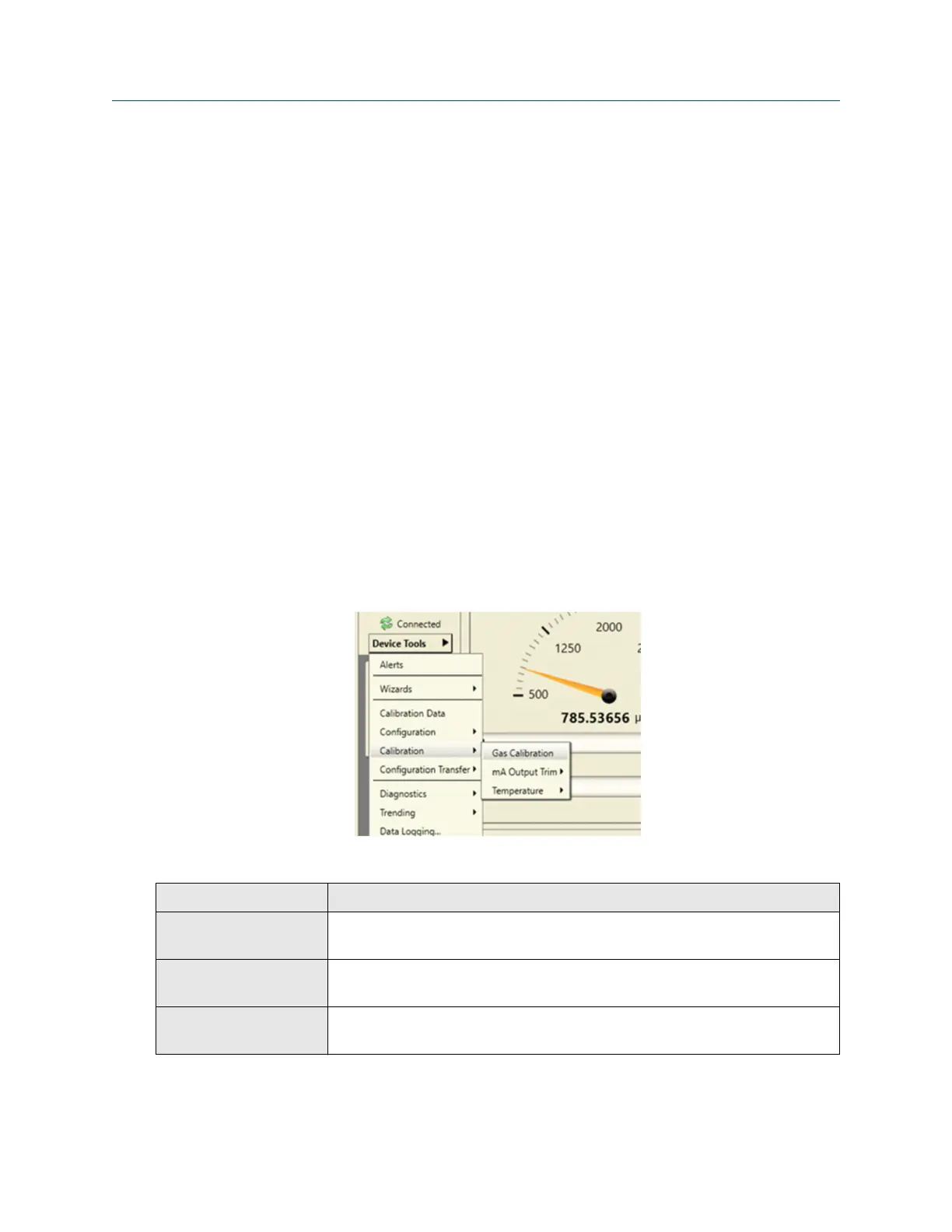
2. Choose Device Tools → Calibration → Gas Calibration.
3. Set the measurement type for this device.
Option
Description
Specific Gravity Meter Gas density will be measured as specific gravity, and specific gravity will be
used for calibration.
Molecular Weight Meter Gas density will be measured as molecular weight, and molecular weight
will be used for calibration.
Relative Density Meter Gas density will be measured as relative density, and relative density will be
used for calibration.
4. Set the calibration type (calibration format).
Configuration and Use Manual Purging and calibration
MMI-20020954 March 2021
Configuration and Use Manual 37















 To Next Page