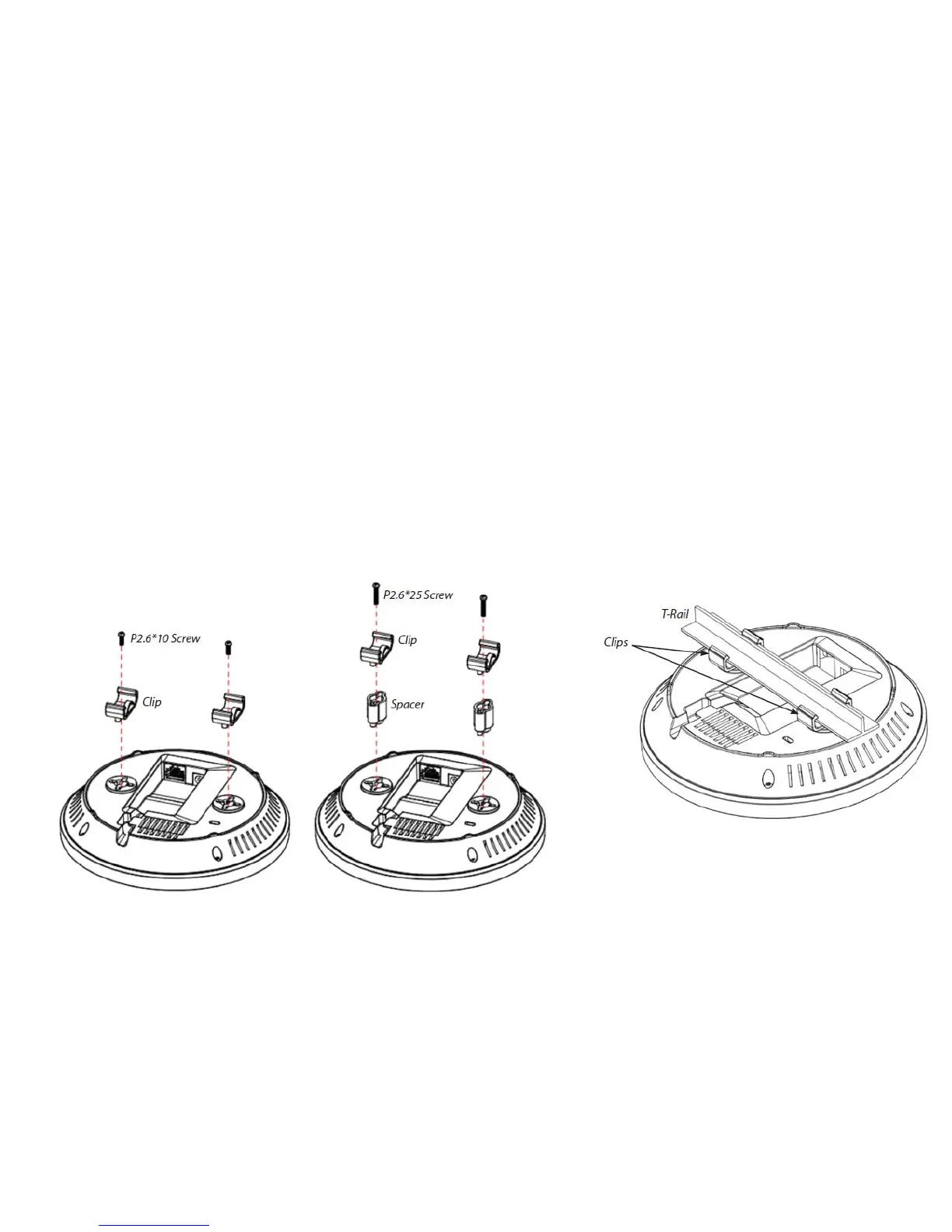
Attaching the AP to a ceiling using the provided T-Rail connector
1. Attach the T-Rail connectors to the bottom cover of the AP using the provided short screws.
Note: Two sizes of T-Rail connectors are included in the mounting hardware kit: 15/16in (2.38cm) and 9/16in
(1.43cm). If extra space is required to accommodate drop ceiling tiles, use the provided spacers and long screws.
2. Line up the connected T-Rail connectors with an appropriately sized rail and press the unit onto the rail until it
snaps into place.
Note: To protect your AP, use the Kensington Security Slot to attach a cable lock (cable lock is not included).



 To Next Page