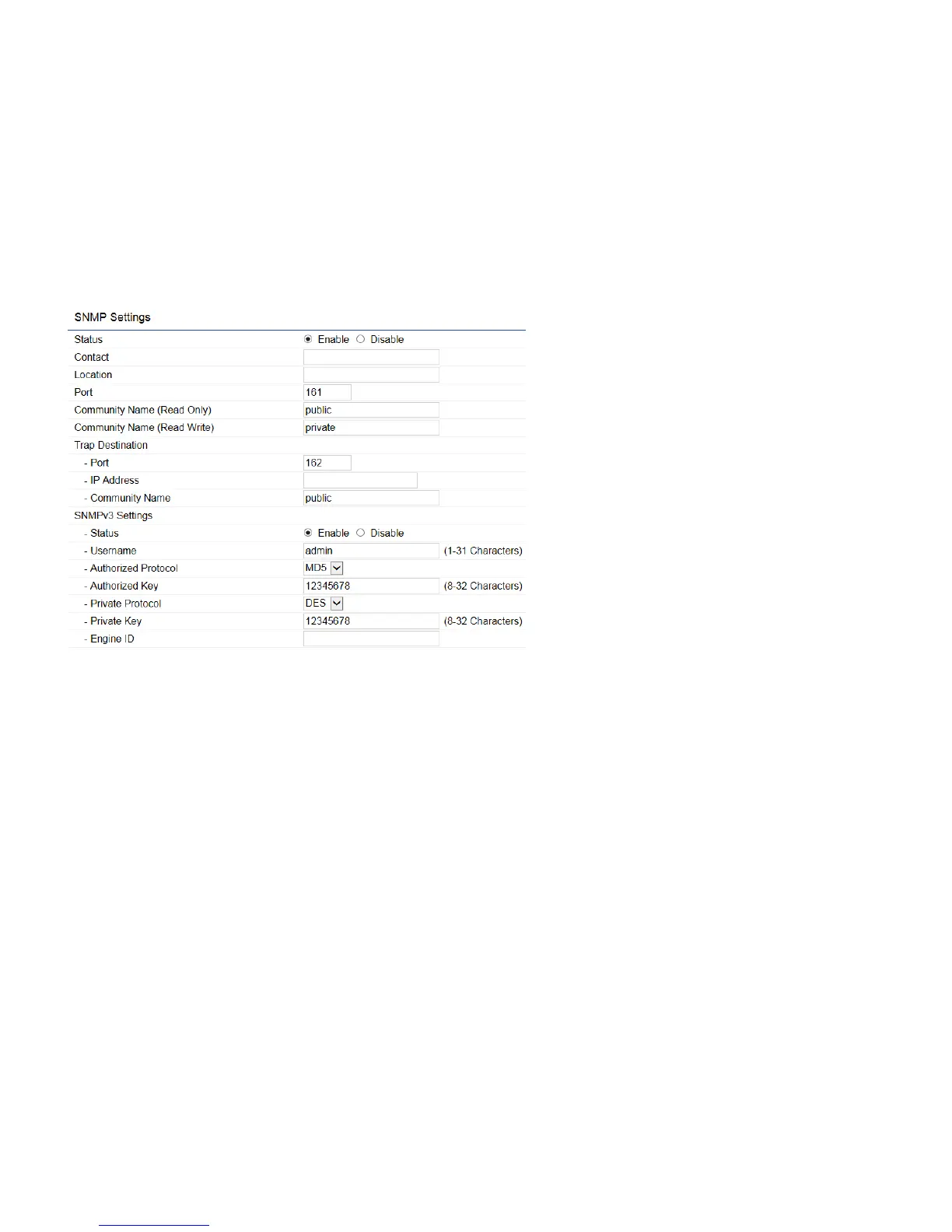
Status:
Enables or Disables the SNMP feature.
Contact:
Specifies the contact details of the device.
Location:
Specifies the location of the device.
Port:
Displays the port number.
Community Name (Read Only):
Specifies the password for the SNMP community for read only access.
Community Name (Read/Write):
Specifies the password for the SNMP community with read/write access.
Trap Destination Address:
Specifies the port and IP address of the computer that will receive the SNMP traps.
Trap Destination Community Name:
Specifies the password for the SNMP trap community.
SNMPv3 Status:
Enables or Disables the SNMPv3 feature.
User Name:
Specifies the username for the SNMPv3.feature
Auth Protocol:
Select the Authentication Protocol type: MDS or SHA.



 To Next Page