EasyManua.ls Logo

Enterasys SecureStack A2 A2H124-24P - User Manual

Enterasys SecureStack A2 A2H124-24P
82 pages
Print Icon
To Next Page IconTo Next Page
Loading...
7.5x9-inch cover with bleed on 4 sides
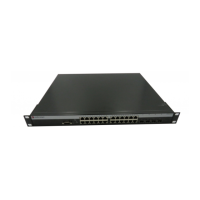
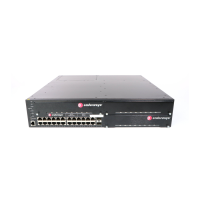
SecureStack A2
PoE Fast Ethernet Switches
Hardware Installation Guide
A2H124-24P
A2H124-48P
P/N 9034154-03

Table of Contents

Questions and Answers

  • P
    Patrick WarnerAug 10, 2025
    Why are all the LEDs off on my Enterasys SecureStack A2 A2H124-24P?
    • J
      Jeremy PopeAug 10, 2025
      The LEDs might be off due to a loss of power. First, make sure that the SecureStack A2 was properly installed according to the instructions. Then, check if the power cords are correctly connected to a working power source that meets the AC input specifications for this switch. Also, ensure that the AC power cord isn't damaged. If it is, try replacing it with a known good one.
  • J
    James LeeAug 30, 2025
    What to do if there is no local management startup screen on my Enterasys SecureStack A2 A2H124-24P?
    • T
      Tina PhillipsAug 30, 2025
      If you're not seeing the local management startup screen, the issue might be due to: * Incorrect terminal setup: Refer to the SecureStack A2 Configuration Guide for proper setup procedures. * Improper Console cable pinouts: Refer to Appendix A for proper Console port pinouts. * Corrupt firmware image, or hardware fault: If possible, attempt to download the image to the device again. Refer to the SecureStack A2 Configuration Guide for details. * Improper Community Names setup: Refer to the SecureStack A2 Configuration Guide for the Community Names Table setup.
  • R
    Roberta Carr DDSNov 18, 2025
    What to do if I cannot contact the Enterasys SecureStack A2 A2H124-24P SecureStack A2 through in-band management?
    • B
      Brittany OlsonNov 18, 2025
      If you can't contact the SecureStack A2 through in-band management, consider these potential causes: * **IP address not assigned:** Refer to the SecureStack A2 Configuration Guide for the IP address assignment procedure. * **Port is disabled:** If operating as a standalone switch or as the Manager in a stack, enable the port. Refer to the SecureStack A2 Configuration Guide for instructions to enable/disable ports. * **No link to switch:** Verify that all network connections between the network management station and the device are valid and operating. * **Loop condition detected:** Verify that Spanning Tree is enabled. Refer to the SecureStack A2 Configuration Guide for the instructions to set the type of STA. Review the network design and delete unnecessary loops. * **Clear NVR...

Summary

Introduction to SecureStack A2

Product Overview and Features

Introduces the A2H124-24P and A2H124-48P stackable Ethernet switches and their features.

Management and Connectivity

Covers management methods, network standards, and diagnostic LEDs for switch operation.

Network Requirements

Ethernet Network Standards and Cabling

Details network requirements for 10/100/1000 Mbps connections and cabling.

Hardware Installation

Installation Preparation and Guidelines

Covers considerations, tools, unpacking, and mounting on surfaces or racks.

Stack Configuration and Cabling

Explains how to connect and configure switches in a stack.

Power, Network, and Console Setup

Guides on connecting power, network, and setting up console management.

Installing and Removing Mini-GBICs

Instructions for installing and removing optional Mini-GBIC modules.

Completing Installation and Initial Logon

Final steps for installation and the first login to switch management.

Troubleshooting

Using LANVIEW Diagnostics

How to use LANVIEW LEDs for monitoring and diagnosing issues.

Troubleshooting Common Problems

A checklist of problems, causes, and recommended actions.

Resetting the Password

Procedure to reset the switch's login password.

Specifications

Switch and Module Specifications

Detailed specifications for the switches and Mini-GBICs.

Console Port and Compliance Standards

Console port pinouts and regulatory compliance information.

Enterasys SecureStack A2 A2H124-24P Specifications

General IconGeneral
Power over EthernetYes
PoE Budget370 W
Switching Capacity12.8 Gbps
Forwarding Rate9.5 Mpps
Jumbo Frame SupportYes
ManageableYes
Ports24
LayerLayer 2
Weight5.4 kg
MAC Address Table Size16K

Related product manuals