xiii
Figures
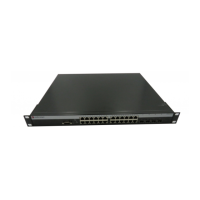
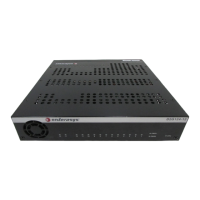
1-1 A2H124-24P Stackable Switch ..............................................................................................1-3
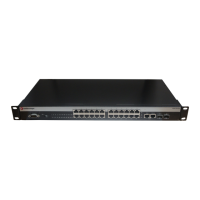
1-2 A2H124-48P Stackable Switch ..............................................................................................1-3
3-1 Chassis Bottom, Rubber Feet Placement..............................................................................3-4
3-2 Area Guidelines for Switch Installation on Flat Surface .........................................................3-5
3-3 Attaching the Rackmount Brackets........................................................................................3-6
3-4 Fastening the Switch to the Rack...........................................................................................3-7
3-5 Stacking Cable Connections..................................................................................................3-8
3-6 Switch
Rear View (A2H124-48P shown) .............................................................................3-12
3-7 Accessing the RPS connector..............................................................................................3-13
3-8 DB9 Male Console Port Pinout Assignments.......................................................................3-15
3-9 Connecting an IBM PC or Compatible .................................................................................3-16
3-10 Connecting a VT Series Terminal ........................................................................................3-17
3-11 Connecting to a Modem.......................................................................................................3-18
3-12 Connecting a UTP Cable Segment to RJ45 Port.................................................................3-20
3-13 Four-Wire Crossover Cable RJ45 Pinouts for 10/100BASE-TX ..........................................3-21
3-14 Four-Wire Straight-Through Cable RJ45 Pinouts for 10/100BASE-TX................................3-21
3-15 Eight-Wire Crossover Cable RJ45 Pinouts for 1000BASE-TX.............................................3-21
3-16 Eight-Wire Straight-Through Cable RJ45 Pinouts for 1000BASE-TX..................................3-22
3-17 Mini-GBIC with RJ45 Connector ..........................................................................................3-24
3-18 Mini-GBIC with MT-RJ Connector........................................................................................3-25
3-19 Mini-GBIC with LC Connector..............................................................................................3-26
3-20 Cable Connection to MT-RJ Multimode Fiber-Optic Connectors.........................................3-29
3-21 Cable Connection to LC Fiber-Optic Connectors.................................................................3-31
4-1 LANVIEW LEDs of A2H124-24P............................................................................................4-2
4-2 LANVIEW LEDs of A2H124-48P............................................................................................4-2
4-3 Reset Password Switch .........................................................................................................4-9
A-1 Console Port Pinout Assignments......................................................................................... A-7
Tables
1-1 Power Device Classifications.................................................................................................1-5
1-2 Description of Mini-GBICs......................................................................................................1-5
3-1 Contents of Switch Carton .....................................................................................................3-2
4-1 LANVIEW LEDs .....................................................................................................................4-3
4-2 Troubleshooting Checklist......................................................................................................4-7
A-1 A2H124-24P Switch Specifications....................................................................................... A-1
A-2 A2H124-48P Switch Specifications....................................................................................... A-3
A-3 Mini-GBIC Input/Output Port Specifications.......................................................................... A-4
A-4 MGBIC-LC01/MGBIC-MT01 Optical Specifications.............................................................. A-4
A-5 MGBIC-LC01/MGBIC-MT01 Operating Range..................................................................... A-5
A-6 MGBIC-LC03 Optical Specifications ..................................................................................... A-5
A-7 MGBIC-LC03 Operating Range ............................................................................................ A-5
A-8 MGBIC-LC09 Optical Specifications ..................................................................................... A-6
A-9 MGBIC-LC09 Operating Range ............................................................................................ A-6
A-10 MGBIC-08 Optical Specifications.......................................................................................... A-6


 To Next Page