EasyManua.ls Logo

eove EO-150 - User Manual

eove EO-150
85 pages
Print Icon
To Next Page IconTo Next Page
Loading...
Applies from S/N EO1X00120001S 100-23 rev DA_01/2020
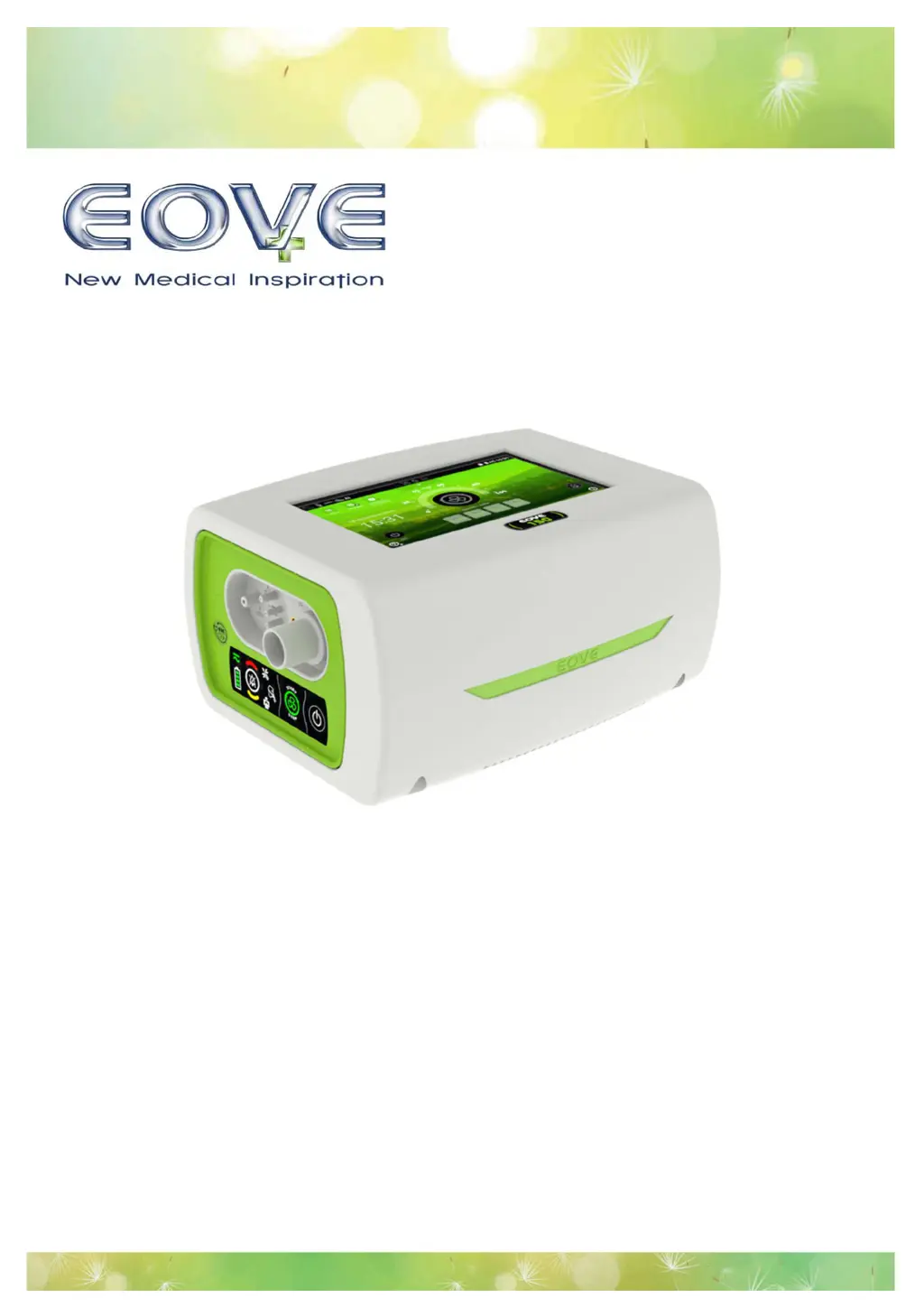
EO-150 Ventilator
User Guide

Table of Contents

Questions and Answers

  • T
    Tina GonzalezSep 12, 2025
    What does 'High Pres Medium Priority' mean on my eove EO-150, and how do I fix it?
    • D
      Douglas MillerSep 12, 2025
      The 'High Pres Medium Priority' message on your eove Fan means that the inspiratory pressure is too high. Inspect the circuit for occlusion.
  • S
    stephenparkerAug 25, 2025
    What to do if my eove Fan shows a disconnection error?
    • A
      Adam YoungAug 25, 2025
      If your eove Fan displays a disconnection error, it could be due to a tube or accessory becoming disconnected. Check all tube and accessory connections to resolve this issue.
  • K
    Kenneth RodgersAug 25, 2025
    What to do if the eove EO-150 indicates that the patient is obstructed?
    • A
      Ann JacobsonAug 26, 2025
      If the eove Fan indicates a patient obstruction, it might be due to a blocked patient circuit. Check the mask or tubing for any blockages.
  • C
    Calvin RothSep 23, 2025
    What does 'Batt. Charge Fail Medium Priority' mean on eove EO-150 and how to resolve it?
    • C
      Connie MillerSep 23, 2025
      The 'Batt. Charge Fail Medium Priority' message on your eove Fan means there is an internal charger failure. Check the level of the battery charge. If the problem persists, contact your service provider.
  • K
    Kevin TannerSep 12, 2025
    What to do if the eove EO-150 displays 'High Leak Medium Priority'?
    • R
      Robert GriffinSep 12, 2025
      If the eove Fan displays 'High Leak Medium Priority', it means that the leak estimated by the ventilator exceeds the maximum Leak threshold. Inspect the circuit, expiratory valve, and proximal lines for leaks. Check for leaks around the mask, if in use.
  • N
    Nicholas BurnettSep 18, 2025
    What does 'Low SPO2 Medium Priority' mean on my eove EO-150 Fan, and how do I fix it?
    • M
      Michael AllenSep 18, 2025
      The 'Low SPO2 Medium Priority' message on your eove Fan means that the pulse oximeter is recording low SPO2 levels. Check the patient and ensure the pulse oximeter is correctly attached.
  • R
    riverapaulSep 5, 2025
    What does 'Prox. Disconnection High Priority' mean on eove EO-150 and how to resolve it?
    • M
      Meghan BellSep 5, 2025
      The 'Prox. Disconnection High Priority' message on your eove Fan means the proximal sensor is disconnected. Reconnect the proximal sensor.
  • O
    ogeorgeSep 6, 2025
    Why does my eove EO-150 Fan say 'Ventilation stop High Priority'?
    • K
      Keith KellySep 6, 2025
      The 'Ventilation stop High Priority' message on your eove Fan indicates that ventilation was stopped voluntarily by a clinician or patient. Confirm that stopping ventilation is appropriate or necessary.
  • R
    Russell MorganSep 18, 2025
    What does 'AC Power Loss Medium Priority' mean on my eove EO-150 Fan, and how do I fix it?
    • N
      Nicole GrantSep 19, 2025
      The 'AC Power Loss Medium Priority' message on your eove Fan means that the connection to AC power has been lost. Check that the power cord is correctly plugged into mains power and into the ventilator.
  • S
    Samantha CastroAug 30, 2025
    What to do if my eove Fan shows a 'Battery Fail' alarm?
    • W
      Wendy CarpenterAug 30, 2025
      Switch to backup ventilator (for ventilator dependent patient).

Summary

Introduction and Safety Information

Indications, Contraindications, and Adverse Effects

Key patient use parameters, contraindications, and potential adverse reactions.

General Warnings and Cautions

Important safety guidelines for device operation and handling, including environmental considerations.

Ventilator Dependent Patient Precautions

Specific safety measures for patients relying on continuous ventilation support.

EO-150 Device Overview and Operation

Device Components and Panels

Identification of front and rear panel components and connectors for the EO-150 ventilator.

User Interface Navigation

Explanation of the menu bar, keyboard, symbols, and touch screen interface for operation.

Initial Setup and Ventilation Control

Steps for powering on/off, starting, and stopping ventilation for patient use.

Screen Navigation and Settings Management

Guidance on navigating patient, monitoring, and clinical menus to adjust settings and preferences.

Ventilation Presets and Configuration

Managing ventilation presets, circuit, and patient type configurations for personalized therapy.

Patient Circuit, Power, and Accessories

Patient Circuit Setup and Calibration

Guidelines for selecting, connecting, and calibrating patient circuits for optimal performance.

Connecting Optional Accessories

Instructions for attaching filters, humidifiers, sensors, and other compatible accessories.

Power Sources and Battery Management

Details on using mains, DC, and battery power, including run times and charging procedures.

Mounting, Transport, and Mobility Solutions

Procedures for mounting the device on a trolley and using transport bags for patient mobility.

Alarms and Troubleshooting

Alarm Activation and Response Procedures

How alarms are signaled, viewed, and temporarily muted by the device.

Alarm Inhibition and Priority Levels

Methods for inhibiting alarms and understanding alarm priority levels (High/Medium).

Troubleshooting Common Alarm Conditions

Guidance on identifying causes and necessary actions for various alarm situations.

Maintenance, Servicing, and Specifications

Routine Cleaning and Maintenance Tasks

Procedures for regular cleaning, filter replacement, and battery checks.

Ventilator Servicing and Timetable

Recommended servicing intervals and procedures conducted by trained personnel.

Technical and Environmental Specifications

Detailed information on device physical, ventilation, power, and environmental operating parameters.

Electromagnetic Compatibility and Standards

Information on device emissions, immunity, and compliance with relevant safety standards.

eove EO-150 Specifications

General IconGeneral
ModelEO-150
OscillationYes
Speeds3
Power Consumption45W
Warranty1 year