58
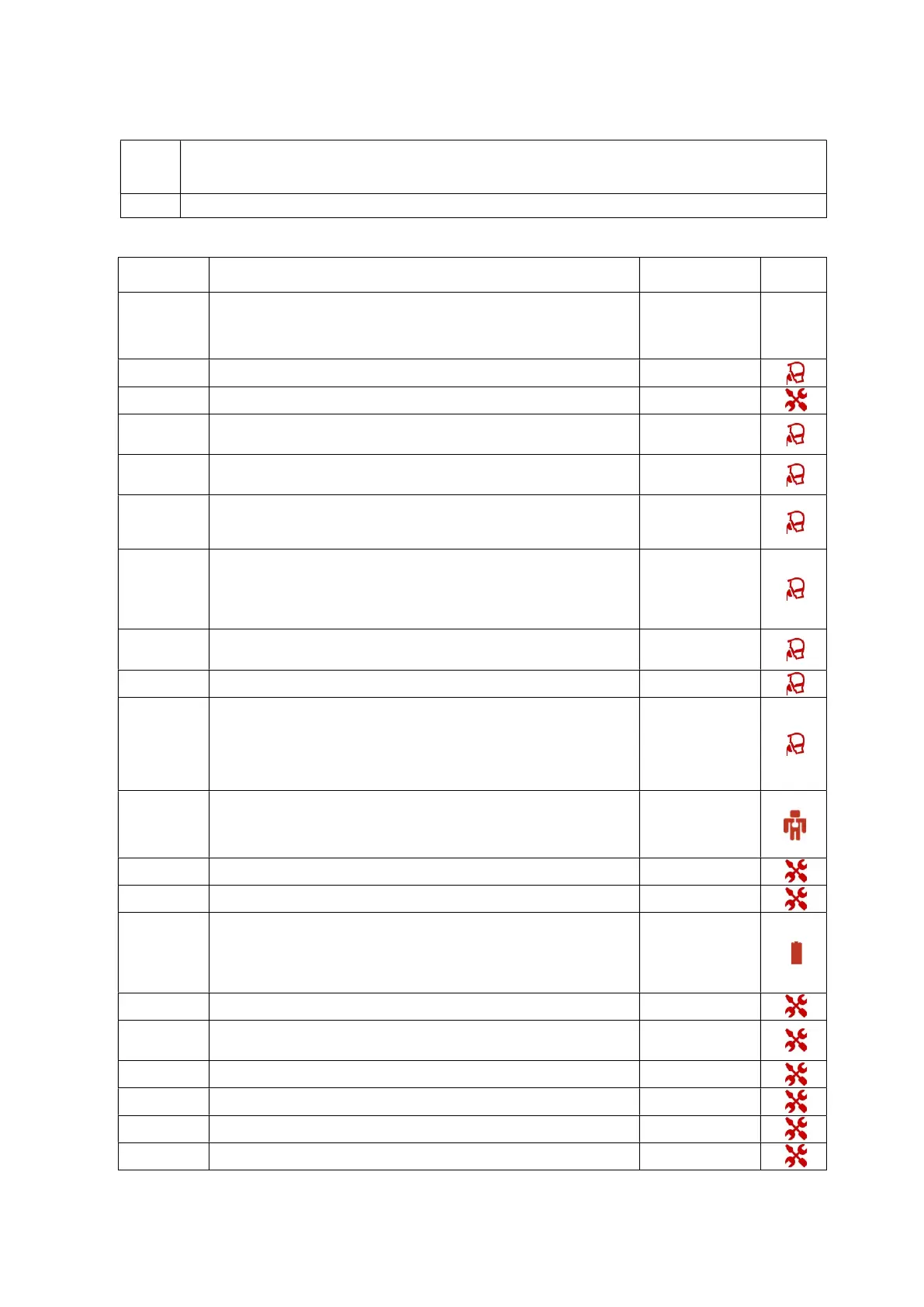
Troubleshooting Alarms
Note:
Check the patient’s status before responding to an alarm. Switch to back
necessary.
extreme alarm settings are set, alarms may not trigger.
Alarm Cause/Ventilator response Action needed
Type of
Alarm
Total Power Loss Continuous sound: Alarm activates immediately
If the power loss alarm
continues, contact your
service provider and use a
backup ventilator.
No Display
Disconnection
High Priority
A tube or accessory has become disconnected. Alarm activates after 1 cycle.
Check all tube and
accessory connections.
Prox. Fail
High Priority
Proximal sensor fails. Alarm activates after 1 second.
Contact your service
provider
Prox.
Disconnection
High Priority
Proximal sensor disconnected. Alarm activates after 1 second.
Reconnect proximal
sensor
Valve
Disconnected
High Priority
Valve disconnected. Alarm activates after 1 cycle. Reconnect valve
Occlusion
High Priority
Patient circuit is blocked. Alarm activates after 5 seconds or 2 cycles.
Check that the patient
mask or tubing are not
obstructed.
Valve Leak
High Priority
There is a leak in the circuit configuration. Alarm activates after 6 cycles.
Inspect the circuit,
expiratory valve and
proximal lines for leak.
Check for leaks around
the mask if one is being
used.
Ventilation stop
High Priority
Ventilation stopped voluntarily by clinician or patient. Alarm activates after 1 second.
Confirm that the
ventilation stop is
appropriate or necessary.
Close O2 Source
High Priority
O2 source is still opened and ventilation is OFF. Alarm activates after 20 seconds
Close O2 source.
Rebreathing
High Priority
Not enough leak in LEAK mode or valve not correctly functioning in VALVE mode.
Alarm activates after 6 cycles.
Check calibrated leak is
the right size or if
expiratory pressure is
high enough. (LEAK
mode)
Check valve function.
(VALVE mode)
PEEP out of range
High Priority
PEEP not correctly regulated. Alarm activates after 6 cycles or 17 s
Check the circuit and
expiratory valve for
occlusion.
Check for occlusion in
proximal lines, if in use.
Abs. Pres. Fail
High Priority
Alarm activates after 1 second.
Contact your service
provider
Expi. Flow Fail
High Priority
Alarm activates after 1 second
Contact your service
provider
End of Battery
High Priority
The battery is depleted. Alarm activates after 1 second.
Guaranteed ventilation time after alarm is triggered: 10 min.
This alarm can be triggered in combination with “Battery Fail” alarm.
Reconnect to mains
power
Or
Refer to “Battery Fail”
alarm if both alarms are
displayed
Speed Fault
High Priority
Turbine speed too low and temperature too high. Alarm activates after 1 cycle.
Contact your service
provider
Check Settings
High Priority
Settings are not within limits or settings reset to default due to new
Software upload. Alarm activates after 1 second.
Check the settings are
within the parameters.
Call your service provider
Memory Fail
High Priority
Failure to save parameters set. Alarm activates after 1 second.
Contact your service
provider
Vol. out of range
High Priority
Maximum volume reached. Alarm activates after 6 cycles.
Contact your service
provider
Turbine Fail
High Priority
The turbine is not functioning properly. Alarm activates after 1 cycle.
Contact your service
provider
Turbine overheat
High Priority
Alarm activates after 1 cycle
Contact your service
provider


 To Next Page