34
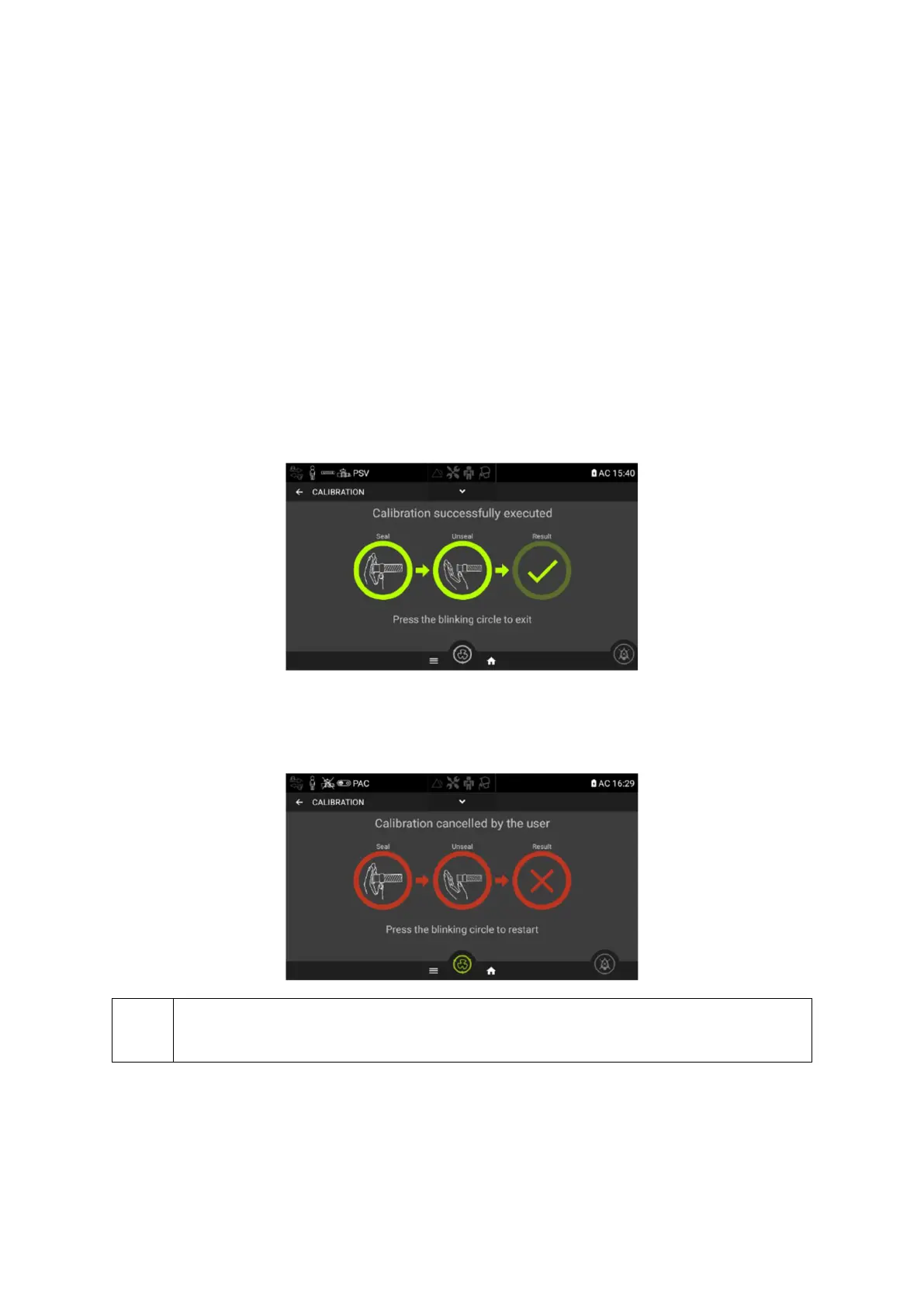
Calibration
The EOVE ventilator can be calibrated in order to allow a wide range of circuit configurations and
accessories. This calibration verifies the compliance characteristics of the circuit configuration
chosen.
Starting calibration :
1. From either the General or CONFIG menu choose the Calibration sub-menu.
2. Seal the circuit at the patient connection port, either manually or with a cap.
3. Press "Seal”
4. Wait until the circle is completed
5. Unseal the patient circuit extremity and click in the blinking circle
6. Wait until the circle is completed
7. Exit the calibration menu by clicking on “Validate”
8. If the calibration has failed or if clicking on “Abort” button, an error bar will appear with the
reason for the failure.
If a caution or warning appears on the touch screen after a calibration, ventilation can
proceed if configuration matches with the symbols displayed. Contact your service
provider to report the event.


 To Next Page