Section 17: Upgrading the Operational
Firmware
222
At this point, the .hex file will begin transfering to your laser. The laser knows that it is
being upgraded and the simple graphic that you created will not print, nor will it show up
as a Job. Instead, you will see the following messages on the LCD panel on the laser:
“Receiving Data”
“Erasing Flash”
“Programing Flash”
“Finished – Reboot!”
The programing process takes about two minutes to complete.
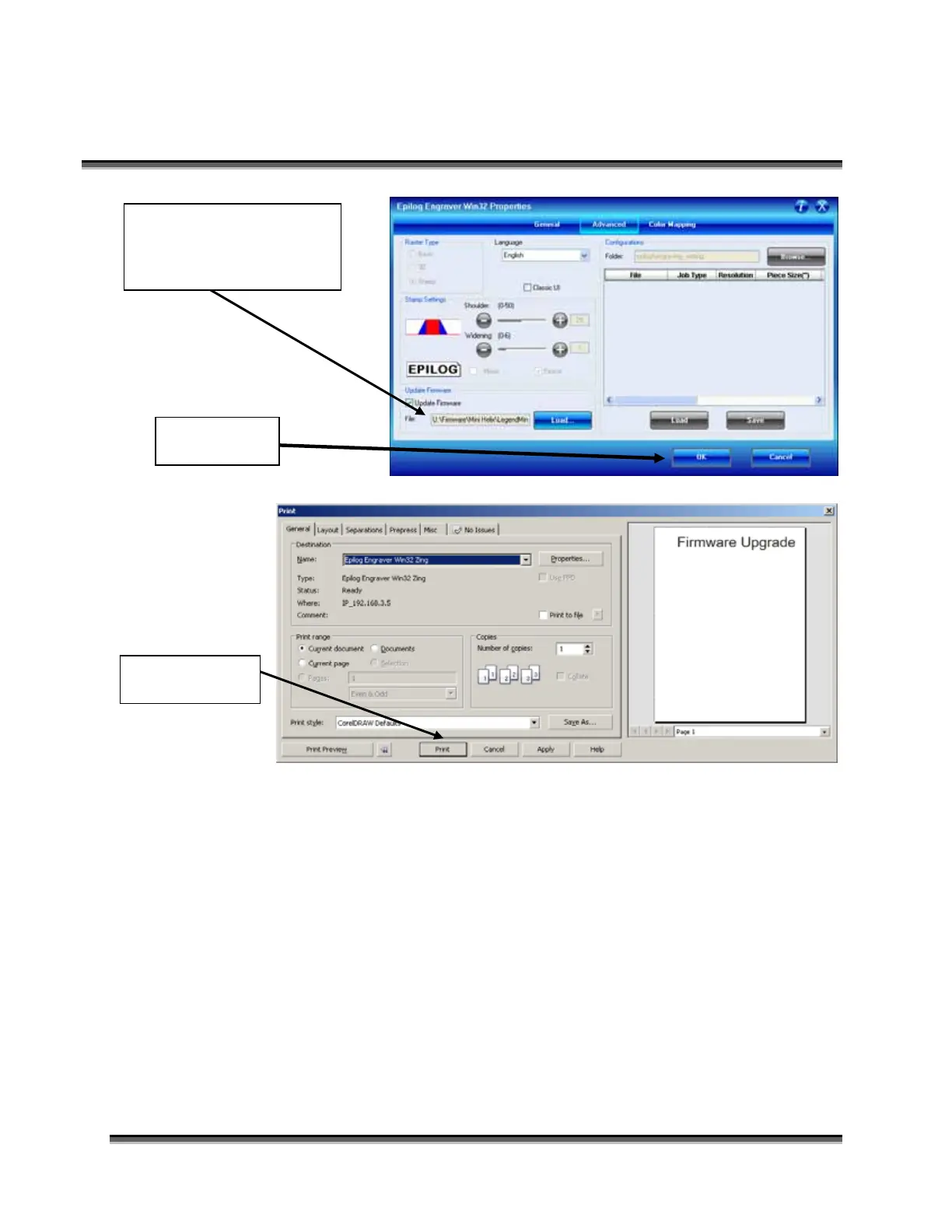
The hex file will show in
the Update Firmware File
box.
Click Okay.
Click Print.



 To Next Page
 Loading...