Programming a Speed Dial Number
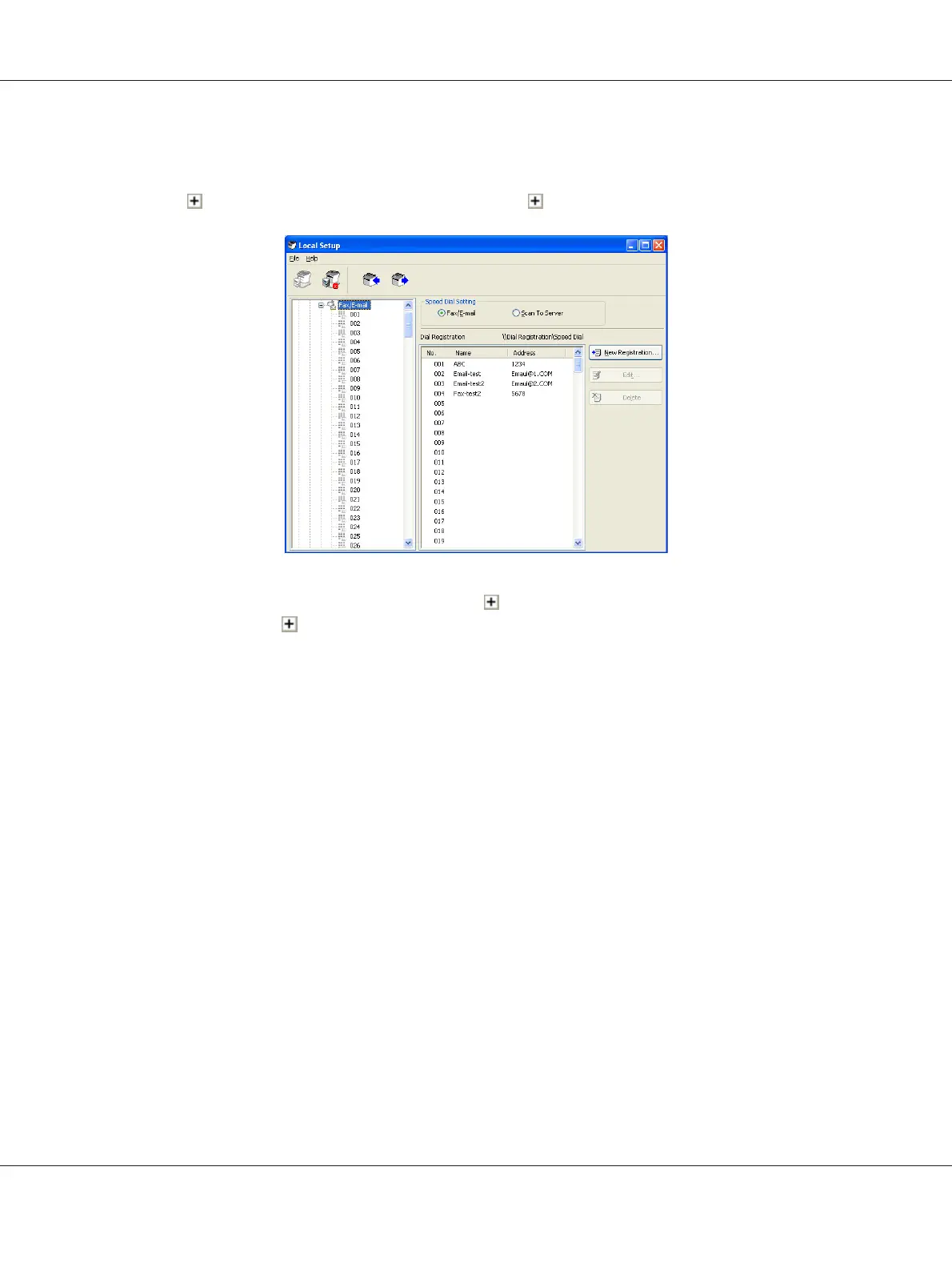
1. Click beside “Dial Registration”, and then click beside the “Speed Dial”.
2. To register a fax or e-mail destination, click beside “Fax/E-mail”. To register an FTP or SMB
destination, click
beside “Scan To Server”.
3. From the tree that is displayed, click the speed dial number to be programmed, and then click New
Registration button.
Note:
❏ A maximum of 001 to 250 speed dial numbers can be programmed.
❏ The registered list can be switched over when Speed Dial Setting is changed.
❏ When “Fax/E-mail” or “Scan To Server” is selected, and New Registration button can be
selected, non registered number is automatically assign the speed dial number.
4. In the Speed Dial Registration dialog box, specify the desired settings.
Note:
❏ To register a fax or e-mail destination, refer to “Adding a Speed Dial Number (Fax/E-mail)” on
page 27.
AcuLaser CX16NF Reference Guide
Using Local Setup Program 26



 To Next Page
 Loading...








