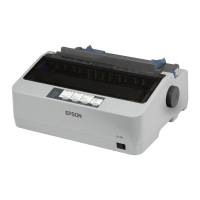
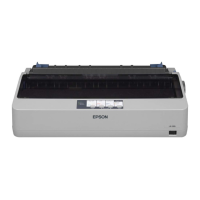
EPSON LX-300+II/300+II RTP/1170II Revision D
PRODUCT DESCRIPTION Interface Specifications 22
1.3.4 USB interface
Standard : based on
•Universal Serial Bus Specifications Revision 1.1
•Universal Serial Bus Device Class Definition for Printing Devices Version 1.1
Bit rate : 12 Mbps (Full Speed Device)
Data encoding : NRZI
Adaptable connector : USB Series B
Recommended cable length : 2 meters
Figure 1-7. USB Interface Connector Pin Assignment
Respond to an BULK OUT transaction with NAK handshake and other transaction
with ACK under either of the following conditions:
In the condition of the paper-out error
In the condition of the release lever error
Respond to an BULK OUT transaction with NAK and BULK IN transaction with
NAK under any of the following conditions:
In the condition of being input buffer full
During hardware initialization
In the self test mode
In the adjustment mode
In the default-setting mode
Respond to an BULK OUT transaction with STALL and BULK IN transaction
with STALL under the following condition:
In the condition of the printer hardware error (fatal error)
USB Device Requests for USB Printer as shown below
GET PORT STATUS
Reply specification for GET PORT STATUS as shown below:
GET DEVICE ID
Device ID : The printer sends following device ID string when it is requested.
SOFT RESET
This USB Device Request is used when Host initializes printer's input buffer.
Table 1-19. Connector Pin Assignment and Signals
Pin No. Signal name In/Out Function description
1 VCC – Cable power. Maximum power consumption is 100mA
2 -Data Bi-directional Data
3 +Data Bi-directional Data, pull up to +3.3V via 1.5K ohm resistor
4 Ground – Cable ground
Table 1-20. GET PORT STATUS
Bit Field Description
7, 6 Reserved Reserved
5 Paper Empty 0: Paper Not Empty / 1: Paper Empty
4 Select 0: Not Select / 1: Select
3 Not Error 0: Error / 1: No Error
2, 1, 0 Reserved Reserved
Table 1-21. GET DEVICE ID
LX-300+II LX-1170II
When IEEE1284.4
is enabled,
[00H][4EH]
MFG:EPSON;
CMD:ESCP9,PRPII9,BDC,D4;
MDL:LX-300+;
CLS:PRINTER;
DES:EPSON[SP]LX-300+;
[00H][4EH]
MFG:EPSON;
CMD:ESCP9,PRPII9,BDC,D4;
MDL:LX-1170;
CLS:PRINTER;
DES:EPSON[SP]LX-1170;
When IEEE1284.4
is disabled,
[00H][4BH]
MFG:EPSON;
CMD:ESCP9,PRPII9,BDC;
MDL:LX-300+;
CLS:PRINTER;
DES:EPSON[SP]LX-300+;
[00H][4BH]
MFG:EPSON;
CMD:ESCP9,PRPII9,BDC;
MDL:LX-1170;
CLS:PRINTER;
DES:EPSON[SP]LX-1170;


 To Next Page