Chapter 4 Handling
187
4
5
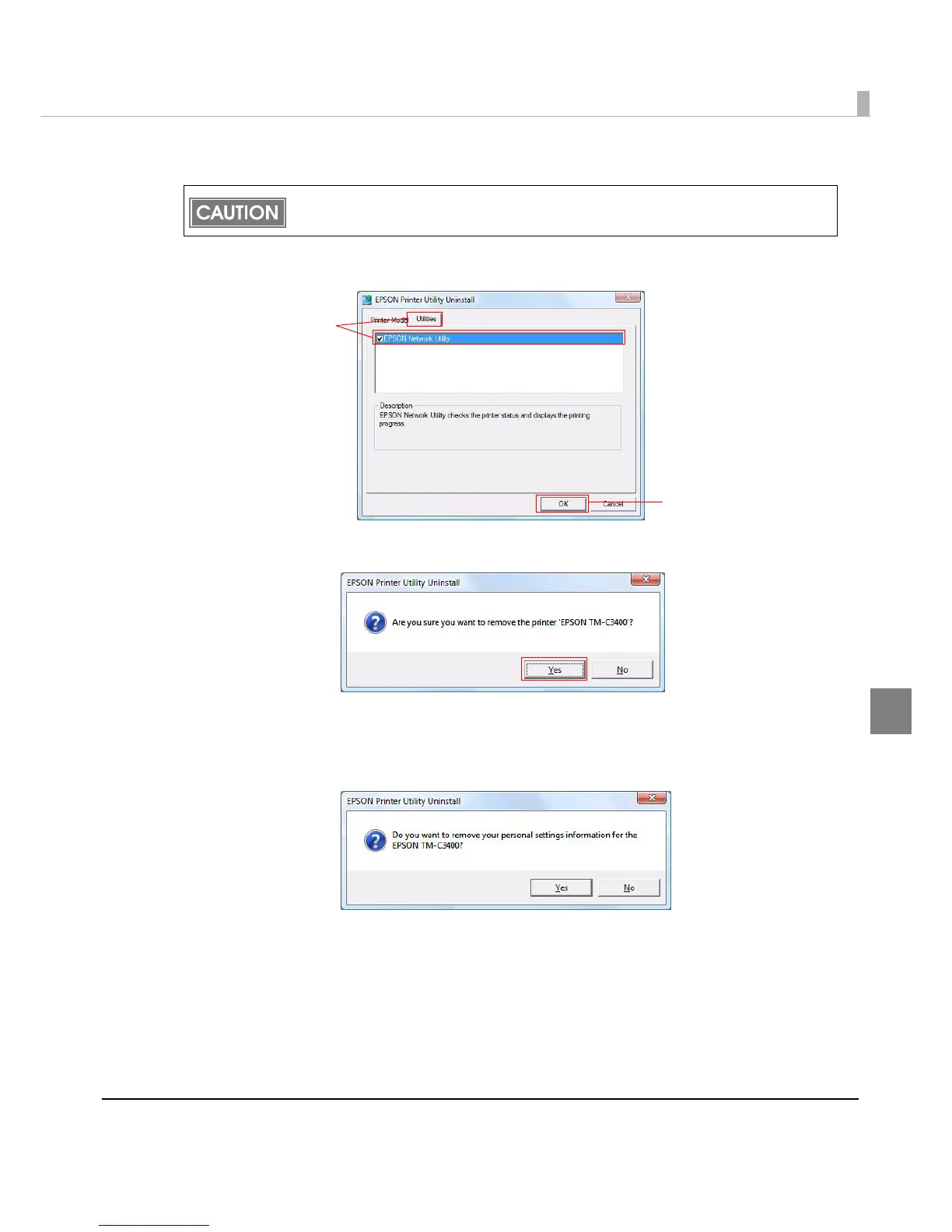
Check [EPSON Network Utility] in the [Utilities] tab.
6
Click [OK].
7
The uninstallation confirmation screen is displayed. Click [Yes].
8
The confirmation screen to delete the personal setting information is dis-
played.
Click [Yes] to delete it, or click [No] to leave it.
[EPSON Network Utility] may be used on other EPSON printers. In that case, uncheck it.
(5)
(6)



 To Next Page
 Loading...









