Reference Information 4-1
Chapter 4
Reference Information
Printing Specifications
*1 The printer automatically goes to low speed mode during bit image printing,
regardless of the type of selected paper.
*2 The print mode can be changed using the
GS E
command.
Printing method:
Serial impact dot matrix
Head wire
configuration:
9-pin vertical line, 1/72-inch wire
pitch
Head wire diameter:
0.29 mm (.01")
Printing direction:
Bidirectional, minimum distance
printing
Printing speed:
See table on page 4-2
Characters per line:
See table on page 4-2
Characters per inch:
See table on page 4-2
Print modes:
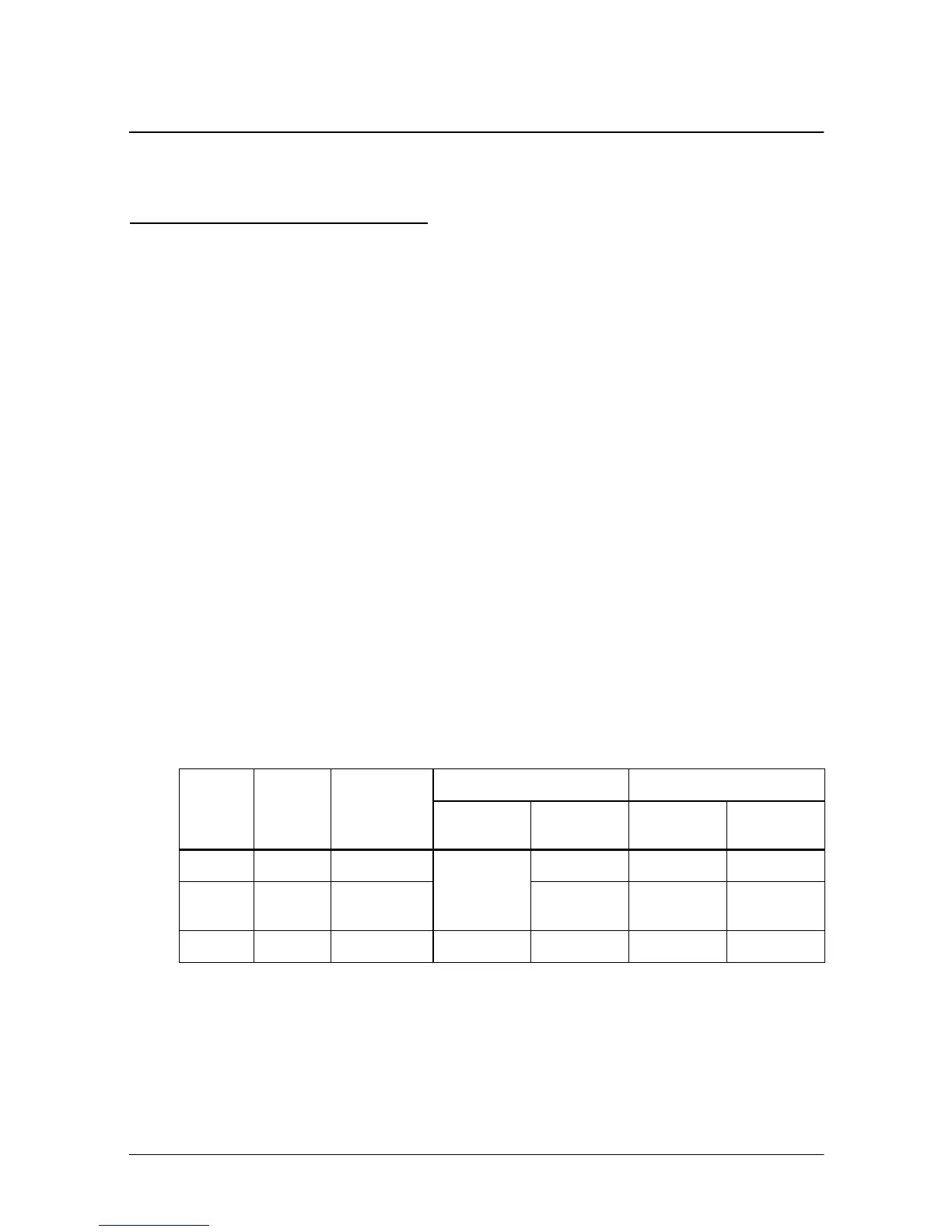
See the print mode table below.
Print mode
Print
mode
Printing
speed*1
Print head
energizing
time
Receipt/Journal Slip paper
Default
status
Switching*2
Default
status
Switching*2
Normal High Normal
Depends
on DIP
SW 2-4
Possible -- Possible
Low
speed
Low Normal Possible -- Possible
Copy Low Copy (long) -- Possible Selected Possible














 To Next Page