Note: Contacts can be locked by an administrator. If you cannot access or change contacts, contact
your administrator for assistance.
Creating a Contact
Editing or Deleting a Contact
Creating a Contact Group
Editing or Deleting a Contact Group
Parent topic: Setting Up Contacts and Contact Groups
Related tasks
Setting Up Speed/Group Dial Lists Using the Fax Utility - Windows
Setting Up Speed/Group Dial Lists Using the Fax Utility - OS X
Creating a Contact
You can create a list of contacts to save frequently used fax numbers.
Note: You can create up to 200 contacts and contact groups combined.
1. Press the home button, if necessary.
2. Select Fax.
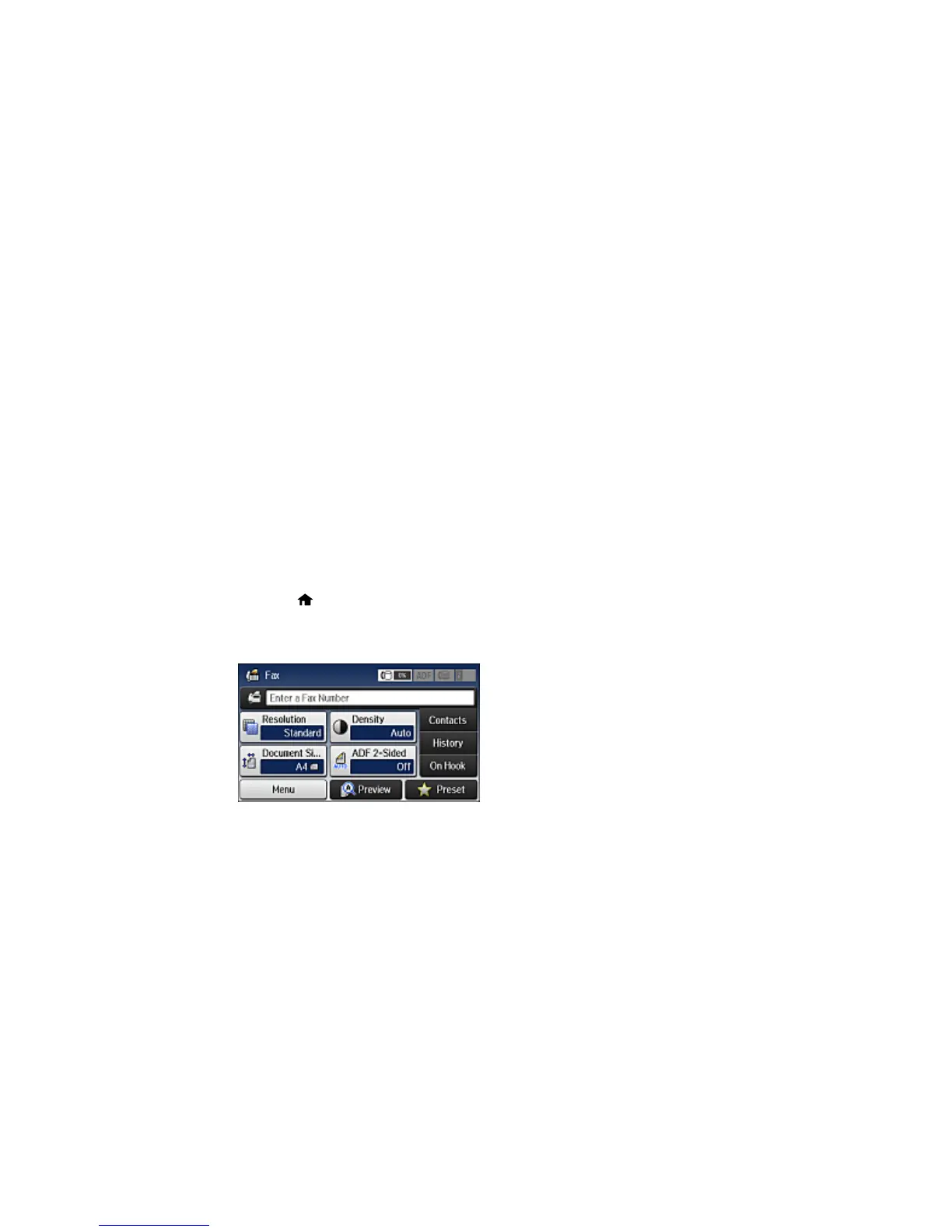
You see a screen like this:
3. Select Contacts. Enter the administrator password, if necessary.
262


 To Next Page