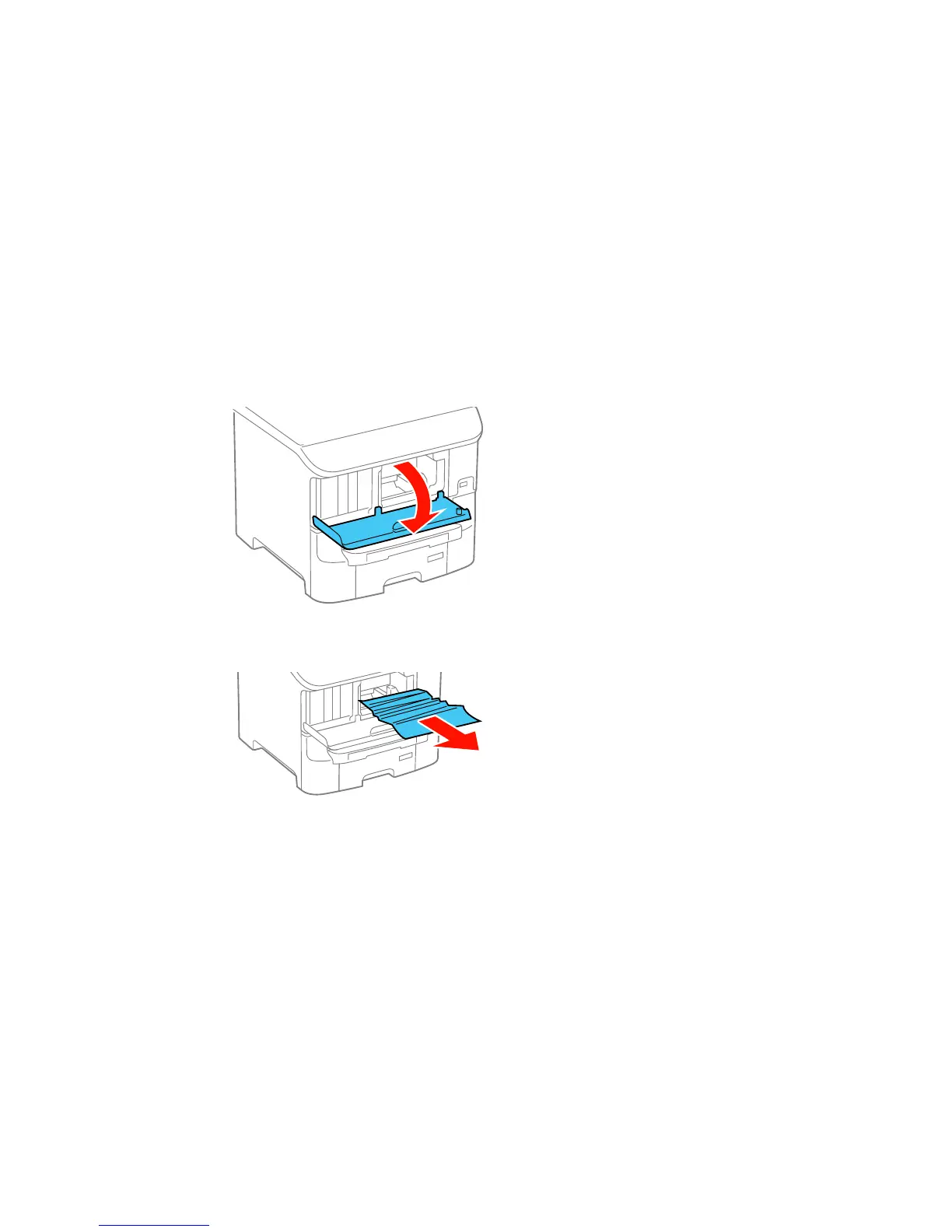
Paper Jam Problems in the Front Cover (A)
If paper has jammed in the front cover, follow the steps here to clear the jam.
1. Cancel the print job, if necessary.
2. Open the front cover.
3. Remove any paper inside, including torn pieces.
Caution: Be careful to not touch any parts inside the product to prevent damage to it.
4. Close the front cover.
358


 To Next Page