19
Функциональное
описание
Functional description
5.1 Программы
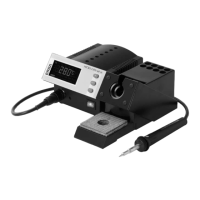
Станция DIGITAL 2000A имеет 4
независимые “программы”, соответствующие
паяльным инструментам (табл.1):Обращаясь
к программируемой памяти, вы можете
быстро перенастраивать станцию на
выполнение различных видов паяльных
работ.
Единожды введя необходимые
установки, в дальнейшем вы можете
пользоваться ими для задания
температуры и иных параметров пайки.
Выход на соответствующую программу
осуществляется автоматически при
распознавании станцией подключенного
инструмента. Для переключения программ
используются кнопки “+” и “–”.
До тех пор, пока вы не введете собственные
значения установок, действуют заводские
настройки.
5.1 The Programs
The DIGITAL 2000 A has five independent pro-
grams. The settings for the different (soldering)
tools are saved in these programs and can be
changed by the user. By calling up a program,
you can quickly convert the station to another
soldering tool or adapt the station to different
soldering tasks.
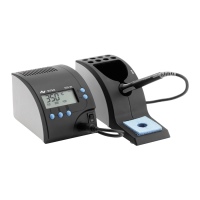
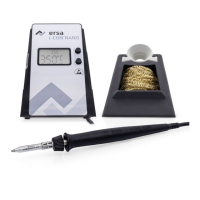
The individual tools are specifically linked to the
respective programs according to Table 1. The
station automatically recognizes when a particu
-
lar tool is connected and shifts to the program
with the settings stored for that tool. The settings
then take effect immediately. No temperatures
or parameters therefore need to be reset at the
station.
The program is only changed automatically
when the tool is changed. The programs 1-4 can
be changed manually with the keys (+) and (-).
Program 5 can only be called when the tempera
-
ture sensor is connected. As long as the tem
-
perature sensor is connected the programs 1-4
cannot be started.
The factory settings apply as long as no set
-
points or parameters are entered. The following
sections describe how to change the settings.
5.
Таблица 1. Программы и инструменты
Table 1:
Program-tool assignment
Program Tool
Pr1 Micro tool
Pr2 Tech tool / X-tool
Pr3 Power tool
Pr4 Chip tool
Pr5 Temperature sensor


 To Next Page