CUTMASTER A120
0-5430 SERVICE
5-3
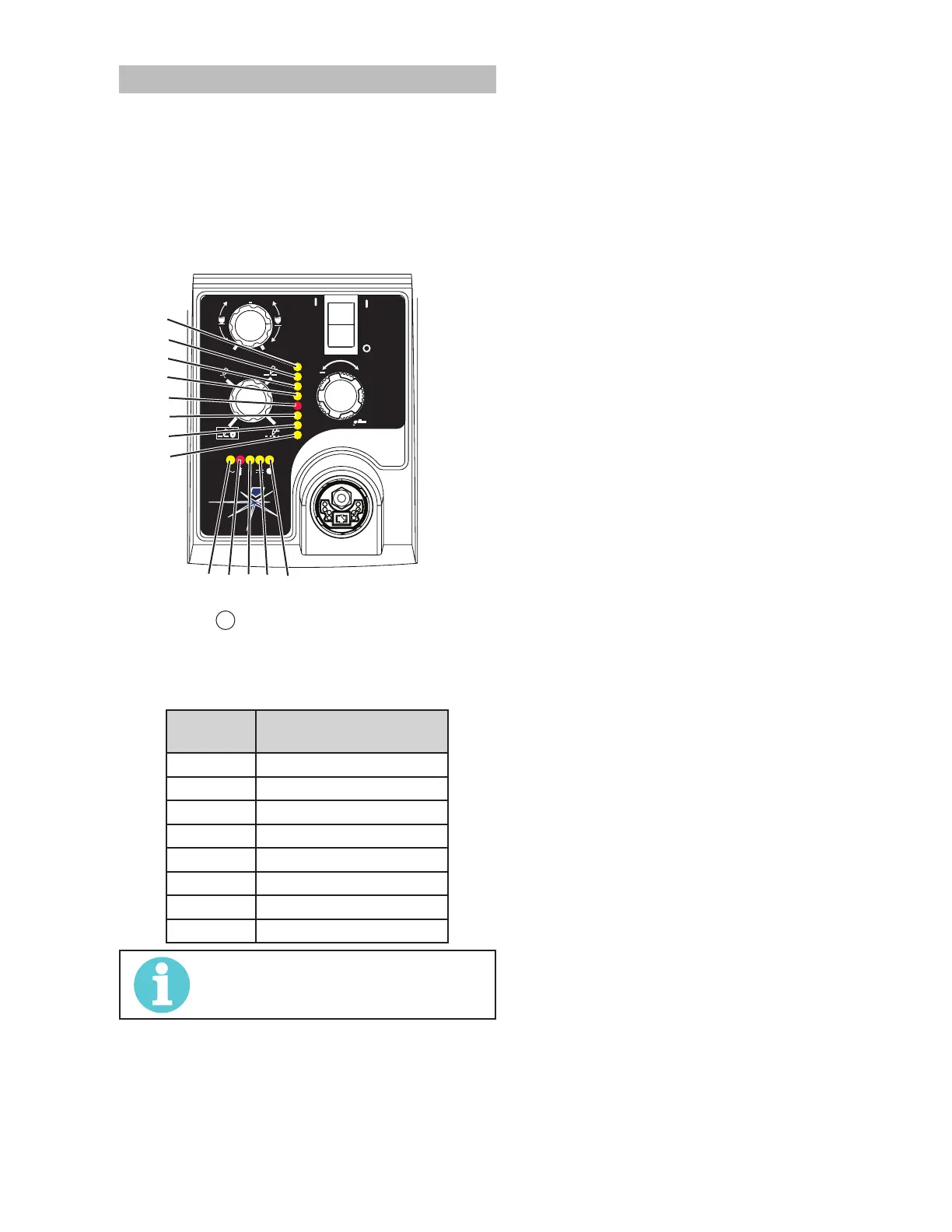
5.04 Fault Indicator
At initial power up, two lights will temporarily illuminate
for 2-3 seconds to show the version of software used.
To determine the rst digit, count the function indicators
left to right, 1 through 5. To determine the second digit
count the pressure indicators, reading from bottom to
top, 0 through 7. In the example below the Temp indica-
tor and 76 psi indicators are ON indicating the version
would be 2.3.
A
+
PSI BAR
MAXMAX
MINMIN
!
Art# A-07988
MIN
MAX
0
1
When the
"Fault" indicator is ON or blinking it will
be accompanied by one of the pressure indicator
lights depending on what the Fault is. The following
table explains each of those Faults.
Pressure
Indicator
Fault
Max Over Pressure
90 Internal Error
85 Shorted Torch
80 Consumables Missing
75 Start Error
70 Parts in Place
65 Input Power
Min Under Pressure
NOTE!
Fault explanations are covered in the
following tables.



 To Next Page