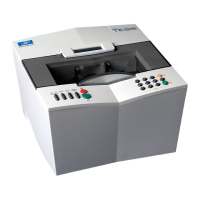
Essilor E-Tess Tracer
3- Check Pro 2
4
Refer to Chapter 7 to find the cause of the problem.
Then click on to exit the Check Pro screen and press √ to validate the code on your
tracer.
: The check is OK, you can continue using your tracer, the tracer display is ready for a job.
9. Click on to exit the screen.
Calibration
1. Click on:
,
2. Choose the numbers of the "frame" and "pattern" standard gauges displayed, corresponding to the
standard gauges used,
3. Position the frame "gauge" in the e-Tess tracer, stable on the four lower studs, with the "V" open
upwards,
4. Click on
to validate,
: is displayed in the Check Pro window.
5. Check the gauge number on the e-Tess display,
6. Press on e-Tess to start tracing,
7. Tracing is carried out. At the end, the number of the "pattern" standard gauge is displayed on e-Tess,
8. Remove the "frame" gauge and insert the "pattern" gauge,
9. Press on e-Tess,
10. The second part of the calibration is carried out. After calibration the calculation starts, lasting about
10 min. There are two possible cases:
Number of the frame standard
gauge.
Number of the pattern
standard gauge.

 To Next Page
 Loading...