The button appears grayed if the step bevel wheel was not mounted beforehand: .
Select lens material.
You cannot perform a bevel step on the Trivex lenses
TM
and glass lenses.
Select the type of cycle.
Press the “cycle start” button (front face) or .
The door closes, the lens is clamped and then felt.
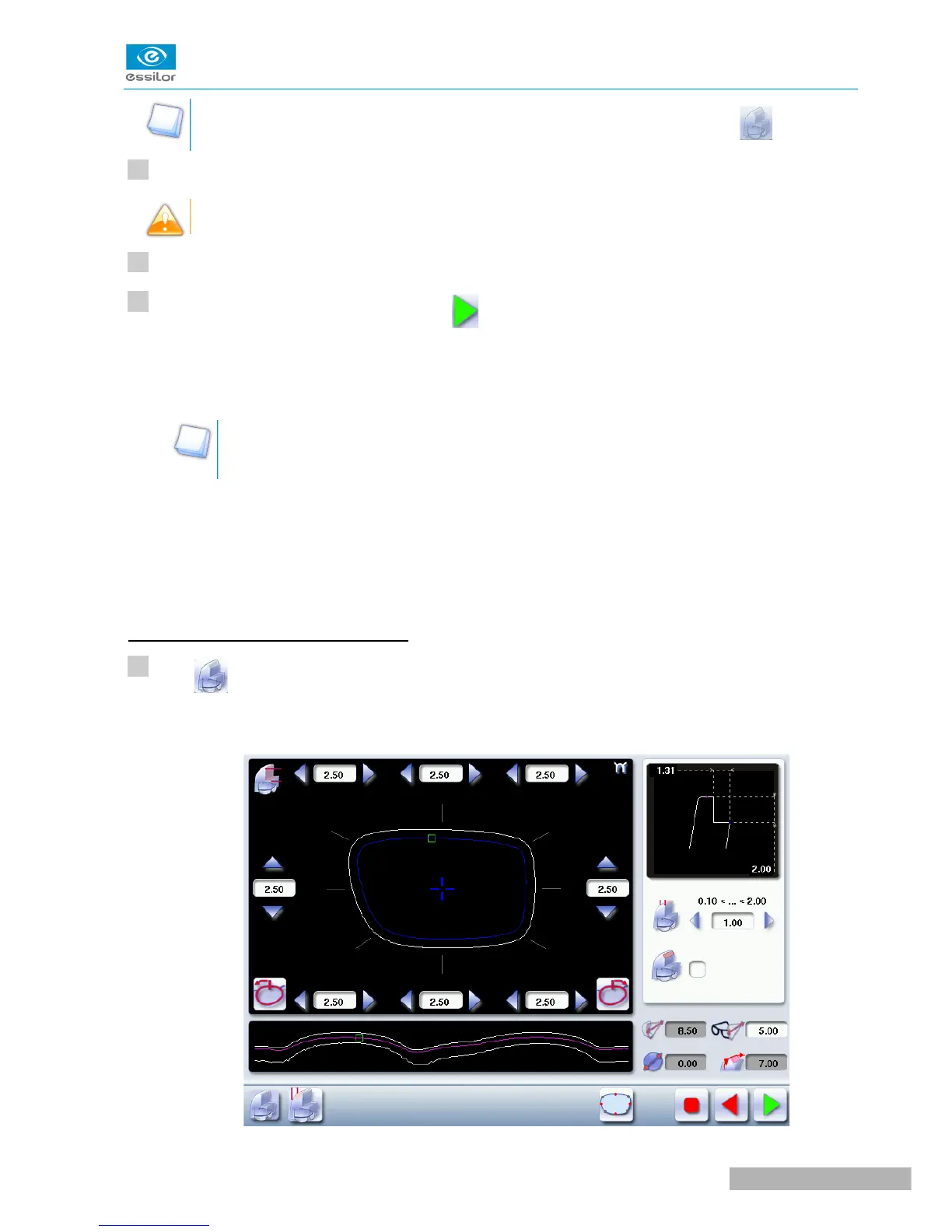
The “automatic trajectory” step finish screen is displayed by default.
By default, the edger shows the values corresponding to the frame material (metal or plastic).
Check and modify these values according to the thickness of your lens and your frame.
You can:
• perform a step bevel in “automatic trajectory” mode (F p.43),
In this mode, the bevel trajectory follows the base of the frame as closely as possible.
• perform a step bevel in “front surface tracking” mode (F p.45).
In this mode, the trajectory of bevel follows the front surface lens base as closely as possible.
Step bevel in “automatic trajectory” mode
Press to select the bevel in “automatic trajectory ” mode.
The following screen will appear:



 To Next Page