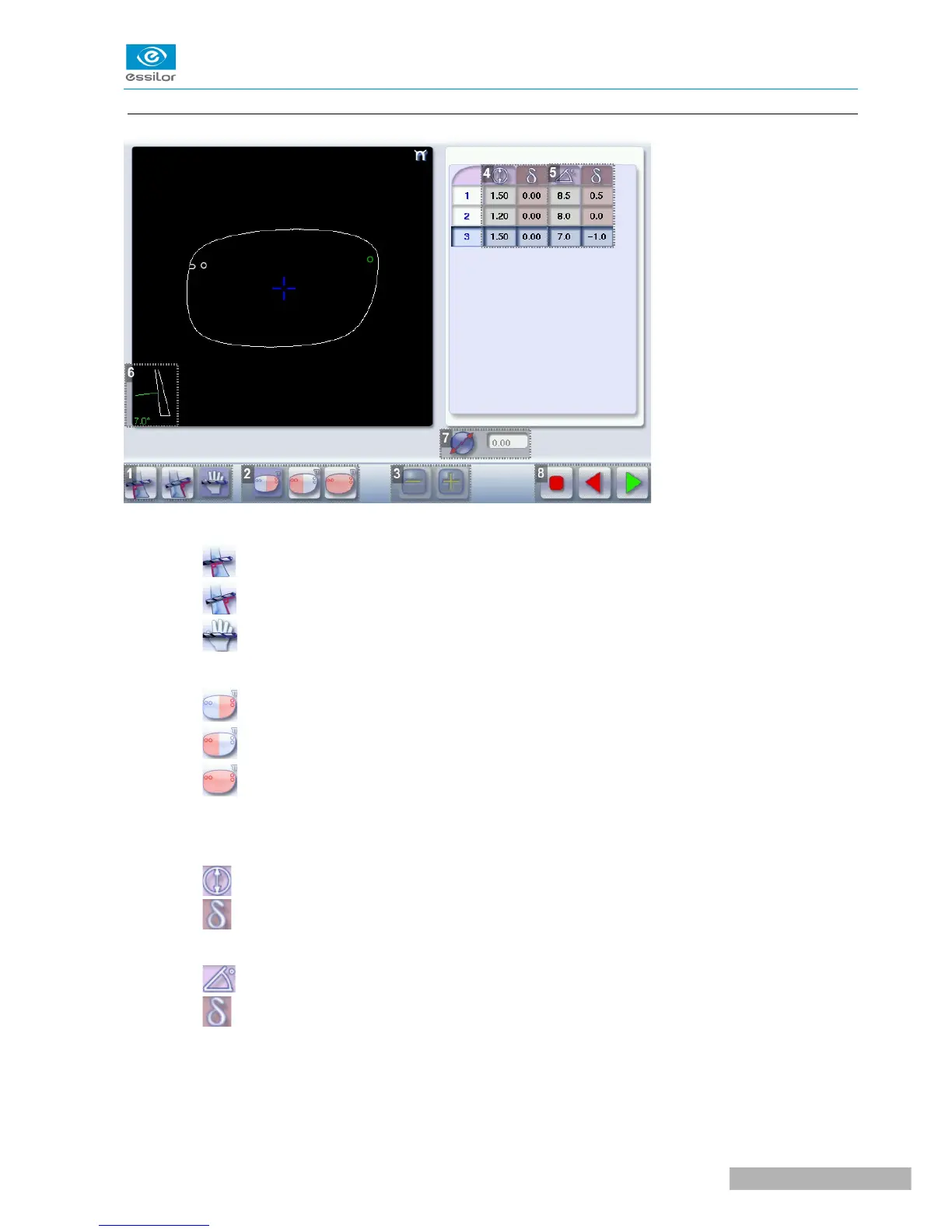
b. Legend screen for customized drilling
1. Type of drilling
◦ Perpendicular to the front surface
◦ Perpendicular to the rear surface
◦ Customized
2. Select the drilling points
◦ Nasal side
◦ Temporal side
◦ All drilling points
3. Modify the selected value
4. Modify the diameter
◦ diameter (mm)
◦ difference between the initial value and the modified value
5. Modify the drilling angle
◦ drilling angle (degrees)
◦ difference between the initial value and the modified value
6. Cross-sectional view
Cross-sectional view of the lens after the feeling cycle, showing the angle of the drill bit at the selected
drilling point.



 To Next Page