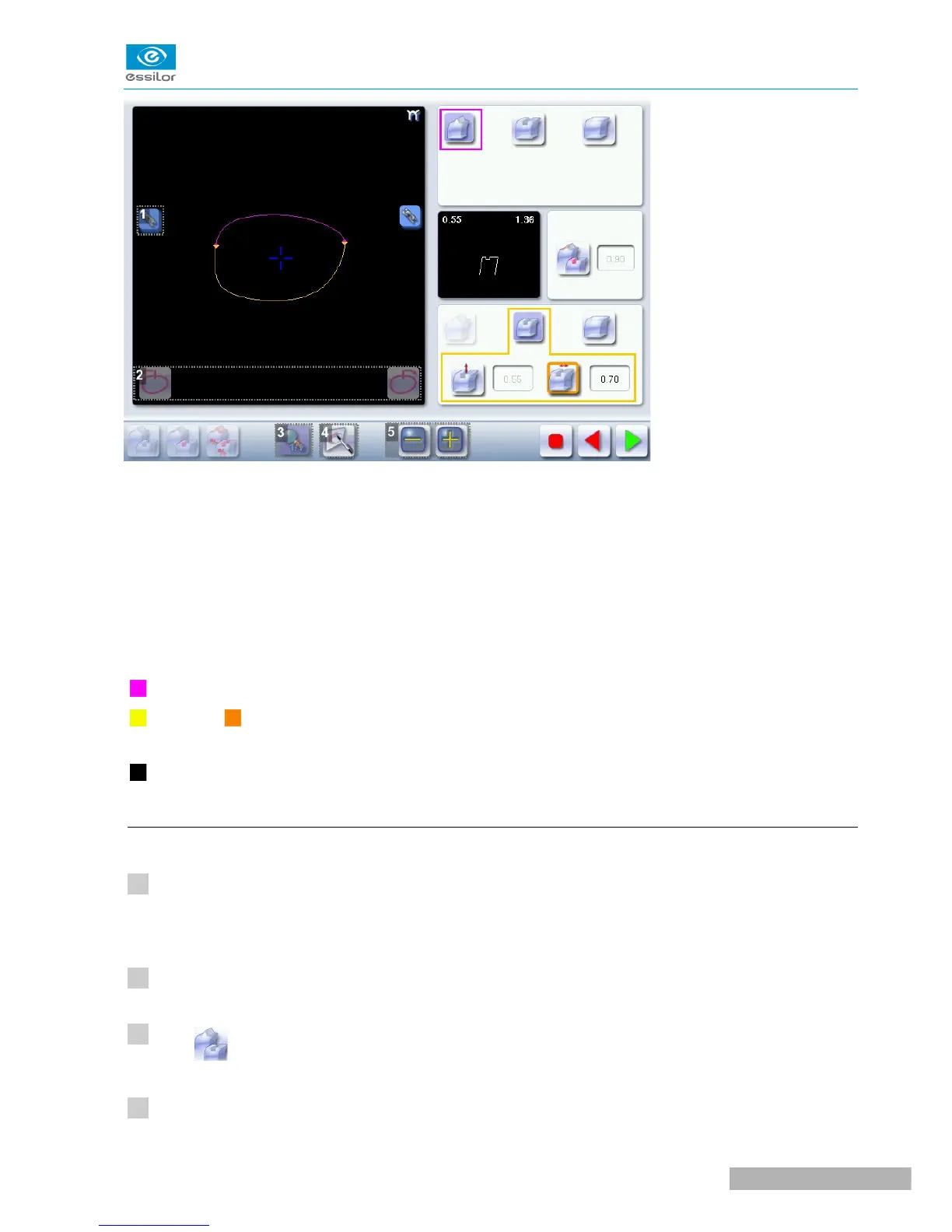
1. Lock / unlock the area delimitation points
2. Move the area delimitation points
3. Back to the main screen
4. Enable area delimitation on the touch screen
5. Modify the selected value
Legend of colours delimiting the shape areas:
(pink) Bevel finish
(yellow) / (orange) Groove finish (in the case of a Groove - Groove mixed job, the colours make it
possible to differentiate grooves with different parameters)
(black) Flat-edge finish
b. Configuring the mixed finish
Initiating a mixed finish
Call up the desired shape located on the tracer or on the job management program.
The shape is displayed on the edger work screen.
Select lens material.
Press to select mixed job mode.
Select your type of cycle.



 To Next Page