ES720.1 - User’s Guide18
Hardware Description ETAS
3.3 Connections
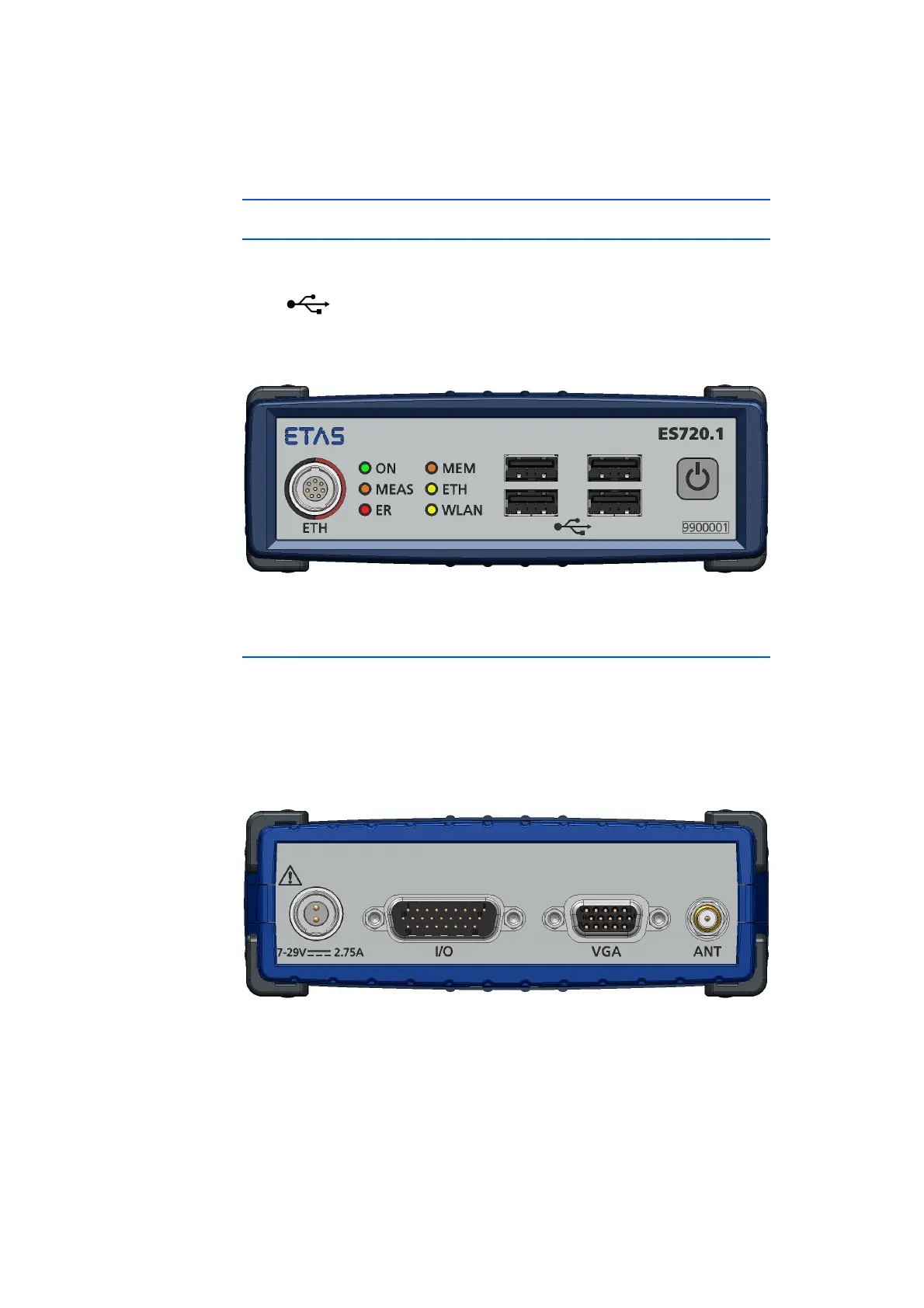
3.3.1 Front Side of the Device
The following connections are located on the front side of the ES720.1:
• ET
H (Ethernet, SYNC-OUT)
•
(4 USB ports)
The "Power" button to the right of the USB sockets can be used to switch the
Drive Recor
der on or off.
Fig. 3-2 Front side of the device
3.3.2 Rear Side of the Device
The following connections are located on the rear side of the ES720.1:
• 7-
29V (operating voltage)
• I/O (
digital inputs and outputs)
• VGA
(VGA port [for monitors with analog interface])
• ANT (WLAN antenna)
Fig. 3-3 Rear side of the device



 To Next Page