12 Electronic Theatre Controls, Inc.
Fader station operation
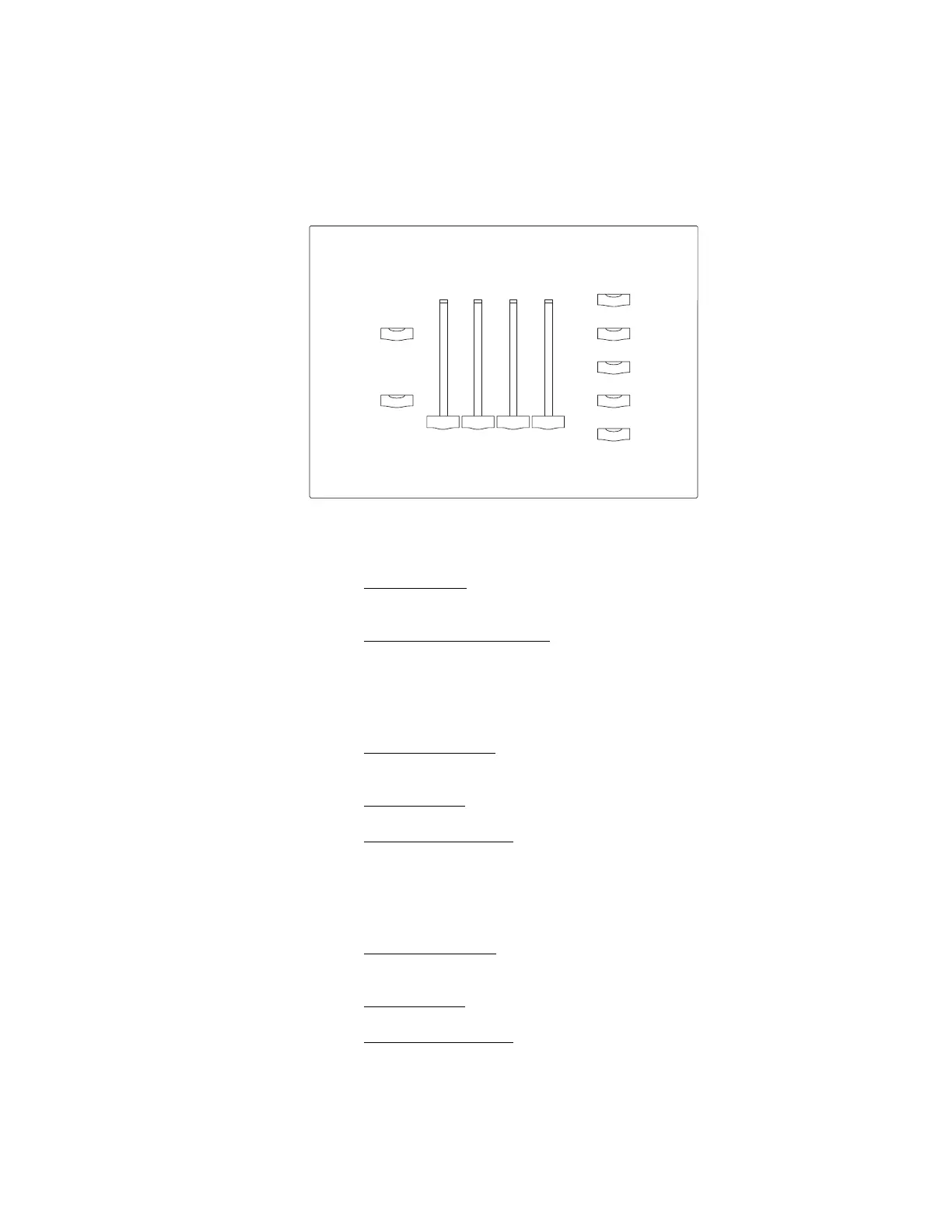
A Unison Fader station adjusts lighting using Zone and Master faders or recalls
recorded lighting looks with Presets. You can use the faders to temporarily
adjust an active Preset, or set and record new Preset intensities to recall later.
To adjust intensities using faders
1. Press [Manual]
. Intensities fade to levels that reflect the position of the
faders. The [Manual], Master fader and Zone fader LEDs illuminate.
2. Slide the faders up or down to adjust levels. Each Zone fader controls light
intensity in its assigned zone. The Master fader proportionally adjusts light
intensity for all zones.
To record a Preset
1. Set light intensities
to create the desired lighting look using the faders as
described above.
2. Press [Record]. The [Record] LED illuminates.
3. Press a Preset button. Current light intensities are recorded to the
button’s Preset, replacing previously recorded Preset intensities. The
Preset button LED illuminates when recording is complete.
To take a “snapshot” from a DMX512 lighting control device
1. Set light intensities
to create the desired lighting look using a DMX512
lighting control device connected to the DMX512 Connector Station.
2. Press [Record]. The [Record] LED illuminates.
3. Press a Preset button. Current light intensities are recorded to the
button’s Preset, replacing previously recorded Preset intensities. The
Preset button LED illuminates when recording is complete.
Master Zone 1 Zone 2 Zone 3
Off
Preset 2
Preset 1
Preset 3
Preset 4
Manual
Record
➄ Typical Preset buttons
➁ [Record]
➀ [Manual]
➂ Master fader
➂
➁
➄
➀
➃
Zone faders
➃



 To Next Page