18 Electronic Theatre Controls, Inc.
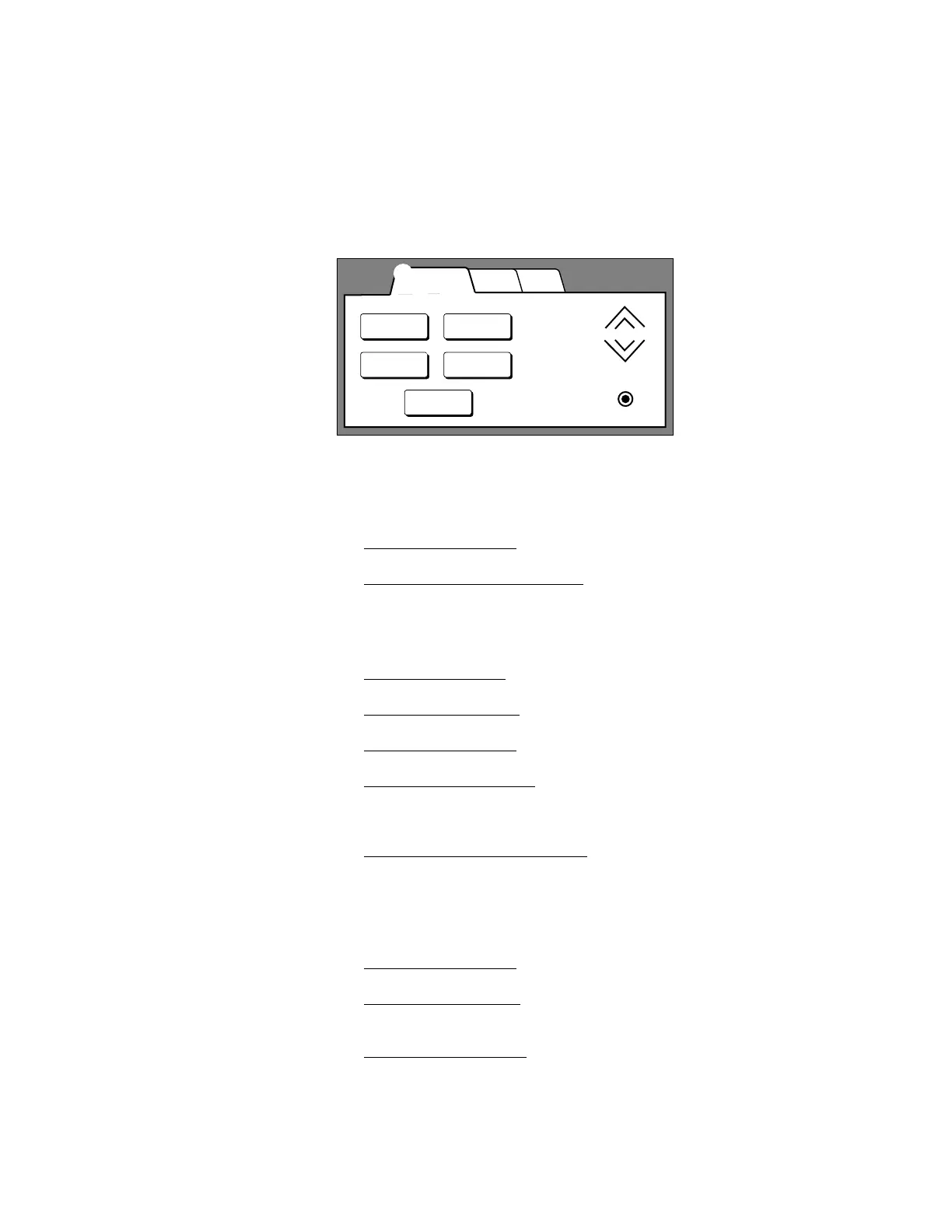
LCD station Preset page
The Preset page displays up to five Preset buttons (including [Off]) you use to
recall recorded light levels. It also contains [Raise] and [Lower] buttons to
adjust Preset light levels, and a [Record] button to record new Preset settings.
To select a Preset
1. Touch the Presets tab
. The Preset control page appears.
2. Press the desired Preset button. The button recalls the set of light zone
intensities recorded to its Preset. The active Preset button is highlighted.
To record a preset
1. Touch the Zones tab
. The Zones page appears.
2. Adjust the zone faders to set the desired lighting look.
3. Touch the Presets tab to return to the Preset page.
4. Touch the Record button.
Record
appears over the button, indicating the
station is in Record mode. (Record mode deactivates after seven
seconds.)
5. Touch the desired Preset button
. Current light zone intensities are
recorded to the button’s Preset, replacing previously recorded Preset
intensities. The button is highlighted when recording is complete.
To master (raise and lower) an active Preset
1. Touch the Presets tab
. The Preset page appears.
2. Touch and hold [Raise] to proportionally increase Preset light zone
intensities.
3. Touch and hold [Lower] to proportionally decrease Preset light zone
intensities.
WallsZonesPresets
Preset 4
Off
Preset 2
Preset 1 Preset 3
➀ Presets page tab
➁ Typical Preset buttons
➃ [Lower]
➂ [Raise]
➄ [Record]
➀
➁
➂
➃
➄



 To Next Page