22 Electronic Theatre Controls, Inc.
Wireless Transmitter operation
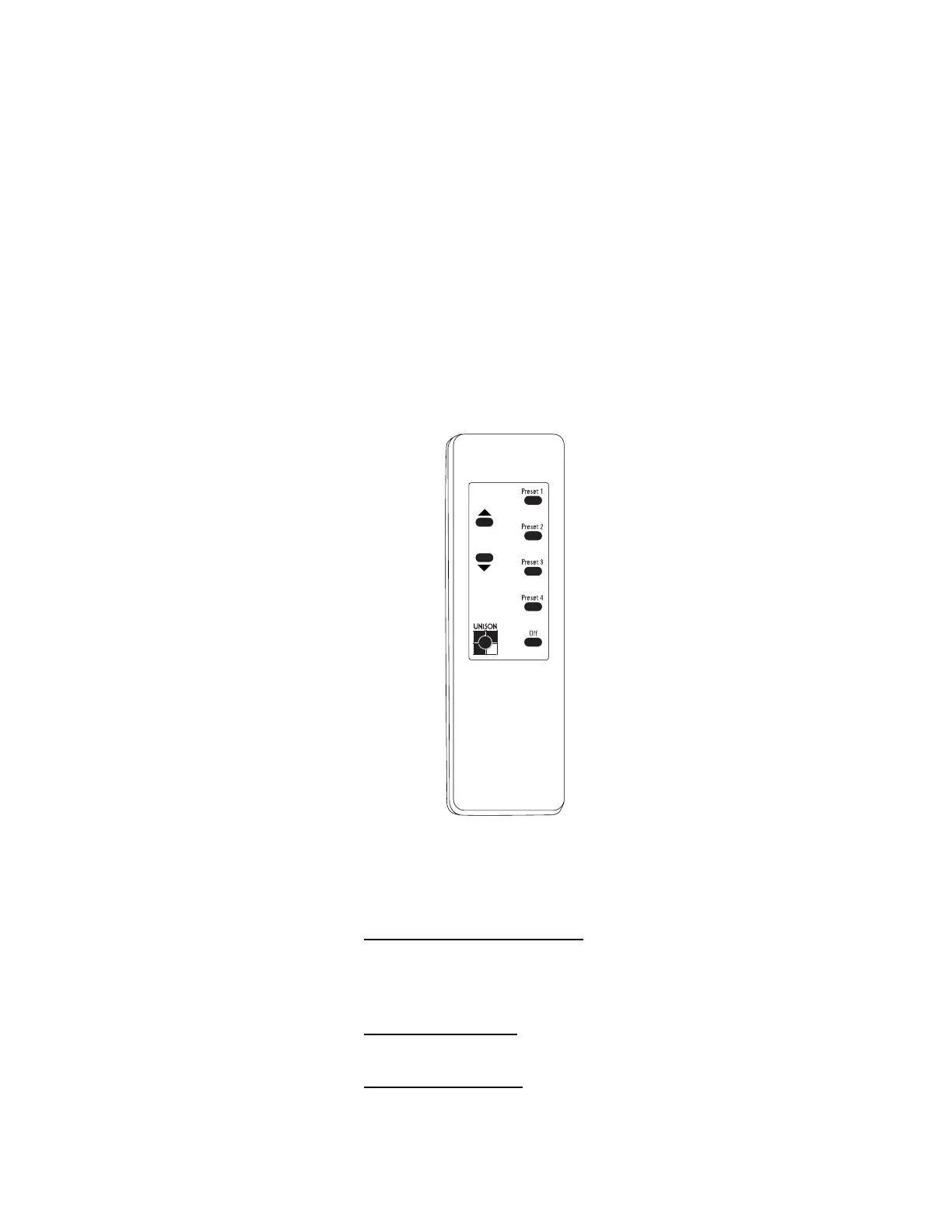
The Unison Wireless Transmitter is a handheld control device that lets you
select, raise, and lower Presets anywhere within 40 feet of the ceiling
mounted infrared receiver.
Objects in the line of sight between the Wireless Transmitter and its receiver
can block infrared signals and reduce effective control range. Bright lights near
the receiver, especially compact fluorescents, can also cause interference.
Point the transmitter directly at the receiver during use to ensure consistent
performance.
The standard Wireless Transmitter lets you recall and adjust Presets. Standard
Wireless Transmitters have [Raise], [Lower], and five Preset buttons (including
[Off]). These buttons function identically to their counterparts on other control
stations. See
Control station overview
on page 11 for descriptions of each
button’s function.
To select a Preset
1. Press the desired Preset button. The button recalls the set of light zone
intensities recorded to its Preset.
To master (raise or lower) an active Preset
1. Press and hold [Raise] to proportionally increase Preset light zone
intensities.
2. Press and hold [Lower] to proportionally decrease Preset light zone
intensities.
➂ Typical Preset buttons
➀ [Raise]
➁ [Lower]
➂
➀
➁



 To Next Page