20 Electronic Theatre Controls, Inc.
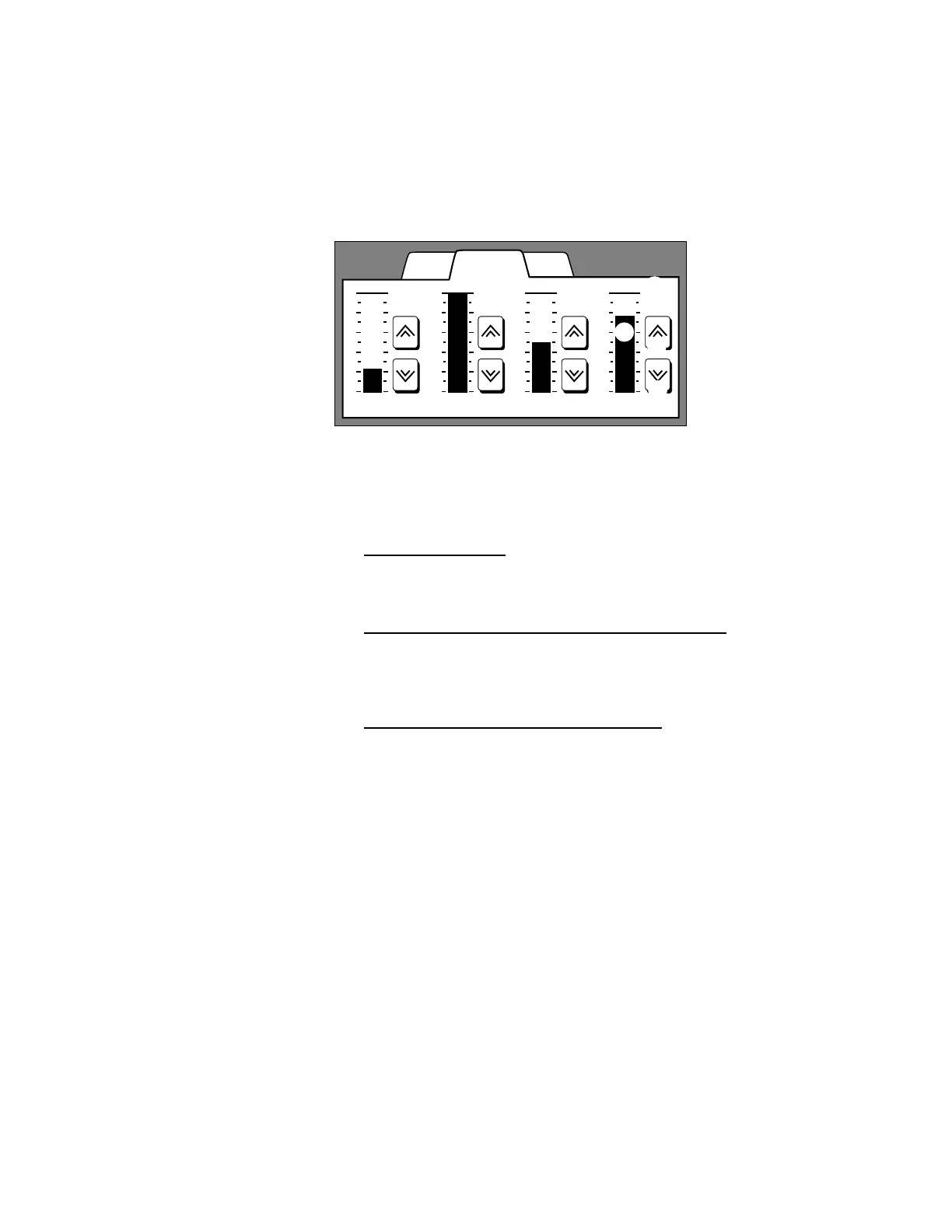
LCD station Zones page
The Zones page displays up to four Zone faders you can use to adjust
individual light zone intensities directly.
To select the Zones page
1. Touch the Zones tab
. The Zones page displays up to four zone faders.
To gradually adjust light zone intensities
1. Touch the Raise or Lower arrow of the desired fader
. The bar and
percentage displays change to reflect intensity adjustments.
To quickly adjust light zone intensities
1. Touch the intensity bar of the desired fader
. Touching the intensity bar
instantly sets light zone intensity to 0, 25, 50, 75, or 100 percent,
depending where on the bar you touch. The bar and percentage displays
change to reflect intensity adjustments.
WallsPresets
75
Zone 4
Zones
50
Zone 3
100
Zone 2
25
Zone 1
➀ Zones page tab
➃ Raise arrow
➄ Lower arrow
➁ Intensity bar
➂ Intensity percent
➀
➁
➂
➃
➄



 To Next Page