Unison Station User Manual 21
Controlling partitioned spaces
If your facility has large rooms that can be partitioned into smaller sections by
movable walls, you can control lights in each section individually, or you can
open the walls and control the lights for the room as a whole.
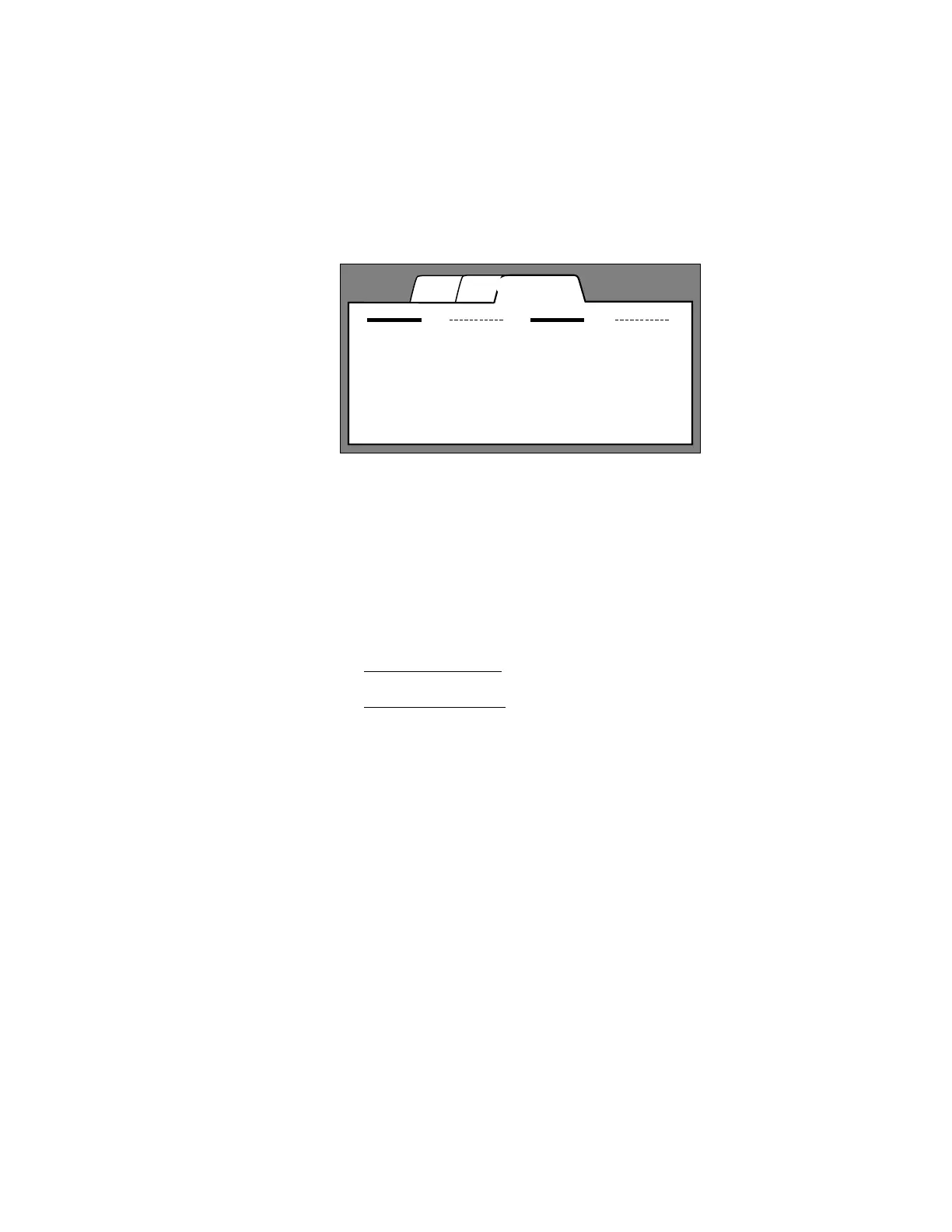
On the LCD station’s Walls page, a wall is represented by a line with the wall’s
name underneath. A dashed line indicates an open wall and a solid line means
the wall is closed. If the line is solid, the controls in the sections divided by that
wall are separated and operate independently. If the line is dashed, the
controls are joined and operate together.
To change a wall between open and closed
1. Touch the Walls tab
. The Walls page appears.
2. Touch the wall’s line. The line toggles between dashed (open) and solid
(closed).
A Unison system can also use partition sensors to detect when walls are open
or closed. The system will automatically set your control stations to work
together or separately based on the actual state of the walls. The state of walls
using partition sensors can still be switched between open and closed by
touching their wall symbols on the LCD Wall page.
Presets
Zones Walls
Wall 1 Wall 2
Wall 3 Wall 4
➀ Walls page tab
➂ Open wall
➁ Closed wall
➀
➂
➁



 To Next Page