Chapter 7 Setup
> 7.2 Basic Setup
ETERNUS DX60/DX80/DX90 Disk storage system User Guide
153
Copyright 2010 FUJITSU LIMITED
P3AM-3042-07ENZ0
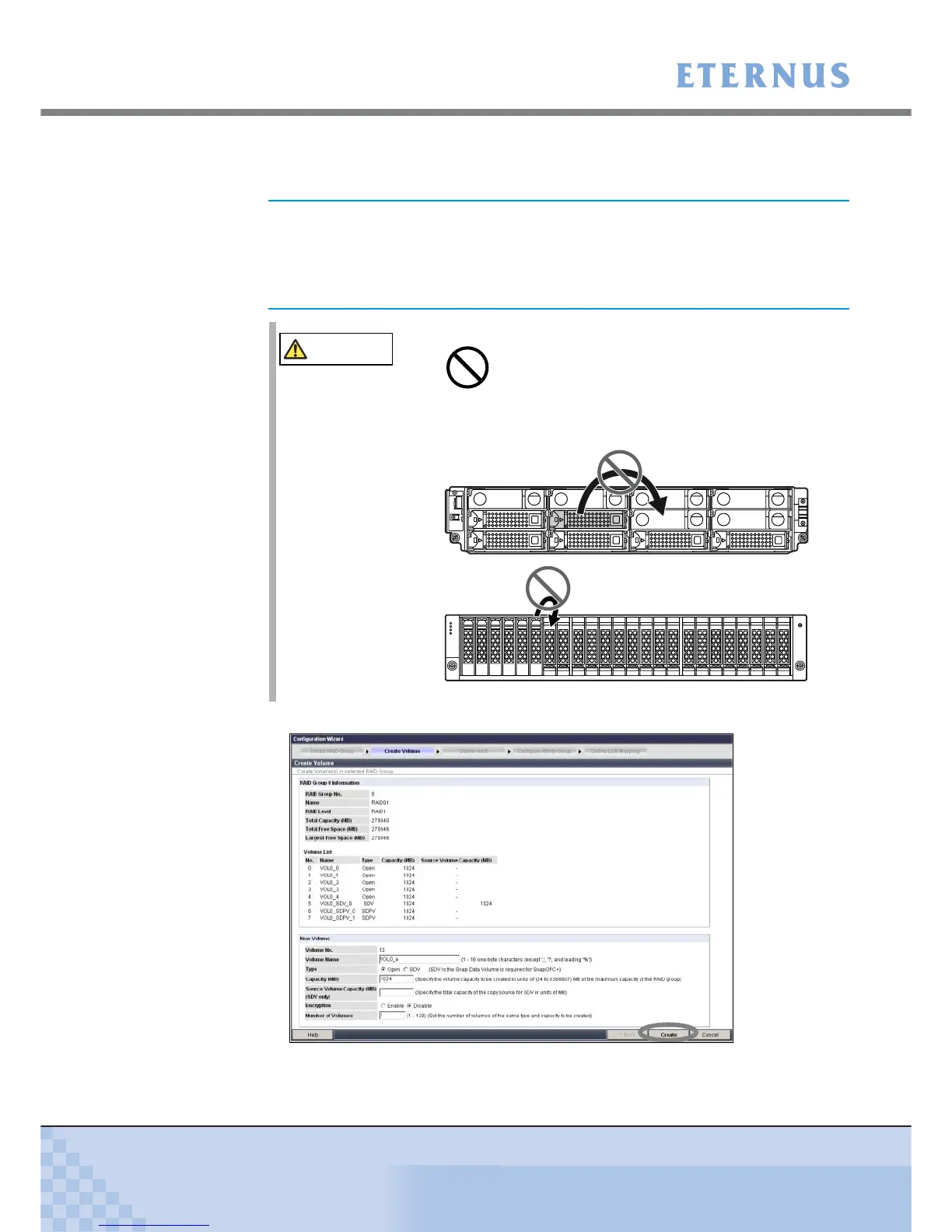
3 Create a volume.
Create a volume (area in the disks in the RAID group) in a RAID group.
3-1 Specify the necessary items in "New Volume", and click the [Create] button.
Figure 7.14 [Create Volume] screen
If the factory default settings are to be used, this setting is not
required. When settings are desired, delete the factory settings
(logical volumes and LUN mappings) and then create your own
logical volumes. For setting deletion details, refer to the "ETERNUS
DX60/DX80/DX90 Web GUI User Guide".
CAUTION
• RAID groups, volumes, and hot spares are factory set. Disks
which contain RAID groups or volumes, or disks which are hot
spares should not be moved to another slot.



 To Next Page