Chapter 7 Setup
> 7.4 Monitoring Setup
ETERNUS DX60/DX80/DX90 Disk storage system User Guide
175
Copyright 2010 FUJITSU LIMITED
P3AM-3042-07ENZ0
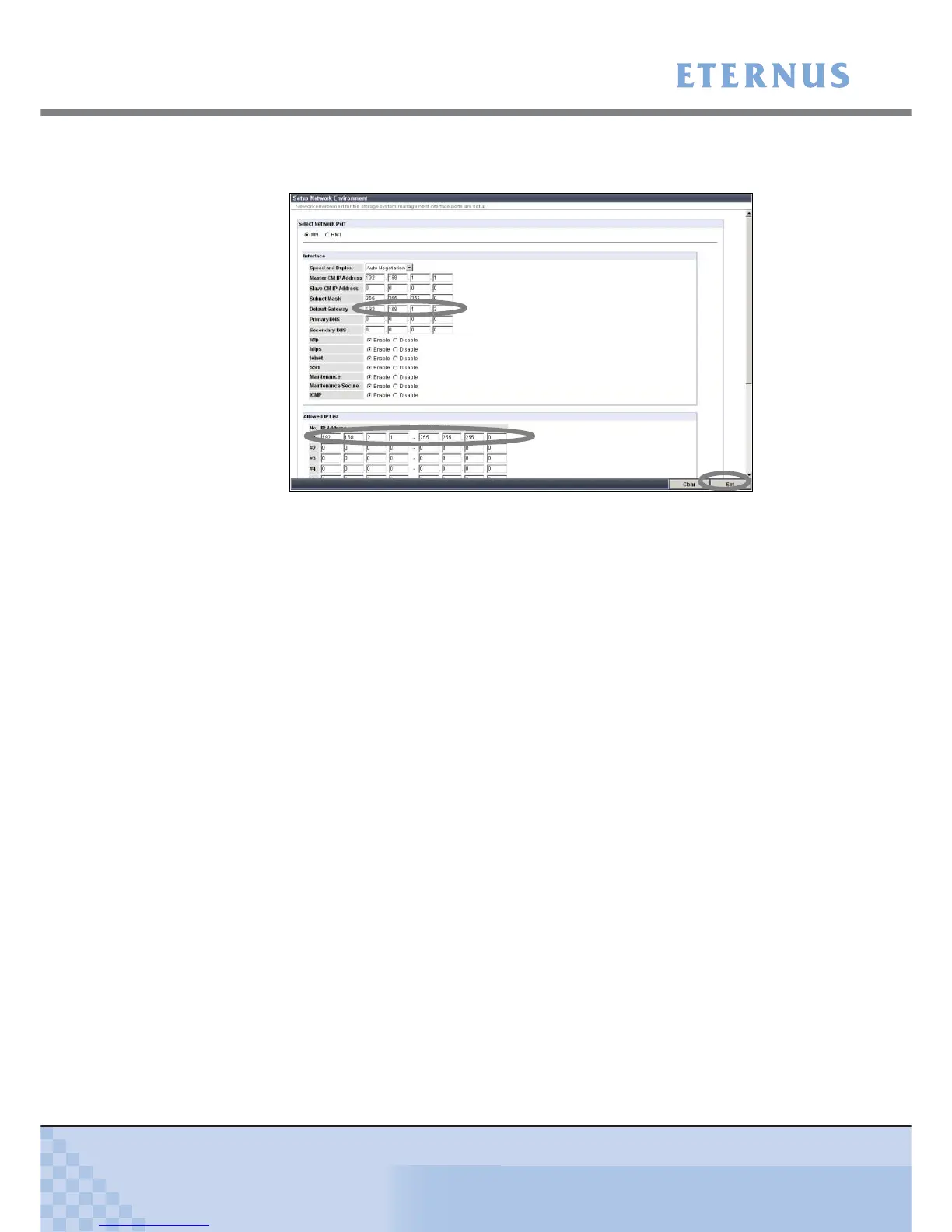
1-3 Specify the necessary items, and click the [Set] button.
Enter the default gateway and any "Allowed IP List" devices.
Figure 7.37 [Setup Network Environment] screen (when ServerView is running)
A confirmation screen appears.
1-4 Click the [OK] button.
The network environment is set, and the [Setup Network Environment] screen is
closed.
2 Set up destination of SNMP Trap.
2-1 Select [Setup SNMP Agent] under the [Network Settings] menu on the [Global
Settings] tab in the GUI screen.
The [Setup SNMP Agent] menu screen appears.
2-2 Click the [Trap] link on the left of the screen.
The SNMP Trap destination setup screen appears.



 To Next Page