Chapter 7 Setup
> 7.3 Advanced Copy Setup
ETERNUS DX60/DX80/DX90 Disk storage system User Guide
167
Copyright 2010 FUJITSU LIMITED
P3AM-3042-07ENZ0
2 Check the contents of the notification E-mail.
Check that the [Serial number] (device serial number) that is described in the notification
E-mail is correct.
3 Write down the license key on the provided license label plate.
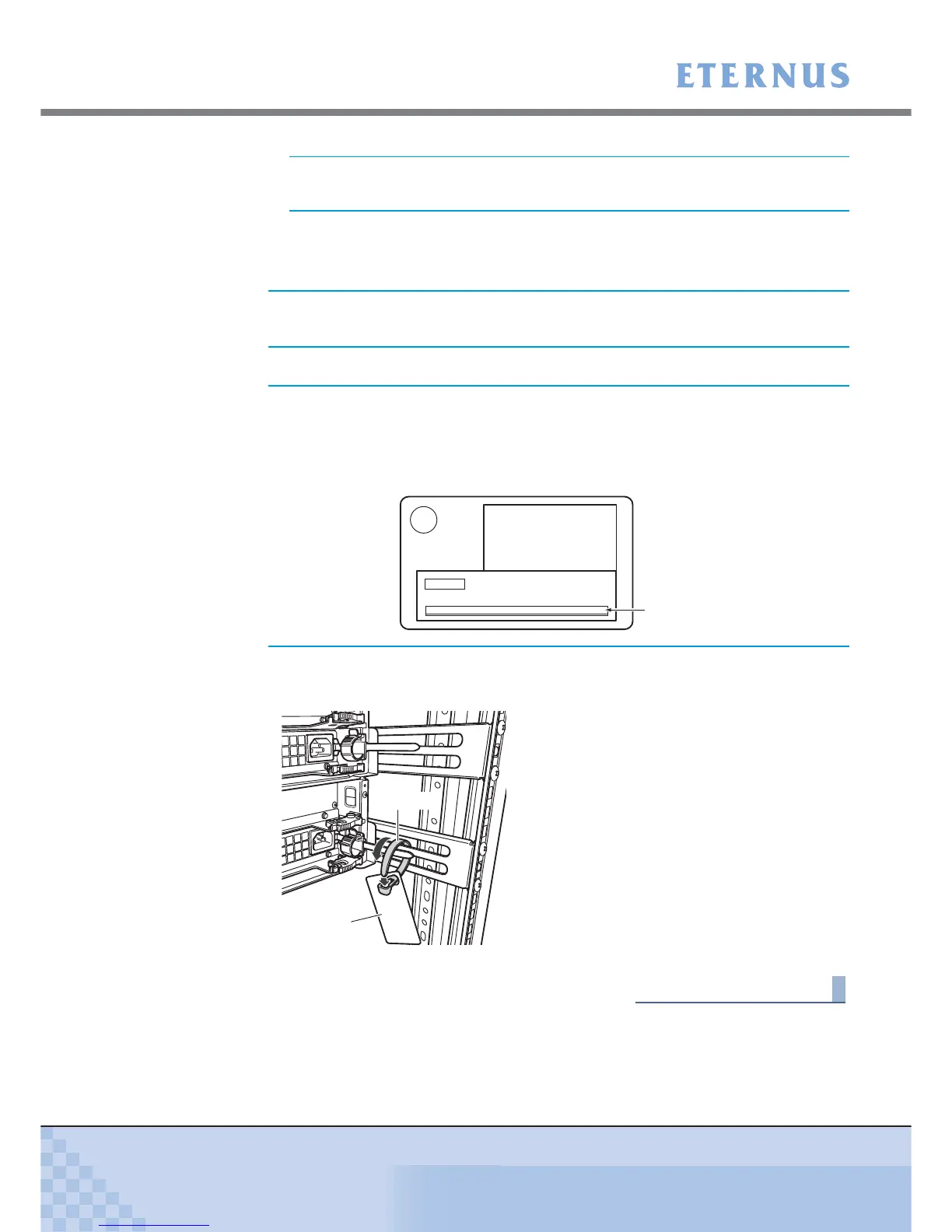
4 Attach the license label plate provided with the Advanced Copy Feature to the
rack rail near the ETERNUS DX60/DX80 which holds its license.
End of procedure
Make sure to take a note of the displayed license key.
If the serial number that is described in the notification E-mail is
wrong, contact your sales representative as soon as possible.
Make sure to write down the license key.
Write the license key directly on an empty column of "License Key"
on the license label plate, or print the notification E-mail on paper, cut
out the part of the 16-digit numeric number of license key, and attach
it to the license label plate.
LicenseKey
Input column for the license key
License label plate
Release tie



 To Next Page