79
9-6 Bearing Replacement
Caution
y Never install used bearings. Once bearing
removed, it has to be replaced with new one.
Crankcase side
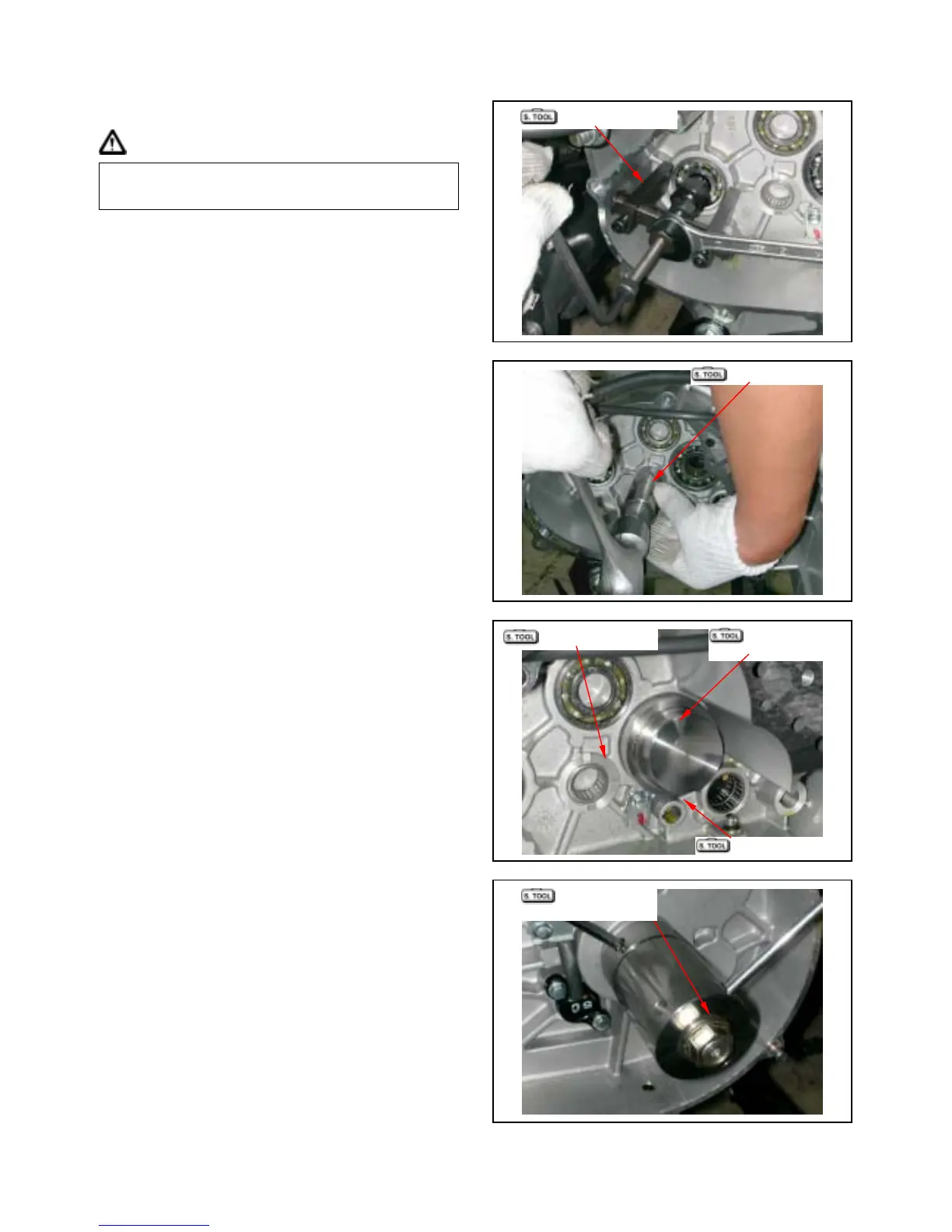
Remove drive shaft bearing setting plate, and then
remove drive shaft bearing from left crankcase
using following tools.
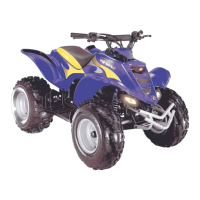
Remove reverse shaft bearing and counter shaft
bearing from left crankcase using following tools.
Remove drive shaft oil seal.
Special tool:
Inner bearing puller
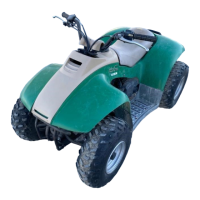
Install new final shaft, counter shaft and reverse
shaft bearings into left crankcase.
Special tool:
Bearing driver (6204)
Needle bearing driver (HK2016)
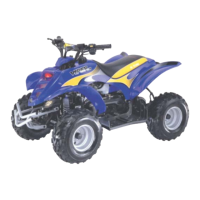
Install new drive shaft bearings and baring driver
into left crankcase.
Install the universal bearing puller and bearing
driver.
Turn the universal bearing puller to install drive
shaft bearing.
Special tool:
Bearing driver (6305)
Universal bearing puller
Bearing driver
Inner bearing puller
Drive shaft puller
Drive shaft and
seal install bush
Clutch nut wrench
Drive shaft and
seal install bush



 To Next Page