86
10-3 Right Crankcase Cover
Removal
Remove left footrest.
Drain out the engine oil and coolant, and then
remove coolant hoses.
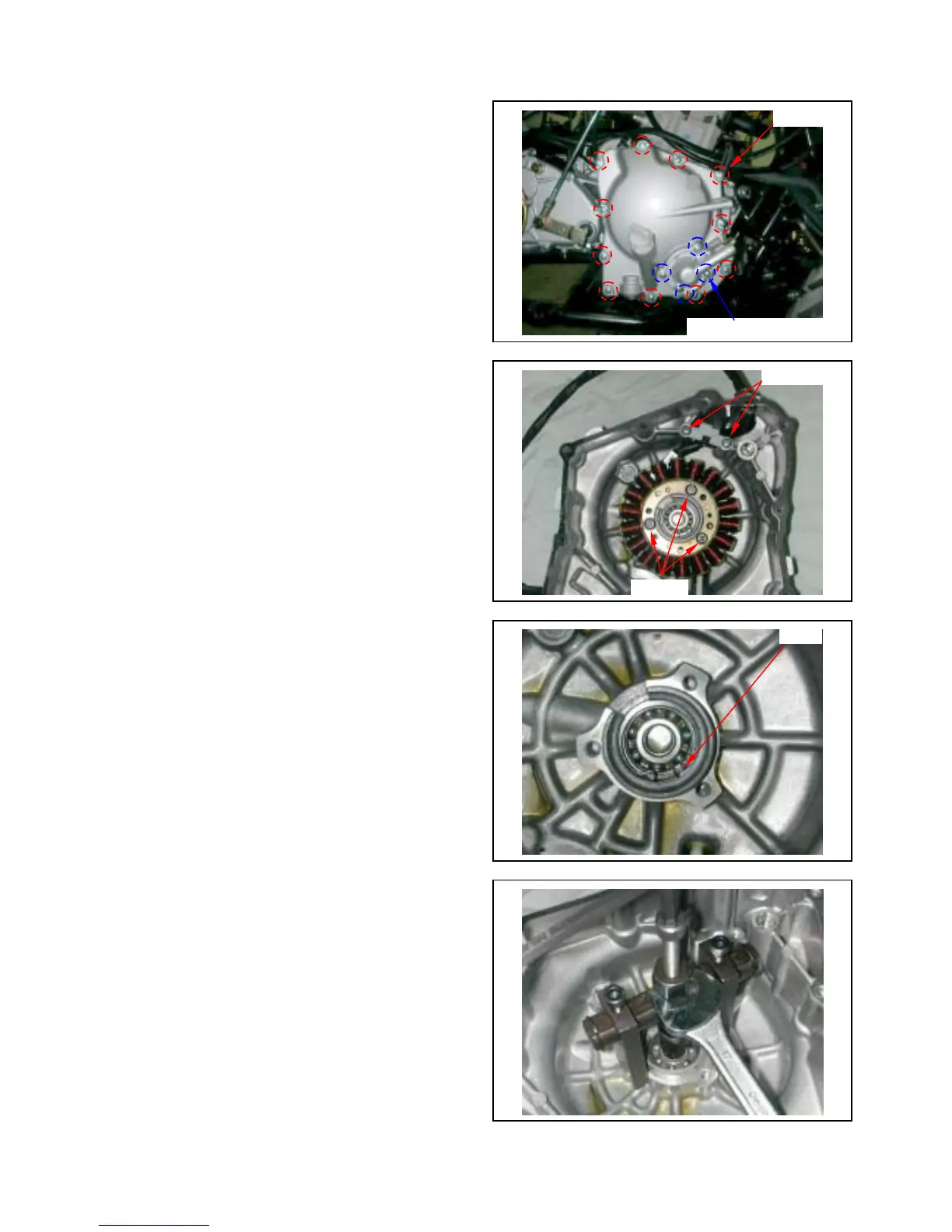
Remove water pump cover (4 bolts).
Remove 11 bolts from the right crankcase cover.
Remove the right crankcase cover.
Remove dowel pin and gasket.
10-4 A.C.G. Set Removal
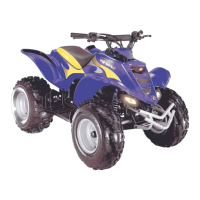
Remove 2 mounted screws from pulse generator
and then remove it.
Remove 3 screws from right crankcase cover and
then remove generator coil set.
10-5 Right Cover Bearing
Inspection
Rotate the bearing with finger to check if the
bearing rotation is in smooth and silent.
Check if the bearing outer parts are closed and
fixed. Replace it if necessary.
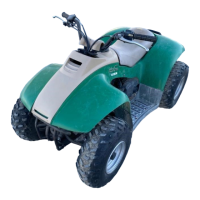
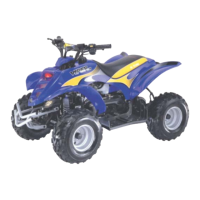
Remove the cir clip, and then remove bearing.
Special tool:
Inner bearing puller
2 screws
11 bolts
3 screws
Cir clip
Water pump cover bolts



 To Next Page