EVCO S.p.A.
EVBOX1 | Installation guide ver. 2.0 | Code 144BOX1E204
page 30 of 100
6.8 Turning the demister heating
elements on/off manually (only
if the parameter u1 and/or
parameter u11 is set at 1)
To turn the demister heating elements on, proceed as follows:
1.
Check that the device is turned on and no
procedures are in progress.
2.
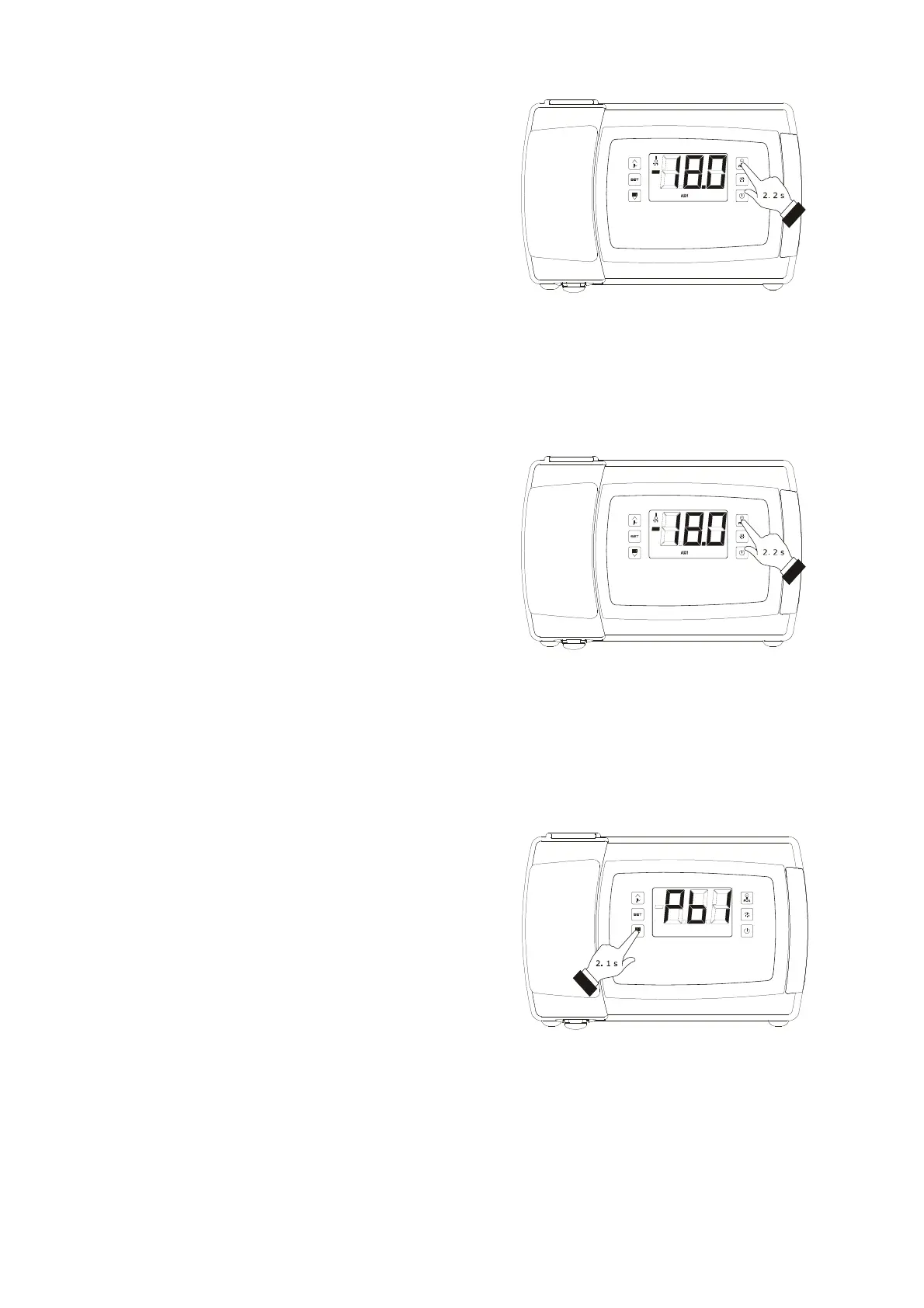
Keep the "AUXILIARY" key pressed for 2 s: the
"AUX1" and/or "AUX2" LEDs shall light up and the
heating elements be turned turned on, both for
the length of time set with the parameter u6.
The demister heating elements cannot be turned off in manual
mode (that is to say, before the time set with the parameter
u6 has expired).
6.9 Turning on/off of the auxiliary
output manually (only if the
parameter u1 and/or
parameter u11 is set at 2)
To turn the auxiliary output on/off in manual mode, proceed
as follows:
1.
Make sure that the keyboard is not locked and that
no procedure is in progress.
2.
Keep the "AUXILIARY" key pressed for 2 s: the
"AUX1" and/or "AUX2" LEDs shall turn on/off.
Through the digital ports it is also possible to turn the auxiliary
output on/off from remote; see parameter u2.
If the auxiliary output has been turned on manually, it shall be
possible to turn it off only in the same mode (similarly, if it
was turned on from renote, it shall be possible to turn it off
only from remote); see also parameter u2.
6.10 Displaying some instant values
joined to the electronic
expansion valve (only in
models EVB1246 and EVB1256)
To display some instant values joined to the electronic
expansion valve, proceed as follows:
1.
Make sure that the keyboard is not locked and that
no procedure is in progress.
2.
Hold the key “DOWN” for 1 s: the display will show
the first label available.
3.
Press and release the key “UP” or “DOWN” to
select a label.
Demister heating elements manual activation
Turning on/off of the auxiliary output manually
Access the procedure to display some instant values joined to the
electronic expansion valve



 To Next Page