EVCO S.p.A.
EVBOX1 | Installation guide ver. 2.0 | Code 144BOX1E204
page 43 of 100
15.
Press and release the key or the key within 15
sec to set:
-
“Mon” (Monday)
-
“tuE” (Tuesday)
-
“UEd” (Wednesday)
-
“thu” (Thursday)
-
“Fri” (Friday)
-
“SAt” (Saturday)
-
“Sun” (Sunday).
16.
Press and release the “SET”: the "clock" LED shall
turn off, and then the device shall exit the
procedure.
To exit the procedure before the operation is complete:
17.
Do not operate for 60 sec (any changes will be
saved).
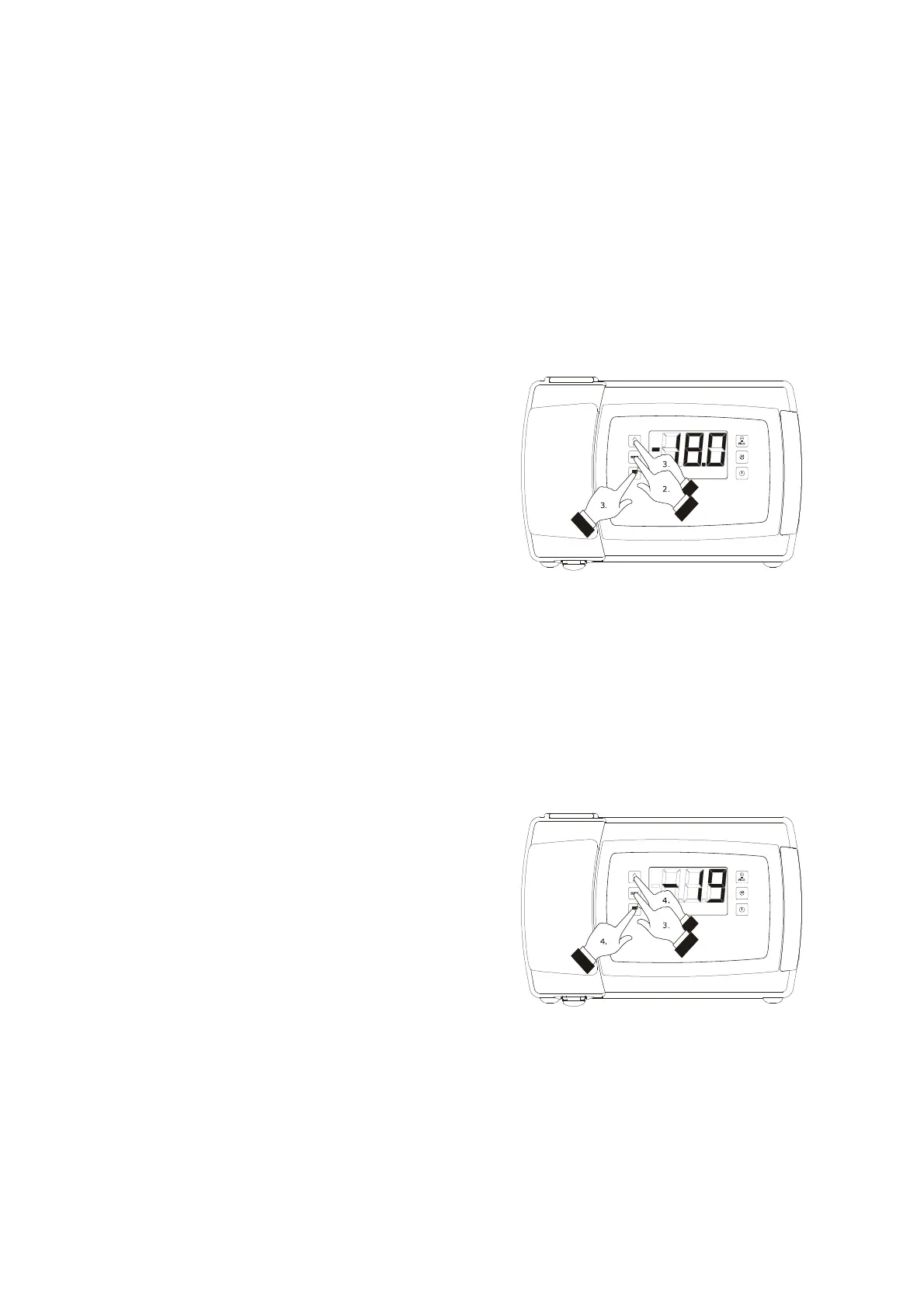
13.2 Setting the working set point
To set the working set point, proceed as follows:
1.
Make sure that the keyboard is not locked and that
no procedure is in progress.
2.
Press and release the “SET” key: the “compressor”
LED will flash.
3.
Press and release the “UP” or “DOWN” key within
15 sec; see also parameters r1, r2 and r3.
4.
Press and release the “SET” key or do not operate
for 15 sec: the “compressor” LED will switch off
after which, the device will exit the procedure.
To exit the procedure before the operation is complete:
5.
Do not operate for 15 sec (any changes will be
saved).
The working set point can also be set via parameter SP.
13.3 Setting the configuration
parameters
To access the procedure:
1.
Make sure no procedures are in progress.
2.
Hold the “UP” and “DOWN” key for 4 s: the display
will show “PA”.
3.
Press and release the “SET” key.
4.
Press and release the “UP” or “DOWN” key within
15 s to set “-19”.
5.
Press and release the “SET” key and do not
operate for 15 s.
6.
Hold the “UP” and “DOWN” key for 4 s: the display
will show “SP”.
Setting the working set point
Access the procedure to set the configuration parameters



 To Next Page