EasyManua.ls Logo

Eventide ARGUS 5000 - Page 103

Eventide ARGUS 5000
237 pages
Print Icon
To Next Page IconTo Next Page
To Previous Page IconTo Previous Page
Loading...
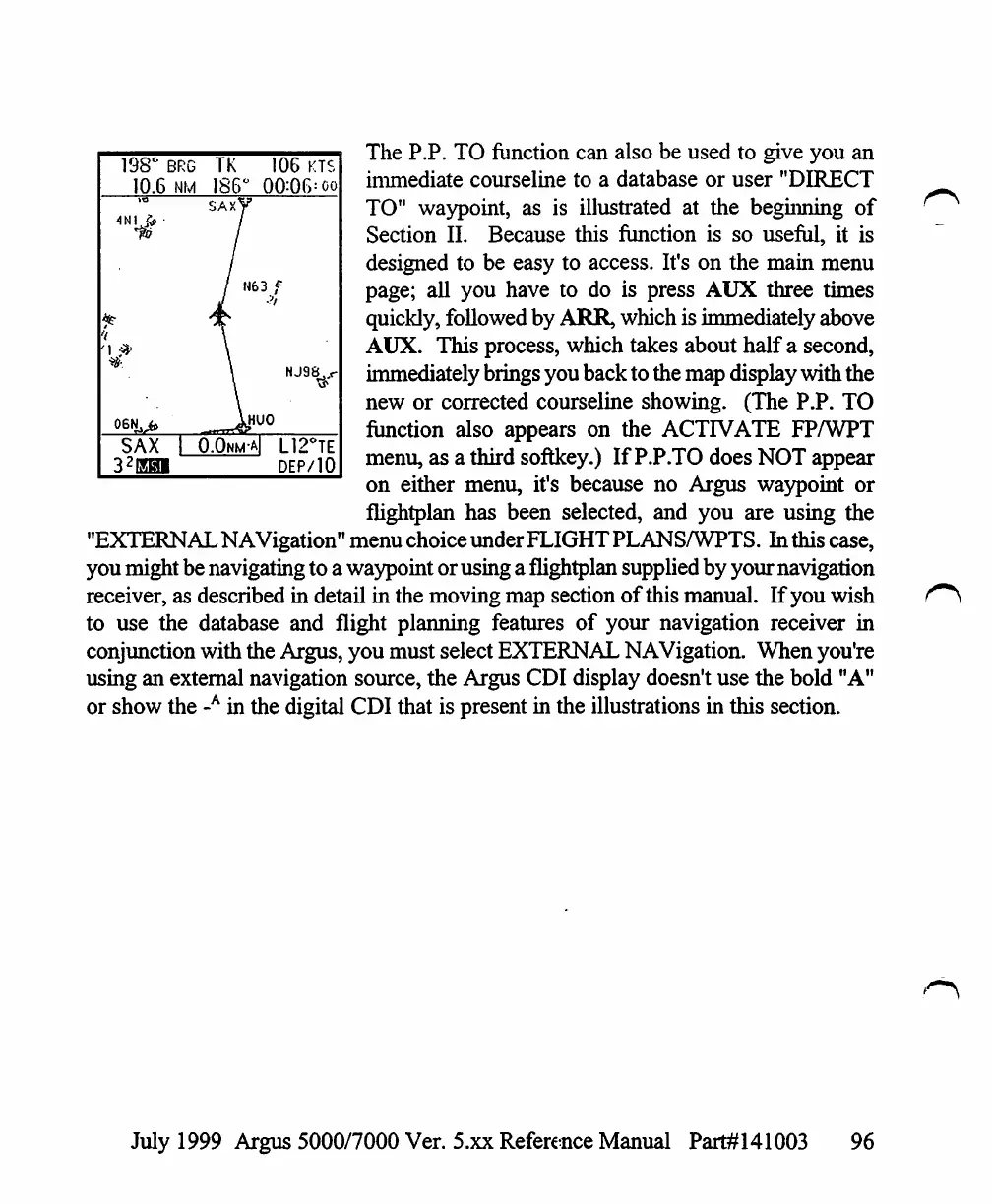
The
P.P.
TO
function
can
also
be
used
to
give
you
an
immediate
courseline
to
a
database
or
user
"DIRECT
TO"
waypoint,
as
is
illustrated
at
the
beginning
of
Section
II.
Because
this
function
is
so
useful,
it
is
designed
to
be
easy
to
access.
It's
on
the
main
menu
page;
all
you
have
to
do
is
press
AUX
three
times
quickly,
followed
by
ARR,
which
is
immediately
above
AUX.
This
process,
which
takes
about
half
a
second,
immediately
brings
you
back
to
the
map
display
with
the
new
or
corrected
courseline
showing.
(The
P.P.
TO
function
also
appears
on
the
ACTIVATE
FP/WPT
menu,
as
a
third
softkey.)
If
P.P.TO
does
NOT
appear
on
either
menu,
it's
because
no
Argus
waypoint
or
flightplan
has
been
selected,
and
you
are
using
the
"EXTERNAL
NAVigation"
menu
choice
under
FLIGHT
PLANSAVPTS.
In
this
case,
you
might
be
navigating
to
a
waypoint
or
using
a
flightplan
supplied
by
your
navigation
receiver,
as
described
in detail
in
the
moving
map
section
of
this
manual.
If
you
wish
to
use
the
database
and
flight
planning
features
of
your
navigation
receiver
in
conjunction
with
the
Argus,
you
must
select
EXTERNAL
NAVigation.
When
you're
using
an
external
navigation
source,
the
Argus
CDI
display
doesn't
use
the
bold
"A"
or
show
the
-A
in
the
digital
CDI
that
is
present
in
the
illustrations
in
this
section.
198'
10.6
y
06IU.
SAX
32\m
BRG
NM
1
o
TK
186
SAX^
/
\
106
KTS
°
00:06=oo
r
N63
f
NJ9V
jHUO
.0nm-a|
L12°TE
DEP/10
July
1999
Argus
5000/7000
Ver.
5.xx
Reference
Manual
Part#141003
96

Table of Contents

Other manuals for Eventide ARGUS 5000

Related product manuals